UTT Technologies Status Menu
http://www.uttglobal.com Page 197
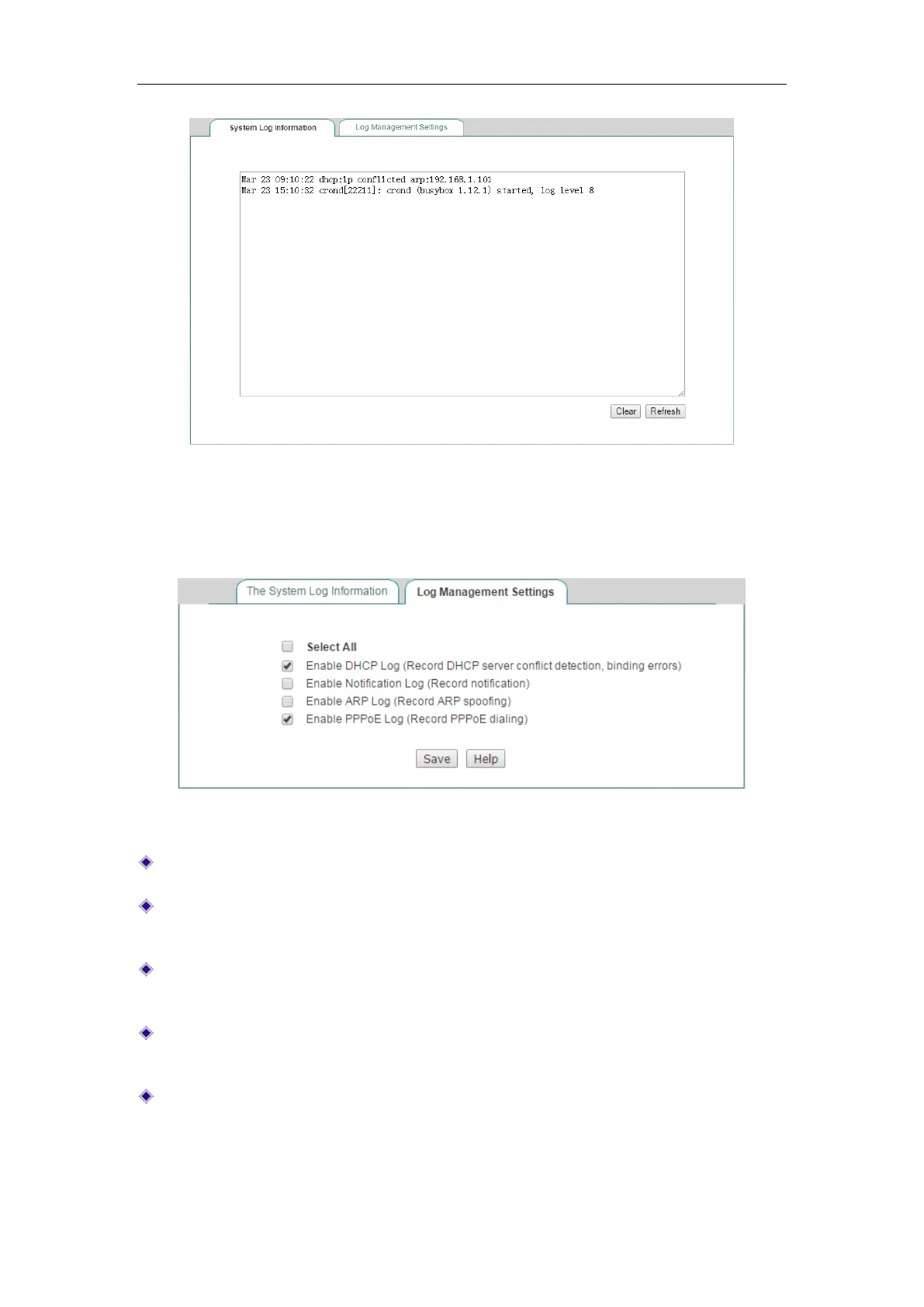
Figure 15-2 System Logs
On the Status > System Log > Log Management Settings page, you can set the type
of system log you want to display.
Figure 15-3 System Log Settings
Select All: If selected, all the provided system log features will be enabled.
Enable DHCP Log: If selected, the Device will store and display the DHCP related
logs in the System Log.
Enable Notification Log: If selected, the Device will store and display the notice
related logs in the System Log.
Enable ARP Log: If selected, the Device will store and display the ARP related
logs in the System Log.
Enable PPPoE Log: If selected, the Device will store and display the ARP related
logs in the System Log.



 To Next Page