UTT Technologies Network Menu
http://www.uttglobal.com Page 31
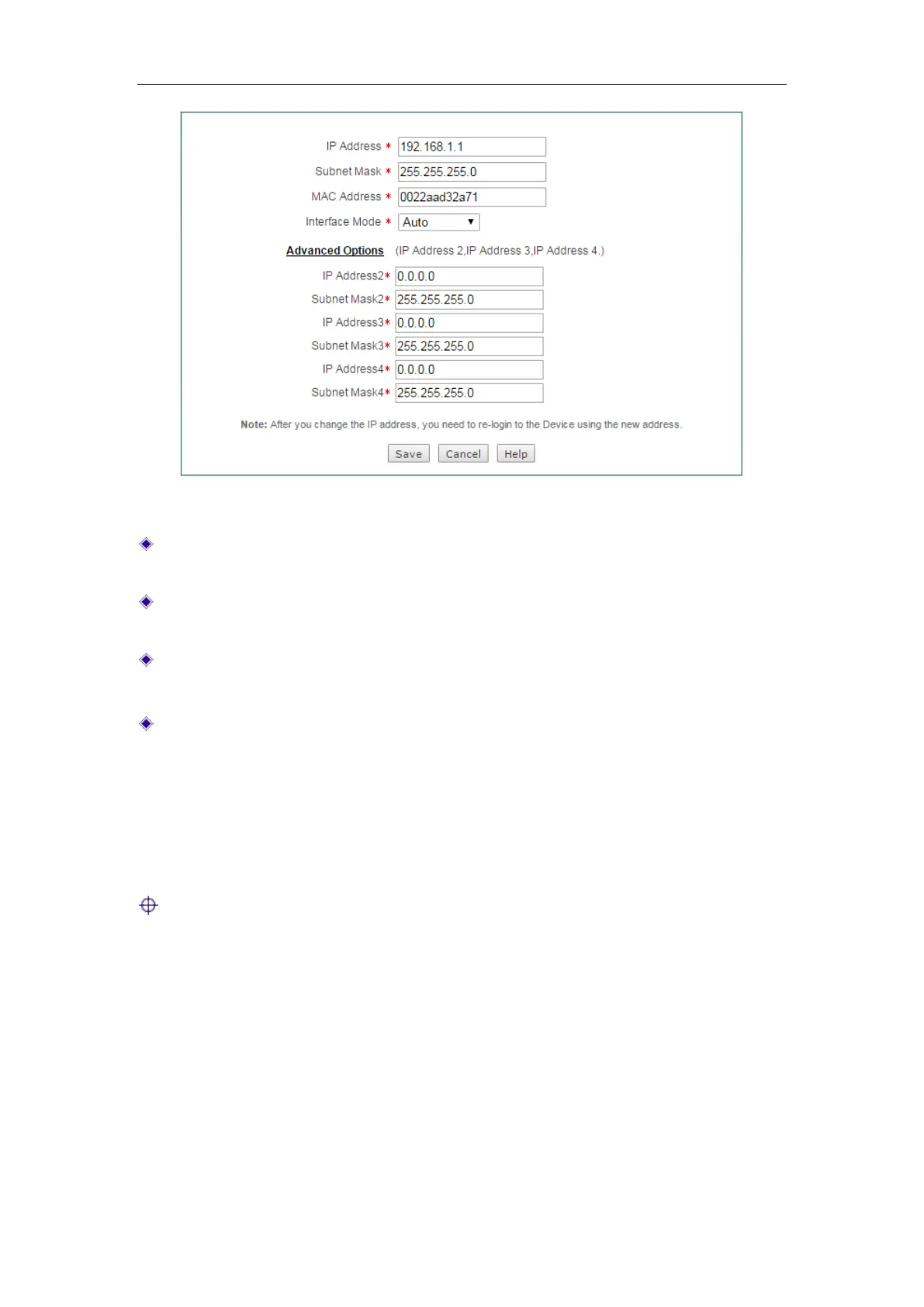
Figure 4-13 LAN Settings
IP Address: Specify the IP address of the LAN interface. The default value is
192.168.1.1.
Subnet Mask: Specify the subnet mask that defines the range of the LAN. The
default value is 255.255.255.0.
MAC Address: The MAC address of the LAN interface. We recommend that you
do not change the default value unless absolutely necessary.
Interface Mode: Specify the speed and duplex mode of the LAN interface. The
Device supports five or six modes (Note that only the gigabit LAN interface
supports
1000M-HD), which include Auto (Auto-negotiation), 10M-HD (10M
Half-Duplex),
10M-FD (10M Full-Duplex), 100M-HD (100M Half-Duplex),
100M-FD (100M Full-Duplex), and 1000M-FD (1000M Full-Duplex). In most
cases, please leave the default value. If a compatibility problem occurred, or the
network device connected to the LAN interface doesn’t support auto-negotiation
function, you may modify it as required.
Note:
1) You can assign two IP addresses to the Device’s LAN interface to connect two
subnets. The hosts on the two subnets can communicate with each other.
2) If you have changed the LAN IP address and saved the change, you should use
the new IP address to re-login to the Device. And the default gateway of each
LAN host should be changed to this new IP address, thus the LAN hosts can
access the Device and Internet.



 To Next Page