474
M9340
M9341
M9342
M9343
M9344
M100
M9000
M101
M102
M103
M104
M105
M106
M107
M108
M109
M110
M111
M112
M9000
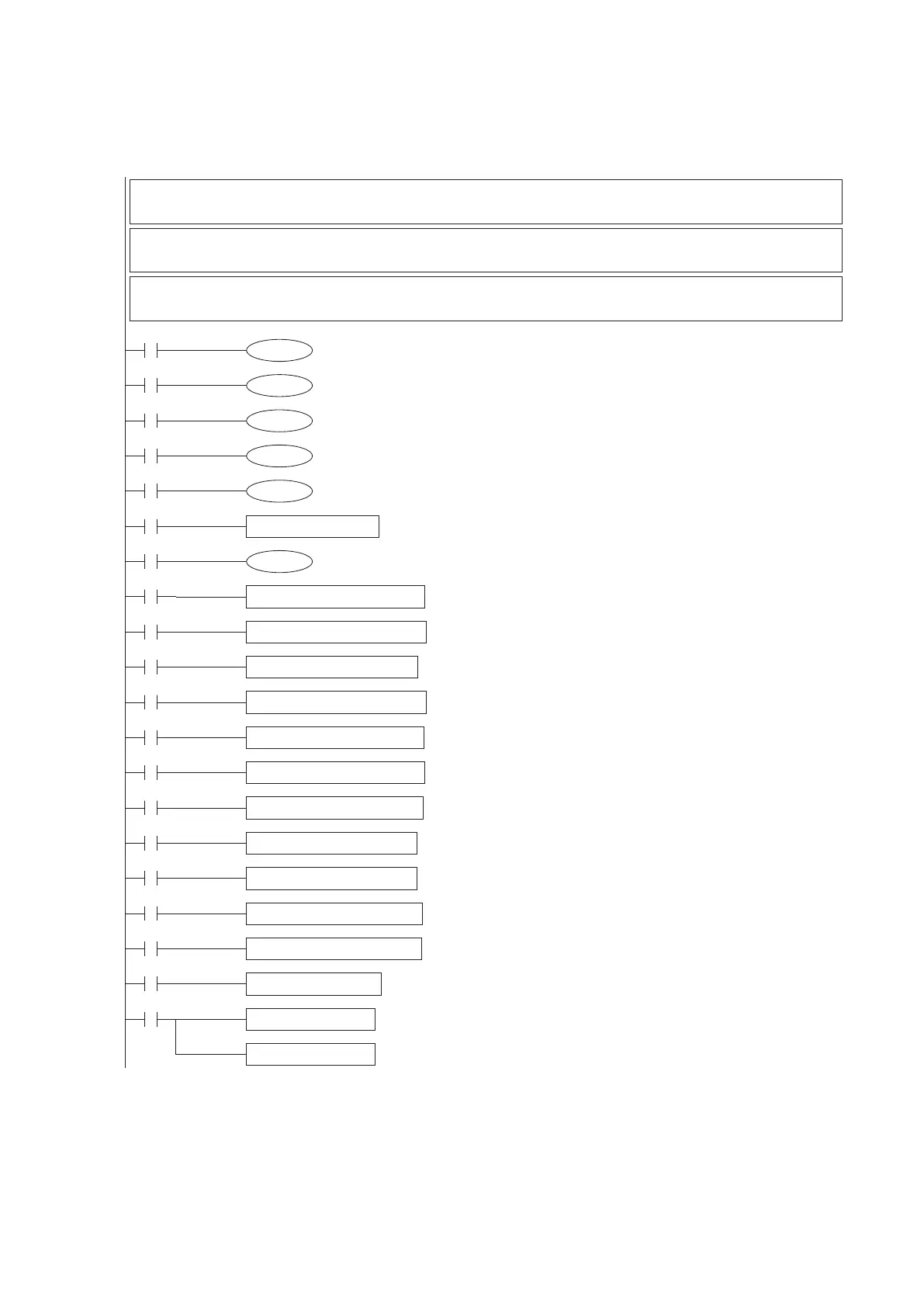
MOV D114 K4M100
DJOGF K300 D100 Y0 Y4
DJOGR K300 D100 Y0 Y4
DZRN D102 D104 Y0 Y4
DDRVR D106 D110 Y0 Y4
DDRVA D106 D110 Y0 Y4
DDV2R D106 D110 Y0 Y4
DDV2A D106 D110 Y0 Y4
DDVIT D106 D110 Y0 Y4
DDV2I D106 D110 Y0 Y4
DDVSR D106 D110 Y0 Y4
DDVSA D106 D110 Y0 Y4
DPLSV D110 Y0 Y4
DMOV D9350 D116
DMOV D9354 D118
D115.0
D115.1
D115.2
D115.3
D115.4
M9346
And then, edit the user program to control each axis.
Since the control procedure is according to the command from the Station No. 0, the program in this Station No. 1 is to
receive the command then generates the real control pulses. Also, the construct for all the Y0~Y3 are the same, the
tiny differences are the allocated components (please refer to the previous Section 1). This brief positioning example is
for to control the Y0 (#5 axis) only, but user can use the same shape to nish other positioning axis.
Y0 uses D100~D119
DD100=JOG spd; DD102=ZRN spd; DD104=ZRN creep spd; DD106=Target#1; DD108=Target#2;
DD110=Spd#1; DD112=Spd#2; D114=Command; D115=Status; DD116=Current spd; DD118=Current location
D115 delivers the operation status of Y0
b0=READY/BUSY ag; b1=Pulse output status ag; b2=Positioning completed ag;
b3=Positioning abnormal stop ag; b4=Zero home positioning had been completed
D114 transfers the operation command for the Y0 positioning
b0=STOP; b1=JOGF; b2=JOGR; b3=ZRN; b4=DRVR; b5=DRVA; b6=DV2R; b7=DV2A;
b8=DVIT; b9=DV2I; b10=DVSR; b11=DVSA; b12=PLSV
For to deliver the READY/BUSY ag feedback to the master station
For to deliver the pulse output status ag feedback to the master station
For to deliver the positioning completed ag feedback to the master station
For to deliver the positioning abnormal stop ag feedback to the master station
For to deliver the ZRN completed ag feedback to the master station
Transfer the commands from the master station to individual function contacts
Force the Y0 axis immediately stop
Use the JOG speed from the master to perform the JOG+ operation
Use the JOG speed from the master to perform the JOG- operation
Use the ZRN speed and ZRN creep speed from the master to
perform the ZRN operation
Use the target #1 and speed #1 from the master to
perform the relative positioning
Use the target #1 and speed #1 from the master to
perform the absolute positioning
Use the targets and speeds from the master to
perform the 2 stages relative positioning
Use the targets and speeds from the master to
perform the 2 stages absolute positioning
Use the target #1 and speed #1 from the master to
perform the interrupt constant quantity positioning
Use the target #1 and speeds from the master to
perform the 2 stages interrupt constant quantity positioning
Use the target #1 and speed #1 from the master to
perform the interrupt to stop or drive to relative positioning
Use the target #1 and speed #1 from the master to
perform the interrupt to stop or drive to absolute positioning
Use the speed #1 from the master to
perform the variable speed pulse output
For to deliver the current speed feedback to the master station
For to deliver the current location feedback to the master station


 To Next Page