7 Maintenance
186 July 29, 2013, 715003794 Rev. B
• Replace the plunger seals
• Clean or replace a plunger
• Service the seal-wash seals
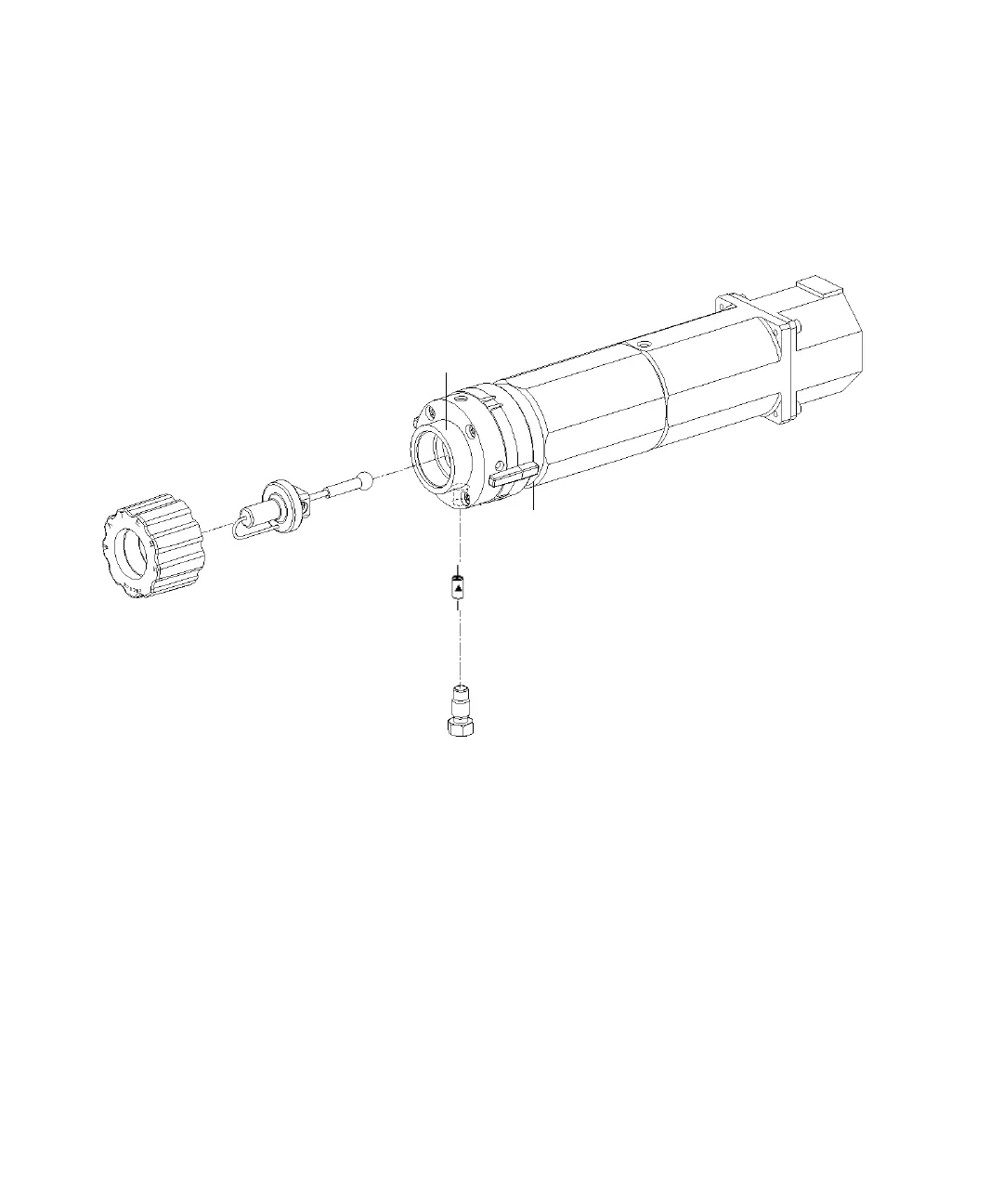
Solvent management system piston chamber components (exploded view):
To remove the head, seal-wash assembly, and plunger:
1. On the Main screen, press the Diag screen key.
2. Press the Other Tests screen key in the Diagnostics screen.
3. From the list in the Other Diagnostics screen, select Head Removal and
Replacement.
4. Follow the instructions that appear in the Head Removal and
Replacement screen.
Requirement: To minimize fluid leakage during the Head removal and
replacement procedure, make sure that the GPV valve is set to the Off
position (see “Perform the motors and valves diagnostic test” on
Manifold
Plunger cone (shown
disengaged)
Check valve
cartridge
Check valve
housing
Plunger-seal-wash
assembly
Head nut
Head
Plunger



 To Next Page