Set separation method parameters
July 29, 2013, 715003794 Rev. B 157
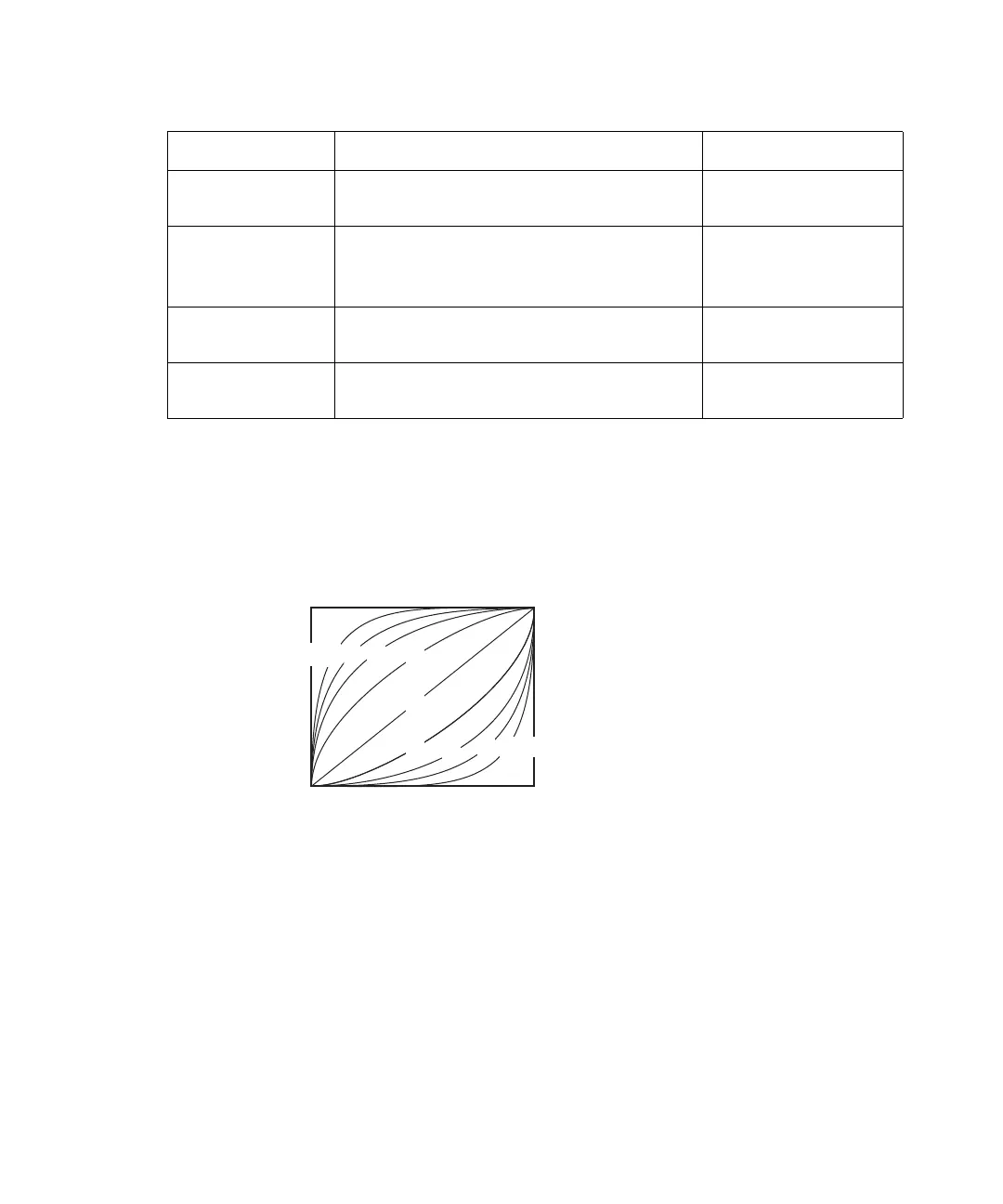
Gradient curves
The figure, below presents a visual model of the gradient curve for each of the
gradient curve values you can specify in the Gradient table.
Curve shapes for gradient profiles:
Set sample parameter values
To enter parameters in the Sample screen:
1. Press the Next or Prev screen key to display the Sample screen.
Sort by Time
(screen key)
Sorts the rows based on time. N/A
Copy Down
(screen key)
Copies the contents of the current
table cell into subsequent cells in the
column.
N/A
Reset Table
(screen key)
Clears the table. N/A
Print (screen
key)
Prints the Gradient table. N/A
Gradient table parameters: (Continued)
Parameter Function Value range
Start End
Initial
conditions
Final
conditions
Time
100%
0%



 To Next Page