Set separation method parameters
July 29, 2013, 715003794 Rev. B 161
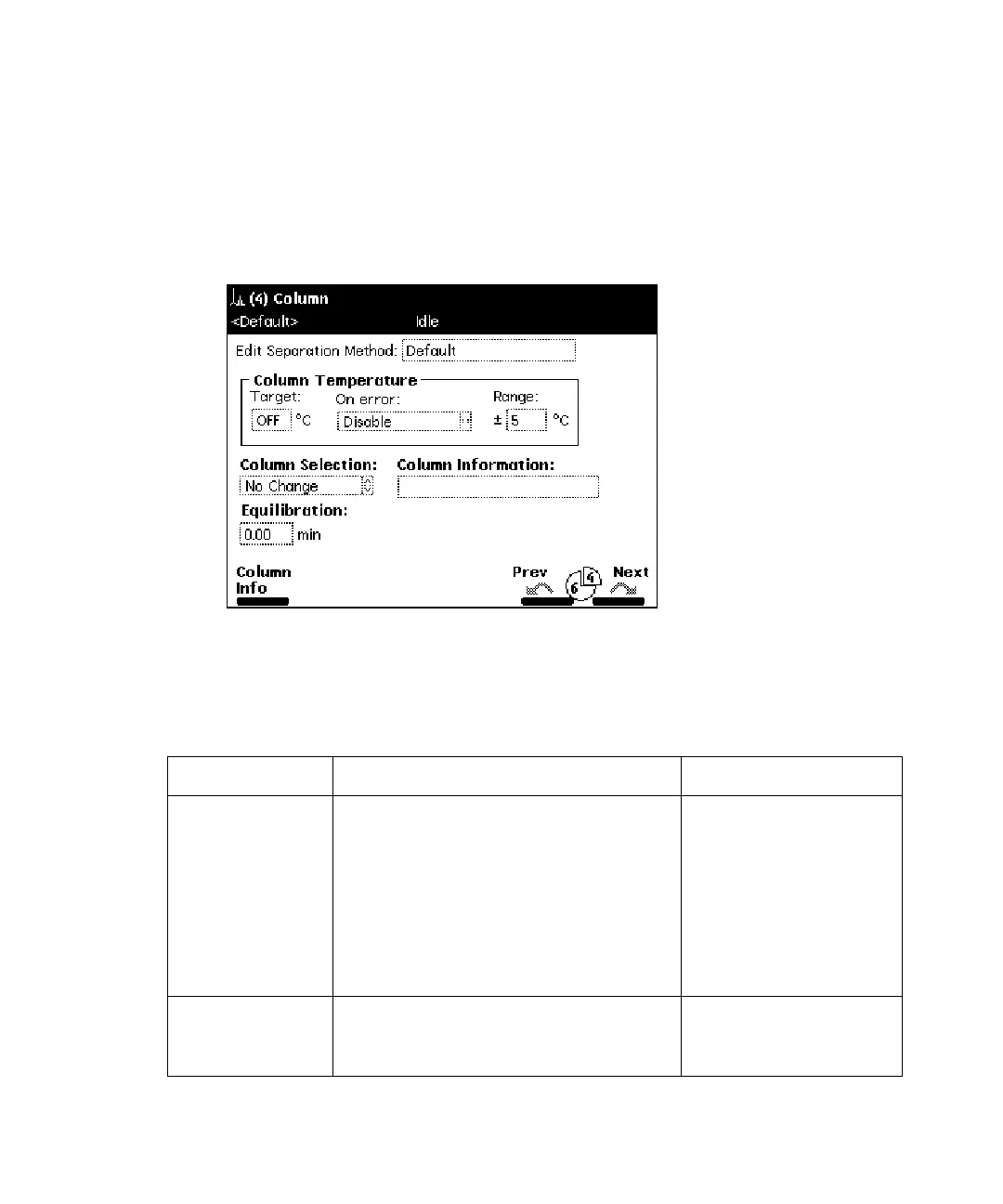
Set column parameter values
To enter parameters in the Column screen:
1. Press the Next or Prev screen keys to display the Column screen.
Column screen:
2. Enter values in the Column screen, as appropriate.
The following table describes the parameters in the Column screen.
Column parameters:
Parameter Function Value range
Column
Temperature
Target
Sets the temperature of the column
heater or column heater/cooler (if
installed). To turn off the column
heater or column heater/cooler,
press the Clear key.
Column heater – 4 to
60 °C (5 °C above
ambient to 65 °C)
Column heater/cooler
– 4 to 65 °C (the
greater of 15 °C below
ambient or 4 to 65 °C)
On error Response that occurs when column
temperature is out of the specified
range.
See “Alarm
responses:” on
page 154.



 To Next Page