3 Prepare the e2695 Separations Module for Operation
90 July 29, 2013, 715003794 Rev. B
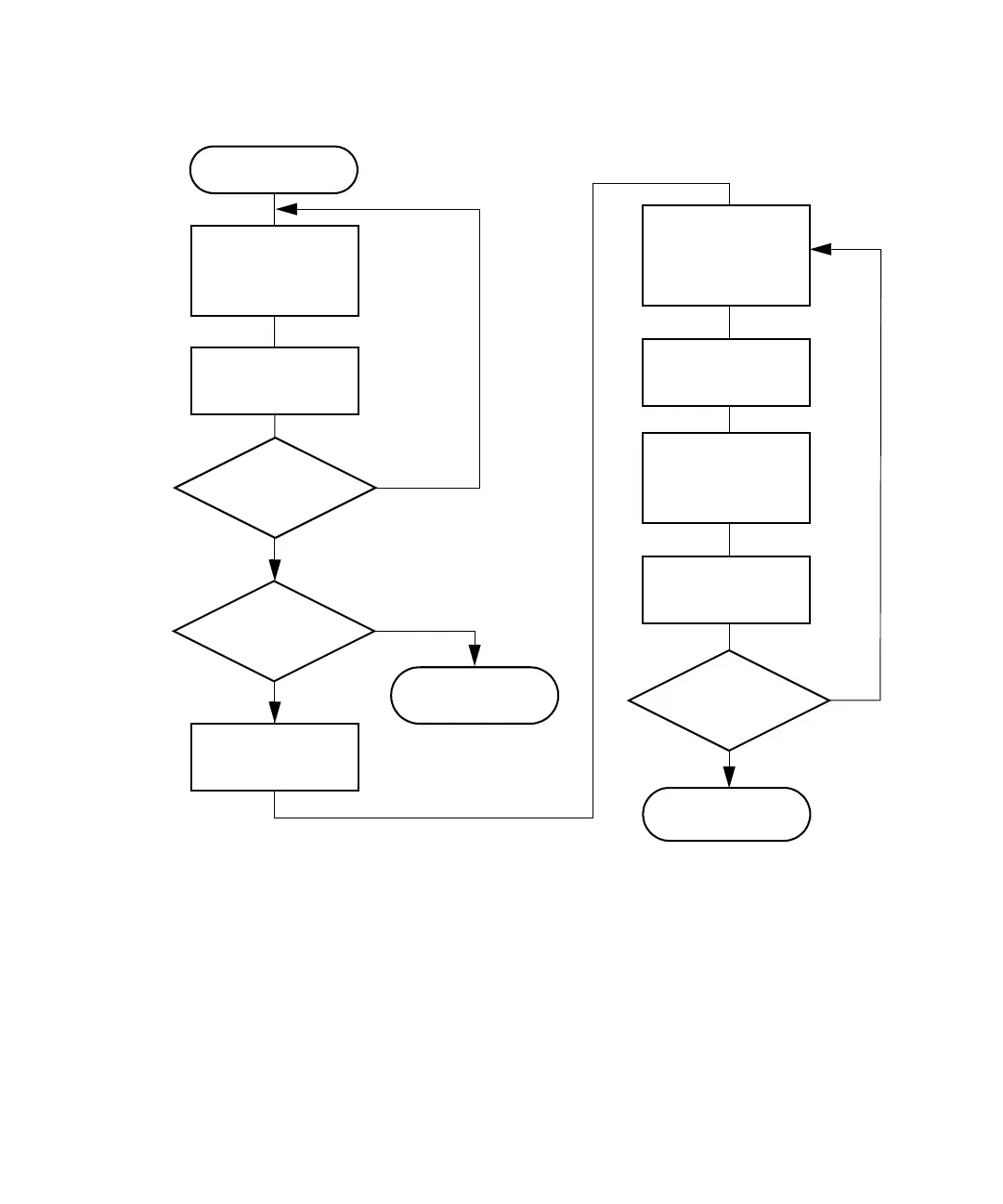
Steps for entering alphabetic data:
Example: To enter the name “Dave” in the User Name field:
1. Press the ABCDEF screen key.
2. Press the D screen key.
3. Press the More screen key, then press the Lowercase screen key.
4. Press the abcdef screen key.
5. Press the a screen key.
Select text field
Yes
No
Yes
No
Press Enter
to exit
Press
Enter
to exit
Yes
No
Press the screen
key for the
appropriate letter
group
Press the screen
key for the letter
Enter another
character?
Is entry
correct?
Press the More
Screen key
Press the
Backspace Screen
key
Press the screen
key for the
appropriate letter
group
Press the screen
key for the correct
letter
Is entry
correct?
Move the cursor
to the position
immediately after
incorrect letter



 To Next Page