EasyManua.ls Logo

Yamaha XVS650 - SWITCH INSPECTION

Yamaha XVS650
360 pages
Print Icon
To Next Page IconTo Next Page
To Previous Page IconTo Previous Page
Loading...
SWITCH INSPECTION I
ELEC
I0 I
SWITCH INSPECTION
SWITCH INSPECTION
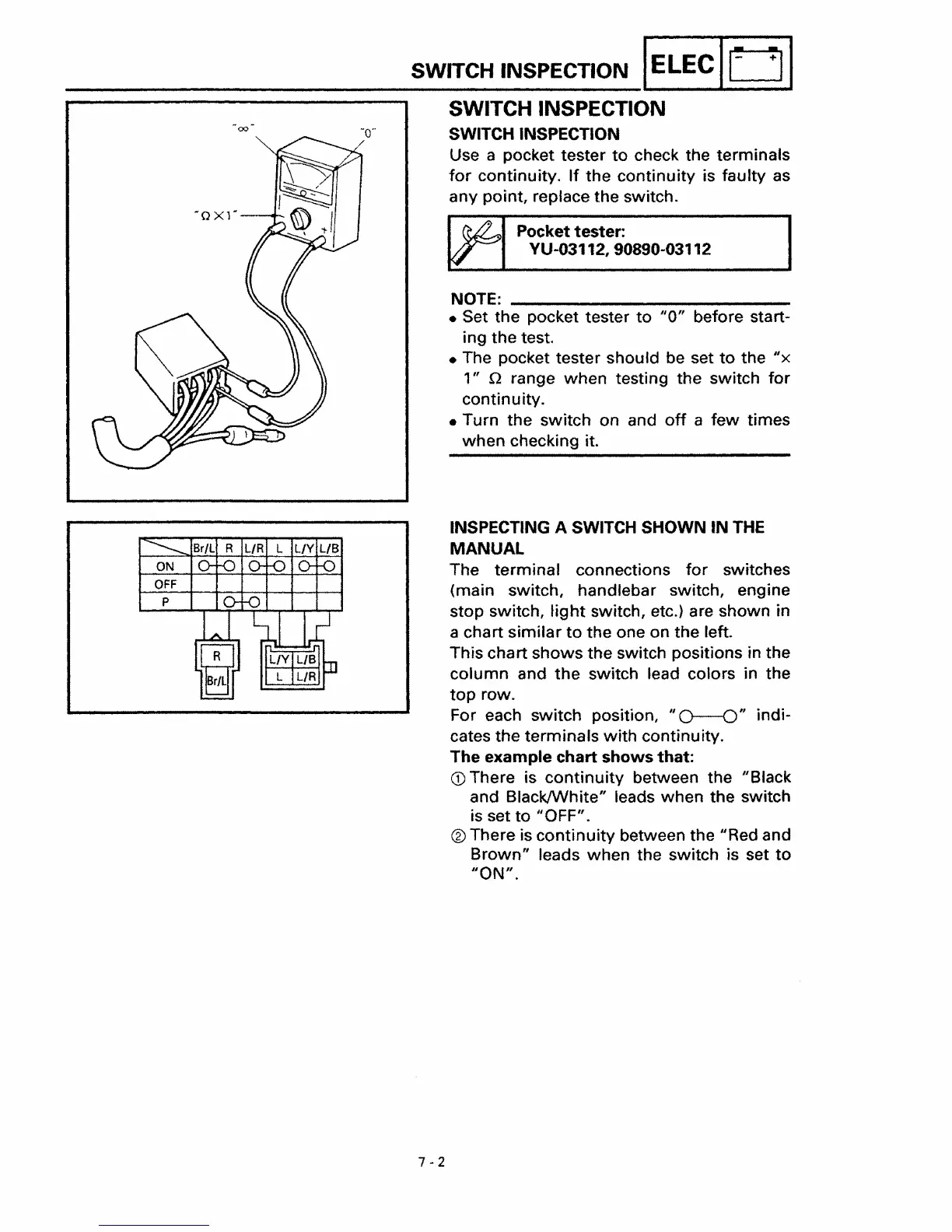
Use a pocket tester
to
check the terminals
for
continuity.
If
the
continuity
is faulty as
any
point, replace
the
switch.
. Pocket tester:
YU-03112, 90890-03112
NOTE: _
Set
the
pocket tester
to
"0"
before start-
ing
the
test.
The pocket tester should be set
to
the
II
X
'"
n range
when
testing the switch
for
continuity.
Turn the
switch
on and
off
a
few
times
when
checking it.
INSPECTING A SWITCH
SHOWN
IN
THE
MANUAL
The
terminal
connections
for
switches
(main switch
l
handlebar switch
l
engine
stop
switch,
tight
switch, etc.) are shown in
a chart
similar
to
the
one on the left.
This chart
shows
the
switch positions in the
column
and
the
switch lead colors in the
top
row.
For each switch position,
"0--0"
indi-
cates the terminals
with
continuity.
The example chart
shows
that:
cD
There is
continuity
between the IIBlack
and Black/White" leads
when
the switch
is set
to
IiOFF".
® There is
continuity
between the uRed and
Brown"
leads when the switch is set
to
liON"
.
7-2

Table of Contents

Other manuals for Yamaha XVS650

Related product manuals