DESCRIPTION OF THE GDP-32
II
RECEIVER
Section 2, Page 11 May 2002
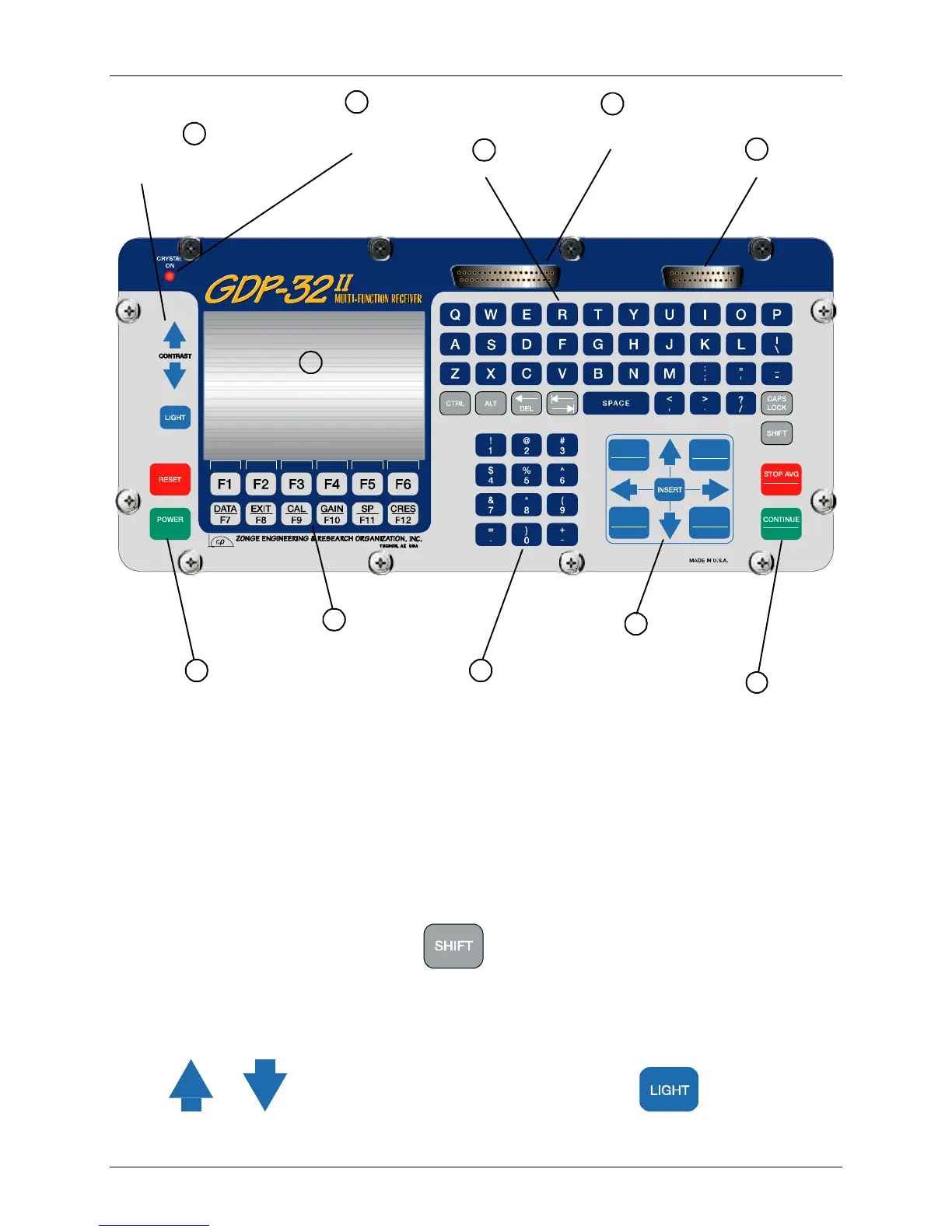
Figure 2.4 - GDP-32
II
Front Panel
FRONT PANEL
The front panel contains the display, keyboard, peripherals I/O and analog output port for the lid
meter panel. Operator communication with the internal machine is provided through this panel.
1. Liquid Crystal Display (LCD)
The 480 by 320 pixel, ½ VGA LCD presents GDP-32
II
information to the operator. The
LCD by default displays the upper left quarter of a normal 640 x 480 display. To view
other quarters of the screen, press
followed by one of the rotary entry keys.
2. LCD Contrast Adjustment Keys and Backlight
The contrast control adjusts the bias voltage applied to the LCD to maximize the screen
contrast. The voltage is continuously variable. If the screen is too light or dark, press
or until the desired contrast is found. Pressing turns on the LCD
backlight.
ON/OFF
SELECT UP
Home
NEXT FIELD
Pg Dn
SELECT DN
End
PREV FIELD
Pg Up
Escape
Enter
1
480 x 320 ½ VGA
(LCD)
3
Crystal Oscillator
Power Light
6
Anolog Output Port
7
Power/Reset Keys
8
Designated & Soft
Function Keys (F1-F12)
5
Peripheral I/O
Connector (PIOC)
4
Alphabet Keys
9
Numeric Keys
10
Cursor Control &
Rotary Entry Keys
11
Control Keys
2
LCD Contrast Adjust
& Back Light



 To Next Page