GDP-32II INSTRUCTION MANUAL
May 2002 Section 2, Page 12
3. Crystal Oscillator Power Light
This light indicates that power is being supplied to the crystal oscillator.
Note: If the Crystal Oscillator Power Light does not come on when the power switch is
turned on, the electronic circuit breaker may have been tripped due to a low battery
condition.
4. Alphabet Keys
– The GDP-32
II
permits input of alpha-characters for certain labels in headers
such as Operator, Tx ID, Line, Job, and Spread.
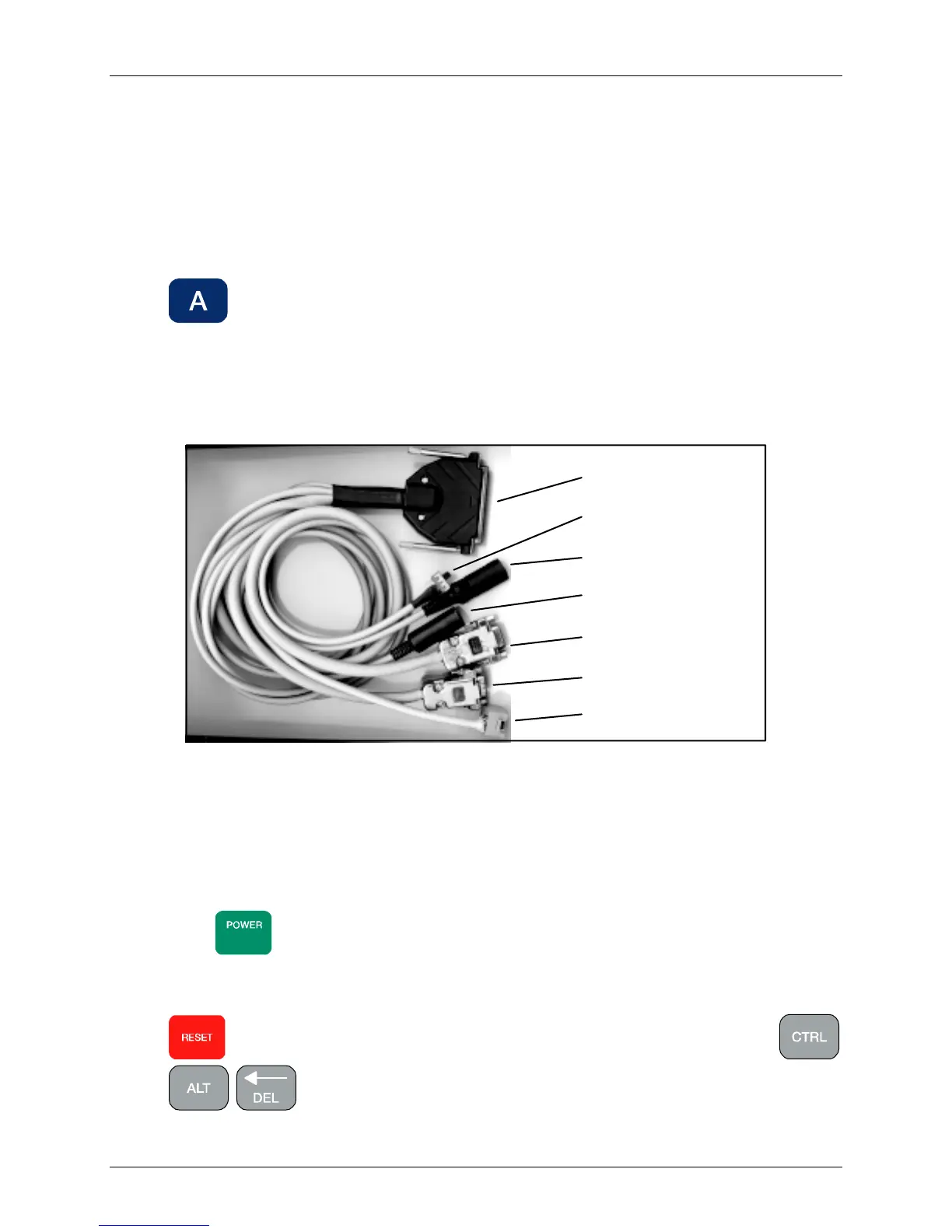
5. Peripheral I/O Connector (PIOC)
This 37-pin D-style connector is used to plug in external devices such as a mouse,
keyboard, larger display, etc. See Figure 2.5.
Figure 2.5 – Peripheral I/O Cable
6. Analog Output Port
This 25-pin D-style connector is used to connect the lid panel with the analog output
voltage from each channel.
7. Power / Reset Keys
Press
ON/OFF
to turn on the receiver, after pressing the main power button on the I/O
panel on the left side of the GDP-32
II
case. To turn off the GDP, press this key and hold
down until you hear a series of single “beeps”. See Sections 3.2 and 3.3.
resets the GDP-32
II
, when pressed for more than 3 seconds. Pressing
in sequence also resets the GDP-32
II
. This key combination is usually
used only when the computer locks up and other keys will not work.
37 pin connector
Mouse connector
Keyboard connector
VGA display connector
Keyboard selector switch
COM2 connector
Ethernet connector



 To Next Page