Validating Samples
AEROSET
®
Customer Training Guide 5-15
94858-103 — July 2003
VALIDATING SAMPLES
After all the results on a sample have been accepted, the sample may be
validated. The AEROSET System may be configured to only allow
validated results to be printed or transmitted to a Host. The System can
also be configured to auto-validate samples when all results are
acceptable.
NOTE: For the procedures to define the On-line configuration,
Print options and System configuration, refer to Module 8,
Configuration.
To validate a sample after all results are acceptable, perform the
following procedure:
1. Select <Database> in the Information Access Area, if the screen is
not currently displayed.
2. Select the sample to be validated.
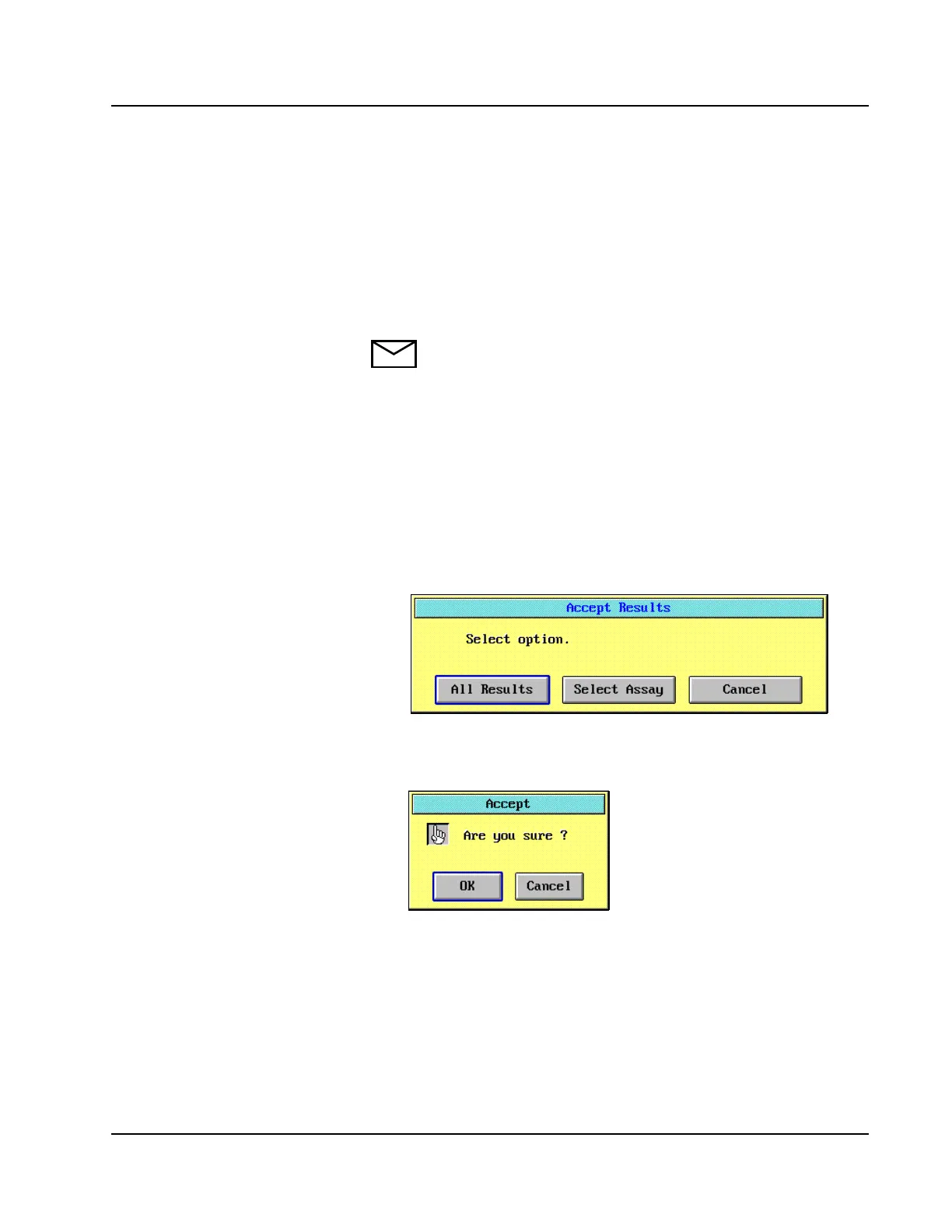
3. Select <Accept> in the right-hand column. The Accept Results
dialog window is displayed.
Figure 5.8: Accept Results Dialog Window
4. Select <All Results>. The Accept confirmation dialog window is
displayed.
Figure 5.9: Accept Confirmation Dialog Window
5. Select <OK>.
6. A “V” is displayed by the sample in the DATABASE screen and the
text turns black to indicate that the sample has been validated.



 To Next Page