MODULE 5: RESULT HANDLING
5-14 AEROSET
®
Customer Training Guide
94858-103 — July 2003
ACCEPTING RESULTS
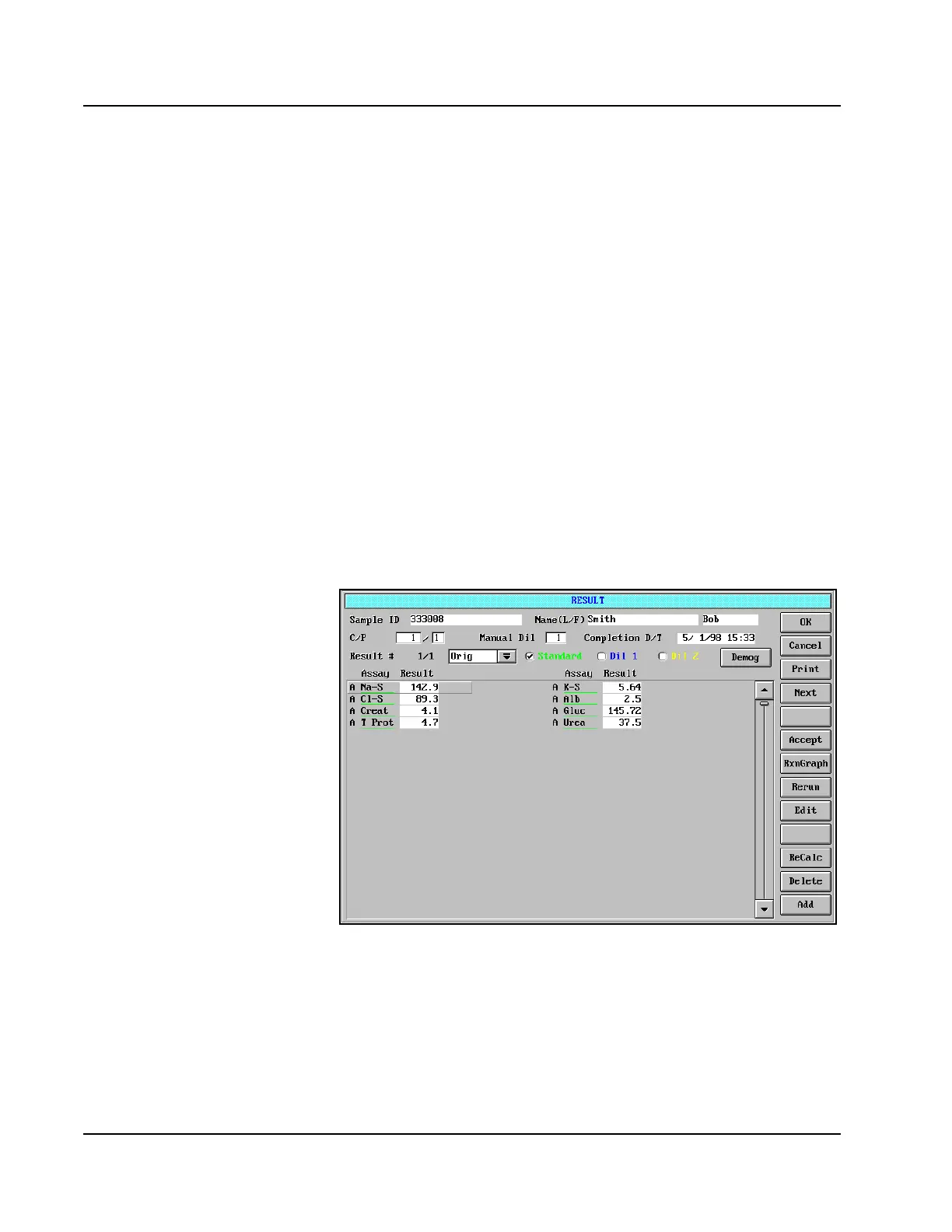
The AEROSET System auto-accepts all results that are completed with
no associated Result Error Codes. The Processing Code “A” displays by
each accepted result in the RESULT screen. If all results on a sample are
auto-accepted, the “A” is also displayed by the sample in the
DATABASE screen.
If a sample has one or more results with an associated Result Error Code,
the Processing Code “I” is displayed by the sample in the DATABASE
screen. The results for this sample will need to be evaluated by the
Operator for acceptance or further action (rerunning, diluting, editing,
etc.)
To review and accept the results, perform the following procedure:
1. Select <Database> in the Information Access Area, if the screen is
not currently displayed.
2. Select the sample to be reviewed.
3. Select <Result> in the right-hand column. The RESULT screen is
displayed.
Figure 5.7: RESULT Screen
4. If the result displayed is determined by the Operator to be
acceptable without further action, the Operator should highlight the
result by touching it.
5. Select <Accept> in the right-hand column (or press [A] on the
keyboard). An “A” is displayed next to the assay name.



 To Next Page