Checking Reagent Inventory
AEROSET
®
Customer Training Guide 2-5
94858-103 — July 2003
CHECKING REAGENT INVENTORY
To avoid interruptions during operation and to ensure maximum
efficiency, it is recommended that the Operator check the reagent
inventory before beginning a run. This ensures that there is sufficient
reagent onboard.
To initiate a scan of the Reagent Supply Centers to ensure that the
current status is reviewed, select <RGT SCAN> in the Action Area.
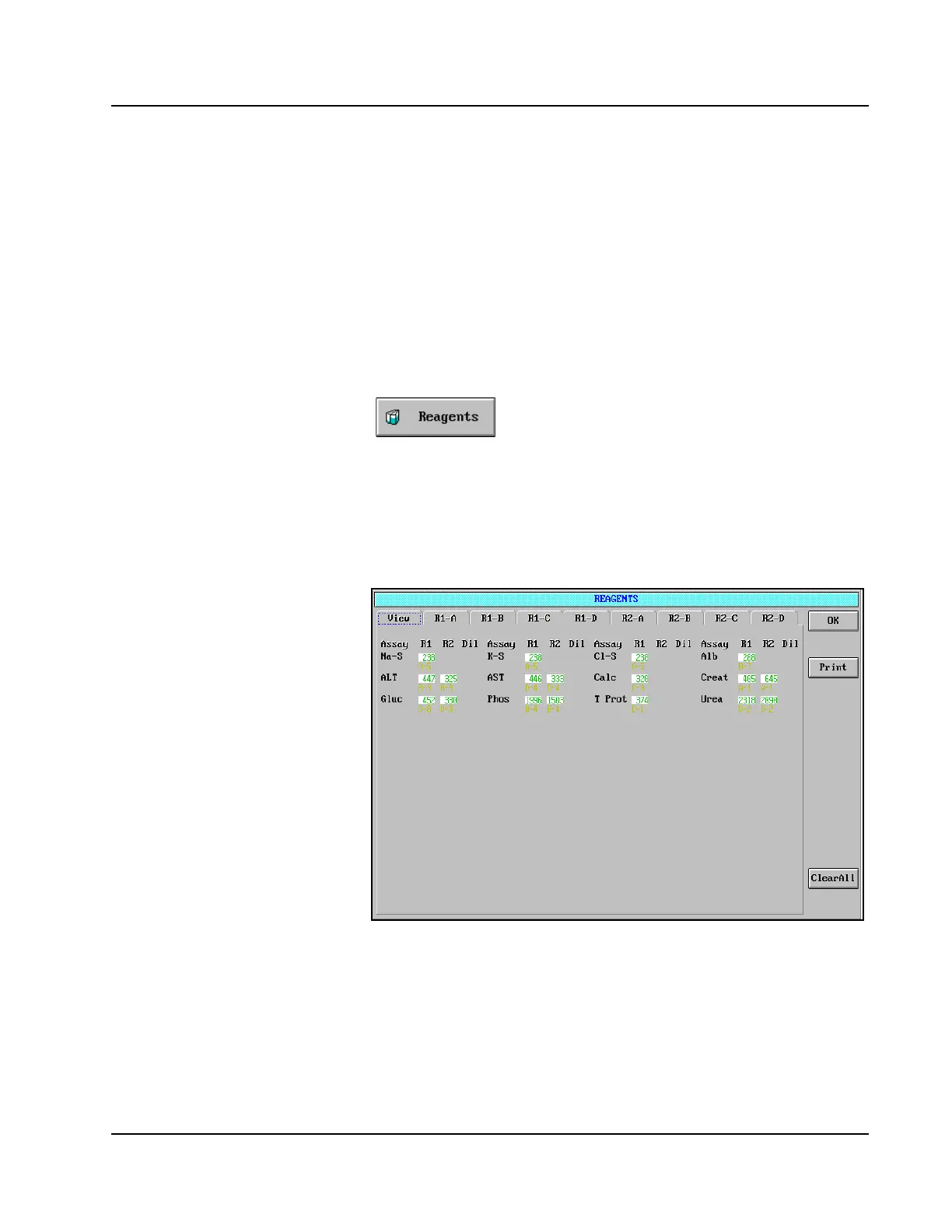
The volume remaining in the Reagent Cartridges onboard can be viewed
by selecting <Reagents> in the Information Access Area.
Reagent View
The View page of the REAGENTS screen is displayed.
Figure 2.1: REAGENTS Screen, View page
Demonstrate on SCC (use view
screen). Reagent Scan may be done
only when instrument is in the
Ready status.
Review:
• The ASSAYS screen after each reagent
bar code scan and correct as appropriate.
• The key conditions of the assay buttons
in the ASSAYS screen when the assay
button is BLACK, YELLOW, PINK, or
GREEN.
• If text on assay button is BLACK, the
reagent name won’t appear on the
Reagents view screen.



 To Next Page