Basic Steps to Order and Run a Sample
AEROSET
®
Customer Training Guide 2-19
94858-103 — July 2003
BASIC STEPS TO ORDER AND RUN A SAMPLE
Ordering Patient Samples on the FastTrack™ Sampler
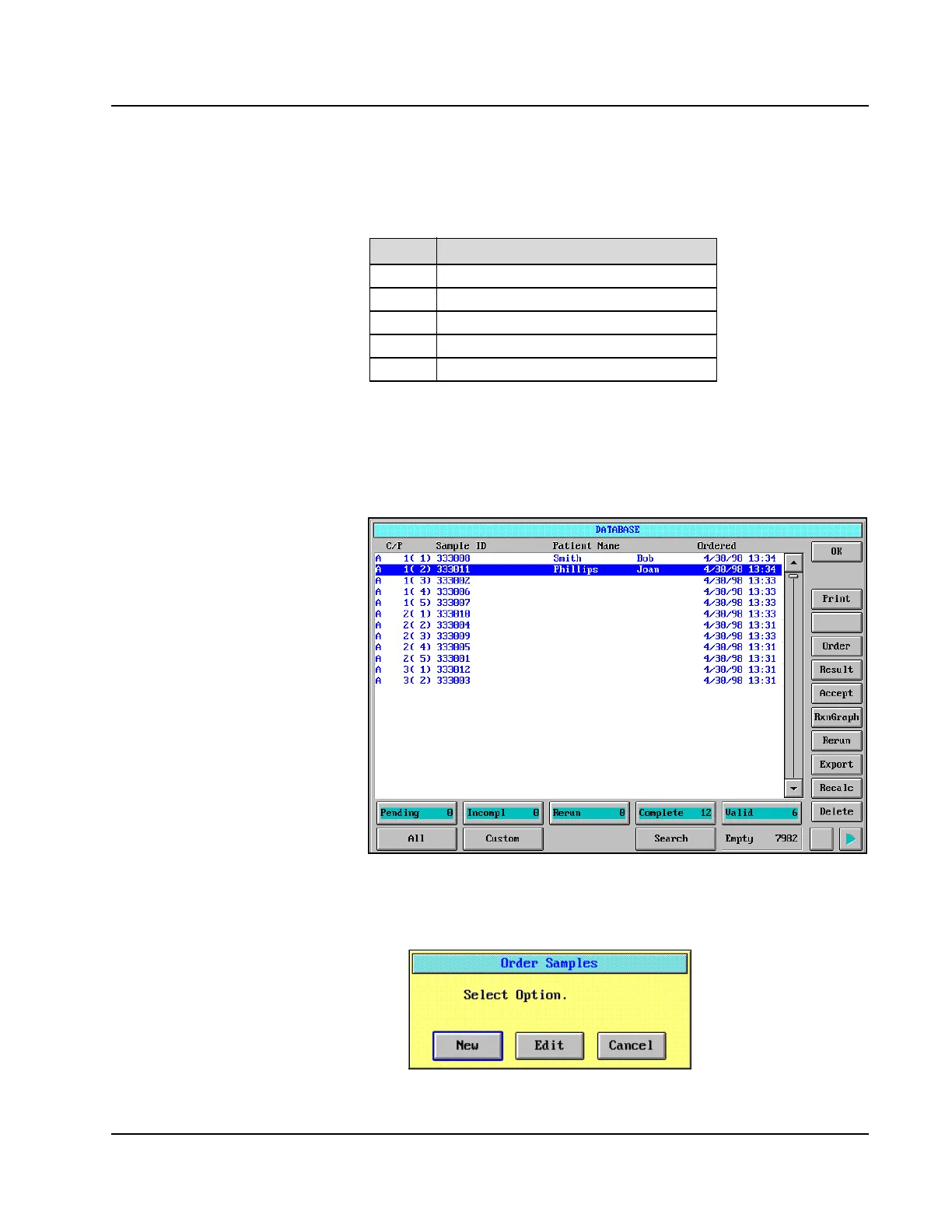
1. Select <Database> from the Information Access Area, if the
DATABASE screen is not currently displayed.
Figure 2.6: DATABASE Screen
2. Select <Order> in the right-hand column on the DATABASE
screen. If an order already exists and it is highlighted, the Order
Samples dialog window is displayed.
Figure 2.7: Order Samples Dialog Window
Step Action
1
Order patient samples.
2
Review and print the Loadlist.
3
Load samples.
4
Select Run options.
5
Start the run.
• Prior to starting the demo, the
Instructor should copy an order 4x to
allow demonstration of the different
ways to select samples for printing a
loadlist.
• Delete all samples created for the
demo before the customer begins the
activity.
• Using the SCC, review the basic
steps of manual entry for the
FastTrack.
• Deselecting panel does not deselect
tests.
• Selecting “New” automatically
increments position #.



 To Next Page