MODULE 5: RESULT HANDLING
5-34 AEROSET
®
Customer Training Guide
94858-103 — July 2003
TRANSMITTING RESULTS TO THE HOST
Results are transmitted to the Host system automatically if the
AEROSET System is configured to do so in the On-line Configuration
screen.
NOTE: For details on defining On-line configuration, refer to
Module 8, Configuration.
If the AEROSET System is not configured to send results automatically,
or if Host communication was temporarily suspended and results must be
present, perform the following procedure:
1. Select <Database> in the Information Access Area, if the screen is
not currently displayed.
2. Select the sample(s) to be transmitted:
• To highlight multiple consecutive samples in a list, select the
first sample in the list then highlight the remaining samples by
holding [Shift] and pressing [↓] on the keyboard.
• To highlight multiple random samples, hold down [Ctrl] while
selecting the samples on the screen.
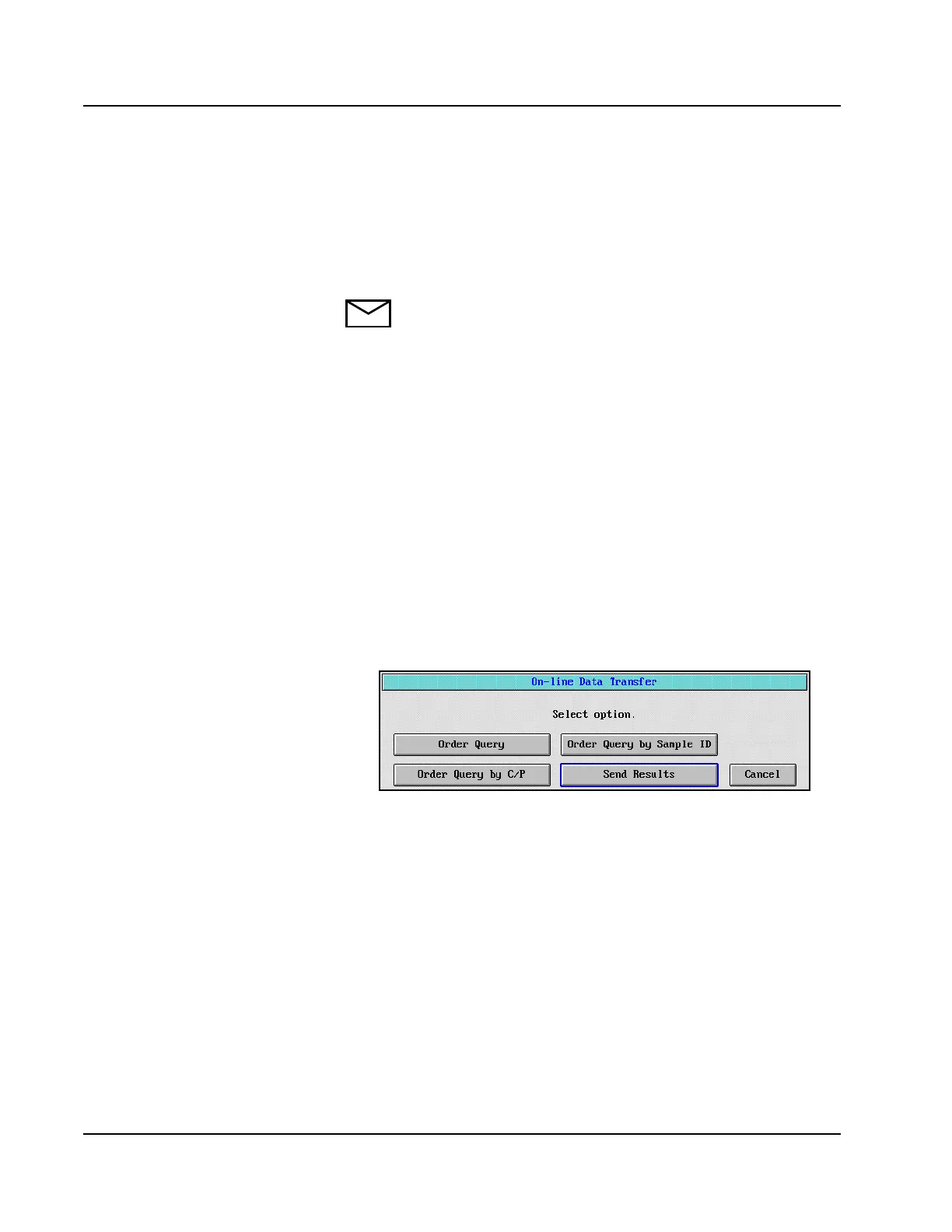
3. Select <On-line> in the right-hand column. The On-line Data
Transfer dialog window is displayed.
Figure 5.21: On-line Data Transfer Dialog Window
4. Select <Send Results>. The results of the highlighted samples are
sent to the Host system.
• If you accept the original,
linked/replicate does not go
to host.



 To Next Page