Deleting QC Data
AEROSET
®
Customer Training Guide 7-27
94858-103 — July 2003
DELETING QC DATA
The System holds 450 data points per level for each assay. When the
maximum capacity is reached, the System deletes on a first in/first out
basis.
This procedure is used to manually delete all
QC data from all QC levels
for an assay. A single QC value cannot be deleted, but can be excluded
from the calculation of the QC statistics. To delete all QC data for an
assay, perform the following procedure:
NOTE: After the QC data are deleted, they are no longer
accessible on the QC SUMMARY, Levey-Jennings Graph,
and QC Data List screens. The QC data continues to display on
the DATABASE screen until the database is cleared during
SHUTDOWN.
1. Select <QC Summary> in the Information Access Area. The QC
SUMMARY screen is displayed.
2. Select the assay for which all QC data will be deleted by touching
the assay name.
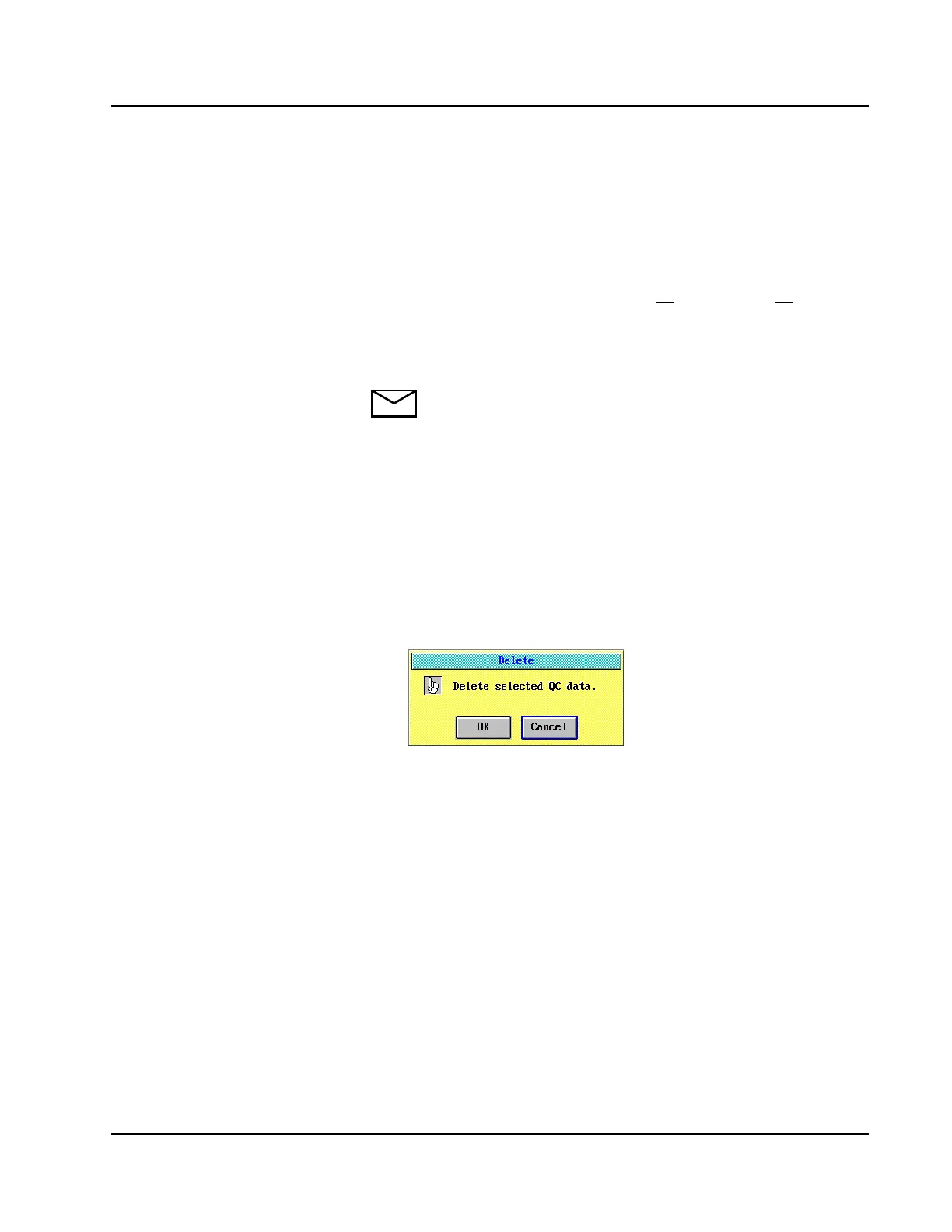
3. Select <Delete> in the right-hand column. A confirmation dialog
window is displayed.
Figure 7.14: Delete Confirmation Dialog Window
4. Select <OK>. All QC data from all QC levels defined for the assay
are deleted.
• Highlight that this procedure will
delete all
QC data from all QC levels
from an assay.



 To Next Page