MODULE 3: DAILY START UP AND CHECKS
3-18 AEROSET
®
Customer Training Guide
94858-103 — July 2003
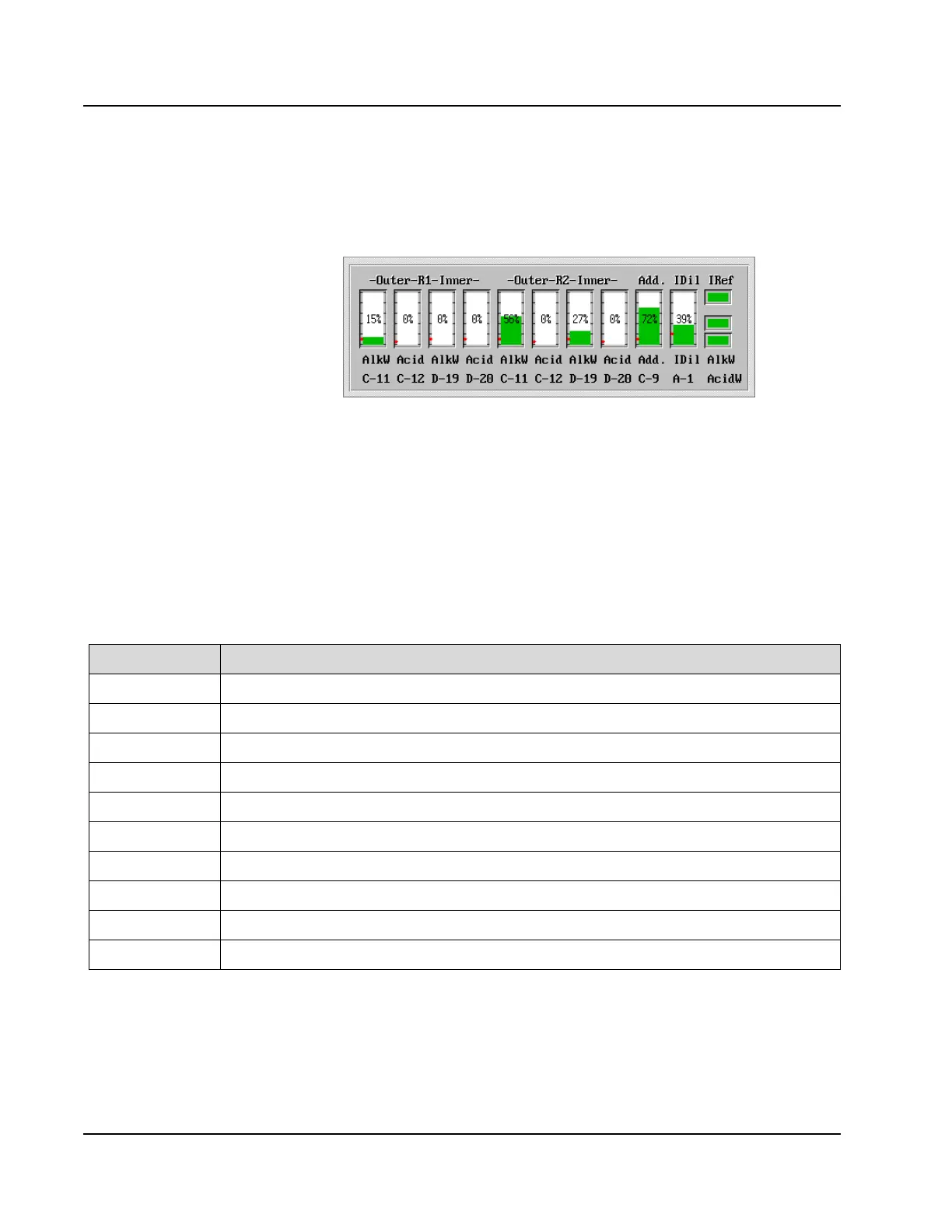
SOLUTION VOLUME DISPLAY
The solution volumes are displayed at the bottom of the START UP
OPTIONS and SHUTDOWN OPTIONS screens.
Figure 3.5: Solution Volume Display
The following table identifies the solutions in screen positions 1 - 10.
These solutions are located in the Reagent Supply Centers and the
volume is indicated in % remaining and by a colored bar. Each color
indicates a different status.
• Green – The volume is sufficient.
• Pink – The expiration date specified in the Reagent Configuration
screen has been exceeded.
• Brown – The volume is below the specified Rgt Lo Alert level.
Position Definition
1
1% Alkaline Wash Solution in Reagent Supply Center 1, outer segment
2
0.5% Acid Wash Solution in Reagent Supply Center 1, outer segment
3
1% Alkaline Wash Solution in Reagent Supply Center 1, inner segment
4
0.5% Acid Wash Solution in Reagent Supply Center 1, inner segment
5
1% Alkaline Wash Solution in Reagent Supply Center 2, outer segment
6
0.5% Acid Wash Solution in Reagent Supply Center 2, outer segment
7
1% Alkaline Wash Solution in Reagent Supply Center 2, inner segment
8
0.5% Acid Wash Solution in Reagent Supply Center 2, inner segment
9
Water Bath Additive in Reagent Supply Center 1, outer segment
10
ICT™ Sample Diluent in Reagent Supply Center 1, outer segment
(11)
(12)
(13)
(1) (2) (3) (4) (5) (6) (7) (8) (9)
(10)
Screen Positions



 To Next Page