Ordering Controls
AEROSET
®
Customer Training Guide 7-5
94858-103 — July 2003
ORDERING CONTROLS
To order controls, perform the following procedure:
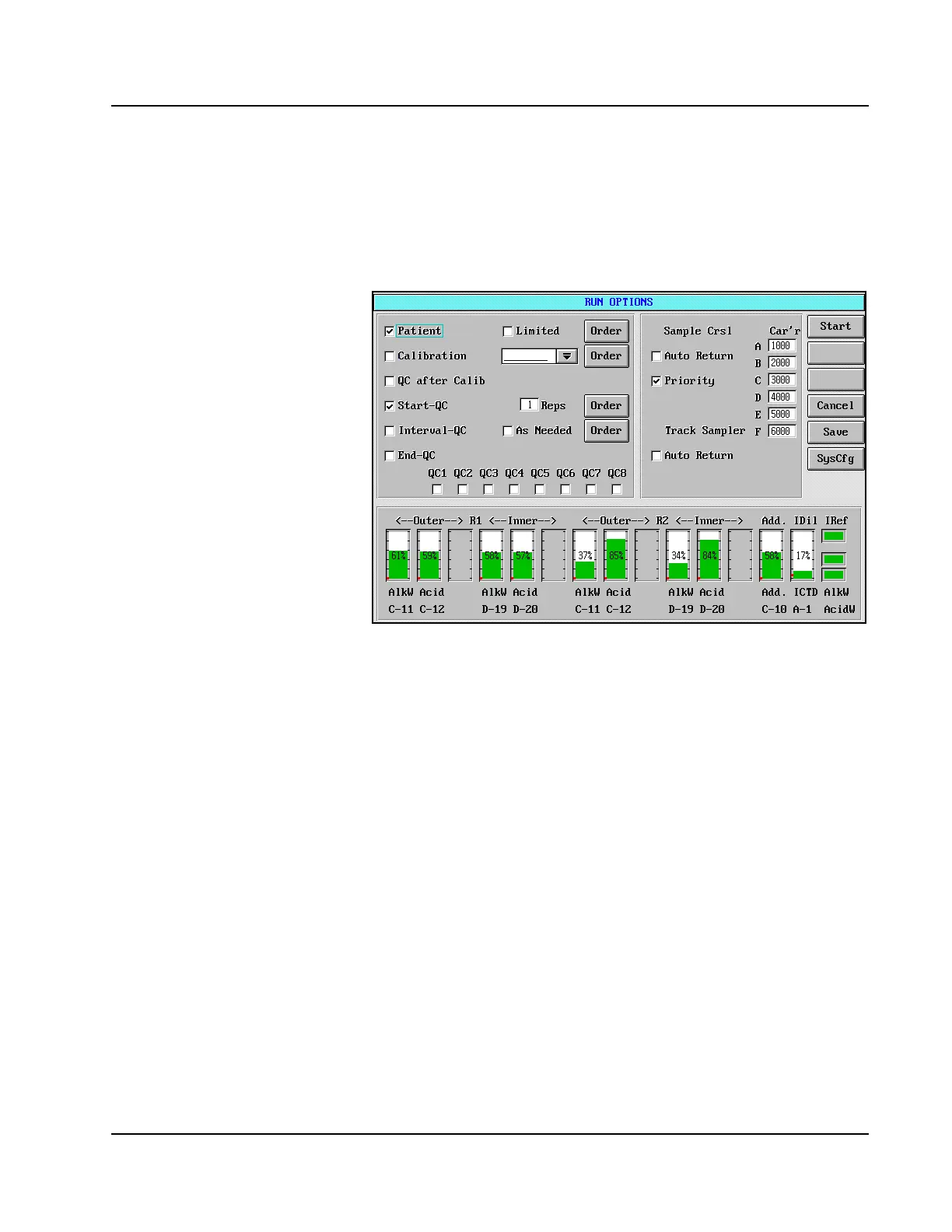
1. Select <RUN> in the Action Area. The RUN OPTIONS screen is
displayed.
Figure 7.1: RUN OPTIONS Screen
2. Place a checkmark (;) in the box to the left of the QC option
desired by touching the option. There are four options available and
the following table defines these options.



 To Next Page