MODULE 5: RESULT HANDLING
5-18 AEROSET
®
Customer Training Guide
94858-103 — July 2003
THE LIMITED RUN FEATURE
The Limited Run feature allows the Operator to exclude assays
scheduled for a patient sample without changing the order. The
AEROSET System aspirates all scheduled assays except the excluded
assays. Orders remain pending and no errors are generated. This feature
may be used when:
• The reagent for an assay is not onboard
• The sample requires pretreatment before the assay can be performed
(TIBC, etc.)
Limiting Assays in a Run
WARNING: Potential Biohazard. Refer to Appendix,
Hazards of this manual.
1. Order and load the patient samples.
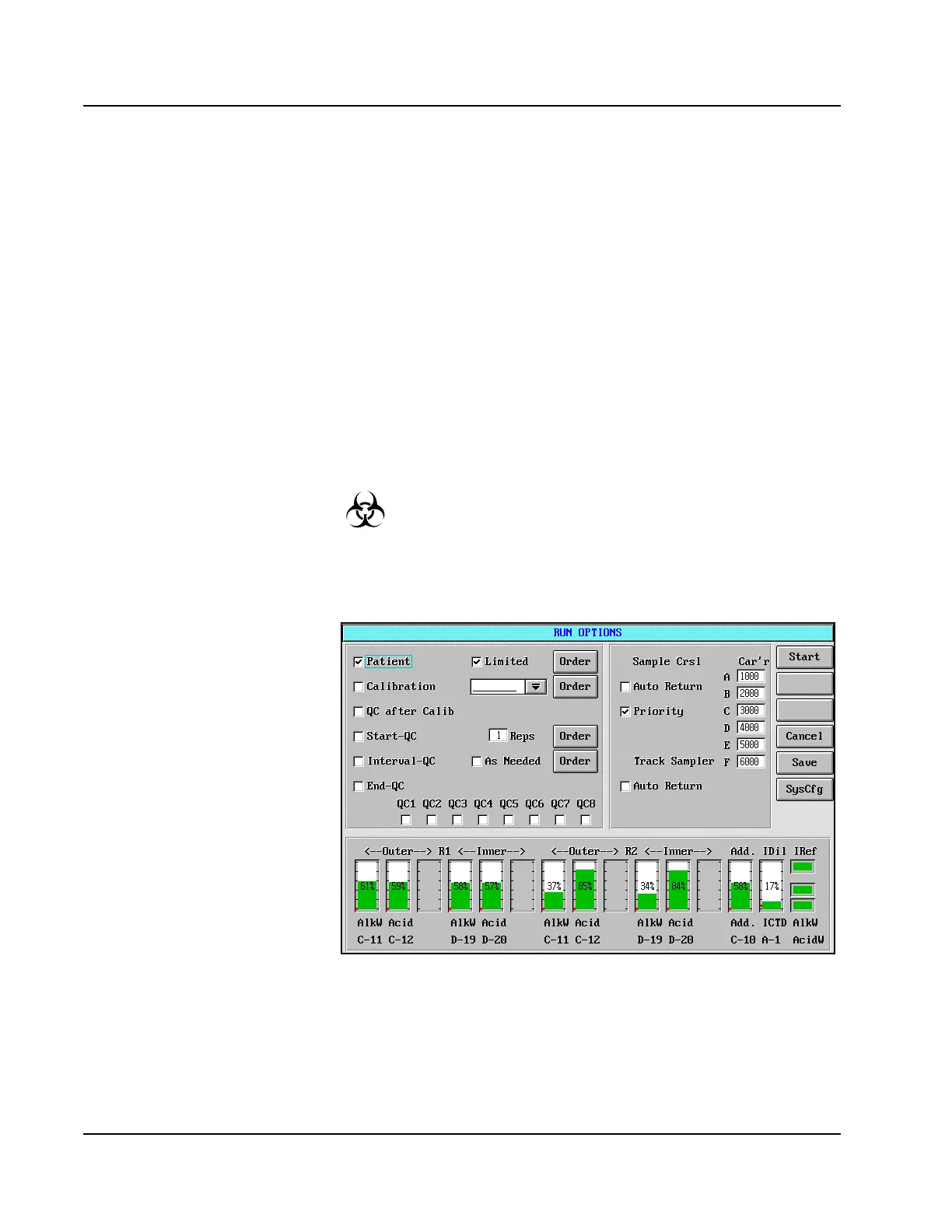
2. Select <RUN> in the Action Area. The RUN OPTIONS screen is
displayed.
Figure 5.10: RUN OPTIONS Screen
3. Place a checkmark (;) in the box to the left of the Patient option by
touching the box.
4. Place a checkmark (;) in the box to the left of the Limited option
by touching the box.



 To Next Page