Log On Password
AEROSET
®
Customer Training Guide 8-5
94858-103 — July 2003
LOG ON PASSWORD
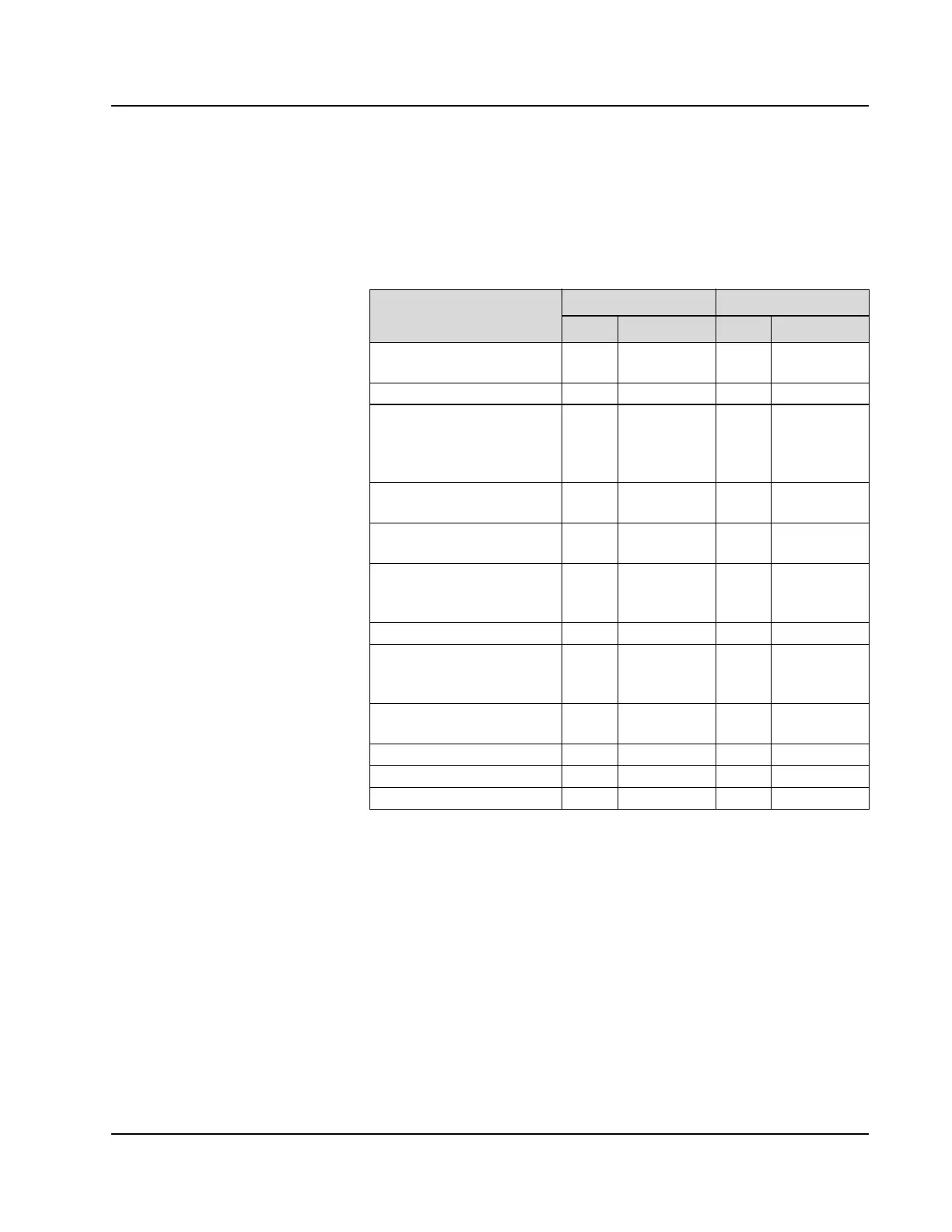
The Log On level determines access to screens and functions. The
ability to “view” or “view and edit” for each level is described in the
following table:
System Function
user super
View Edit View Edit
Printer A and B
configuration
NO NO YES YES
Result Report Page Set-up NO NO YES YES
System configuration
Hardware options (Bar Code
Readers, External Robotics,
ICT™)
NO NO YES NO
Host communication
configuration
NO NO YES YES
Resetting the Error Log YES Level 2 and 3
only
YES YES
Calibration curve data YES NO YES System
configuration
dependent
Deleting QC YES NO YES YES
Patient demographics in the
RESULT screen
NO NO YES System
configuration
dependent
Calibrator/Control Carousel
configuration
NO NO YES YES
Reagent configuration NO NO YES YES
Assay counts YES NO YES NO
Assay configuration NO NO YES YES
• user/user level is
“aeroset/user” on training
instruments
• super/super level is
“abbott/aeroset” on
training instruments
• user code of guest and daily
numerical password allow
log on at extra level.
Numerical password is the
same as used with IMx
®
and AxSYM
®
.
• Must know the password to
delete the log on once it
has been created. No way
to look up passwords.
• User code is limited to 6
characters.
• No password is required for
user level access.
• Show how to delete
passwords.
• Operator can be viewed in
database at the end of the
spreadsheet.
• 50 total passwords can be
configured.



 To Next Page