MODULE 2: BASIC RUN
2-6 AEROSET
®
Customer Training Guide
94858-103 — July 2003
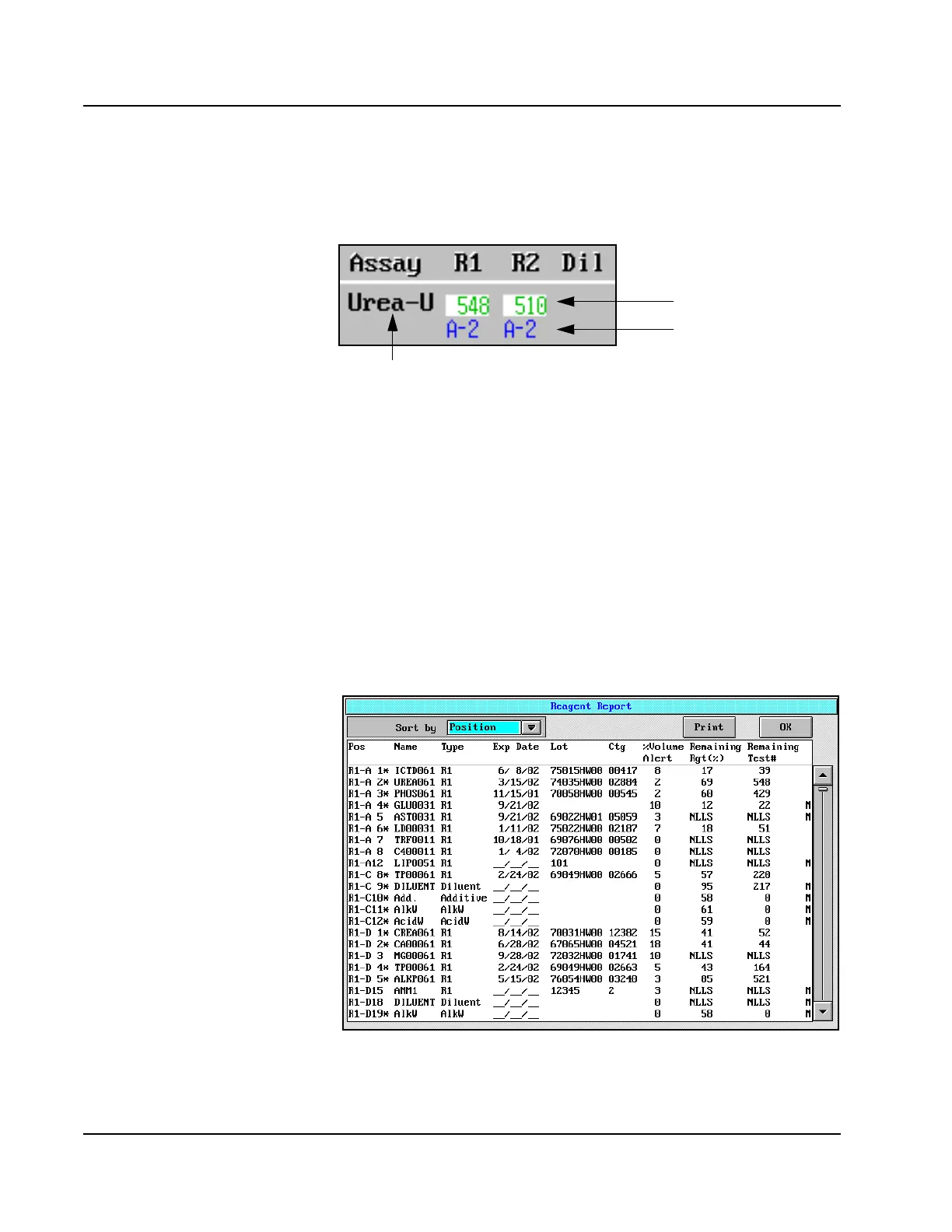
The View page displays the reagents loaded in all sections of both
Reagent Supply Centers and the remaining tests in each. An example of
one reagent is shown below.
The color of the number in the “remaining tests” field
indicates the status of the reagent.
• Green – The volume is sufficient.
• Pink – The expiration date has been exceeded.
• Brown – The volume is below the configured Reagent Low (Rgt Lo)
Alert level.
• Red – The reagent is empty
• Black – NLLS (no liquid level sense)
When <Report> is selected on the REAGENTS screen, a complete
inventory of onboard reagents displays on the Reagent Report screen.
Figure 2.2: Reagent Report Screen
Reagent
Name
Estimated Remaining
Tests
Reagent Supply
Center Position



 To Next Page