Reviewing and Selecting Rerun and Replicate Results
AEROSET
®
Customer Training Guide 5-27
94858-103 — July 2003
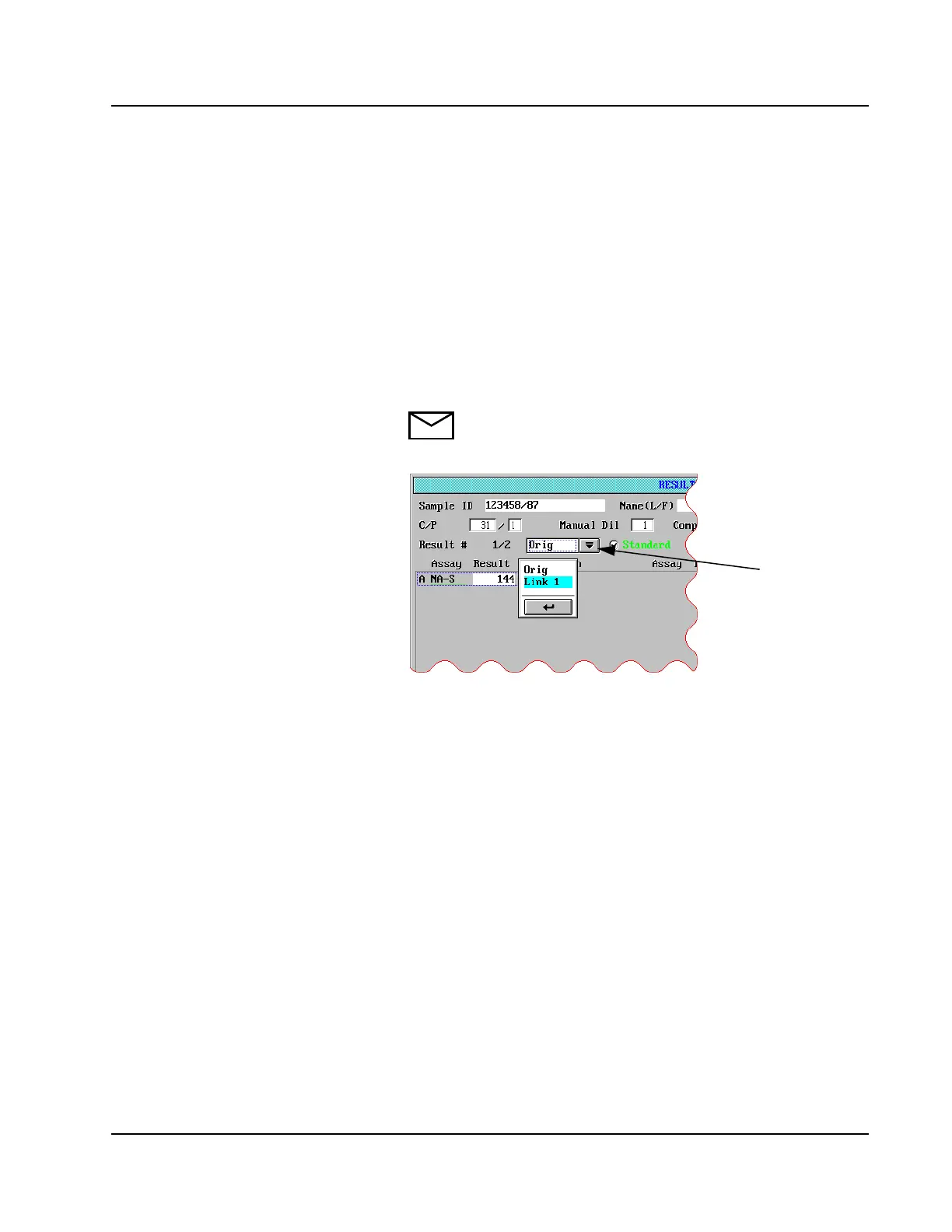
4. The Result # indicator in the upper left corner of the screen indicates
how many reruns or replicates were performed and which result is
being viewed. For example, in the screen shown above the Result #
indicator shows 1/2. This indicates that this sample was run twice
and that the original result is displayed.
5. The Drop-down list box to the right of the Result # indicates that the
original result is displayed.
6. To view the rerun result, touch the Drop-down list box and select
Link 1 to view the first rerun (Link 2 = second rerun, Link 3 = third
rerun, etc.).
NOTE: Replicates are displayed in the list box as Orig-1
for the first replicate (Orig-2 = second replicate, Orig-3 =
third replicate, etc.).
Figure 5.16: RESULT Screen Drop-Down List Box
List Box
Drop-Down



 To Next Page