Organization of Training
AEROSET
®
Customer Training Guide ix
94858-103 — July 2003
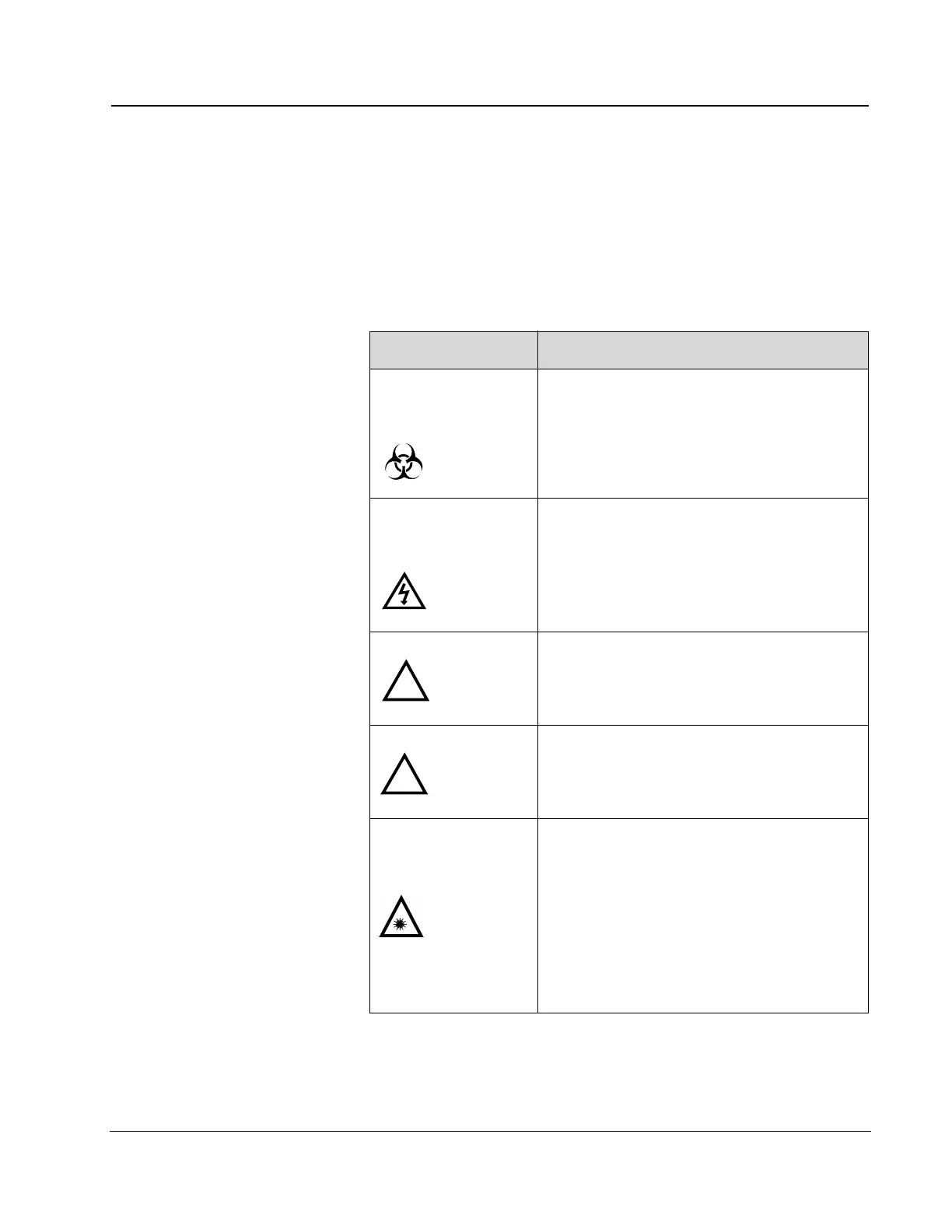
Safety icons in this manual and on the AEROSET System identify poten-
tially dangerous conditions or situations. Operators must recognize the
icons and understand the type and degree of potential hazard. A brief
explanatory message labeled WAR NIN G or CAUTION, depending on
the nature of the hazard, accompanies the icon.
Safety Icon Descriptions
Icon Description
WARNING:
Potential
Biohazard
Identifies an activity or area where Operators
may be exposed to potentially infectious sub-
stances.
WARNING:
Electrical
Shock Hazard
Indicates the possibility of electrical shock if
procedural or engineering controls are not
observed.
WARNING: The general WARNING icon identifies an
activity or area that may present a physical,
mechanical, or chemical hazard which could
result in moderate to serious personal injury.
CAUTION: The general CAUTION icon identifies an
activity or area that may present a physical,
mechanical, or chemical hazard which could
result in minor injury.
CAUTION:
Class II Laser
Product
Avoid exposure. Do not stare into the beam.
Do not look into the apertures or remove the
Bar Code Reader covers. Laser light is emit-
ted from the apertures. The scanners use a
low-power visible laser diode. Although
momentary exposure to a CDRH Class II
laser is not known to be harmful, failure to
follow proper procedures may result in a
potentially hazardous condition.
!
!



 To Next Page