DD+DIS150.06E
Repair and Service
Replacements / Repair Procedures
DOCUMENT CONTROL NOTE:
The controlled version of this document resides on MedNet. Any printed copy of this document is uncontrolled.
Edition 1, Revision 2 CR 30-X Chapter 3.5 / 57
03-2009 Type 5175 / 100/110 Agfa Company Confidential
(7) Press two handles and pull out front cover
approx. 5 cm.
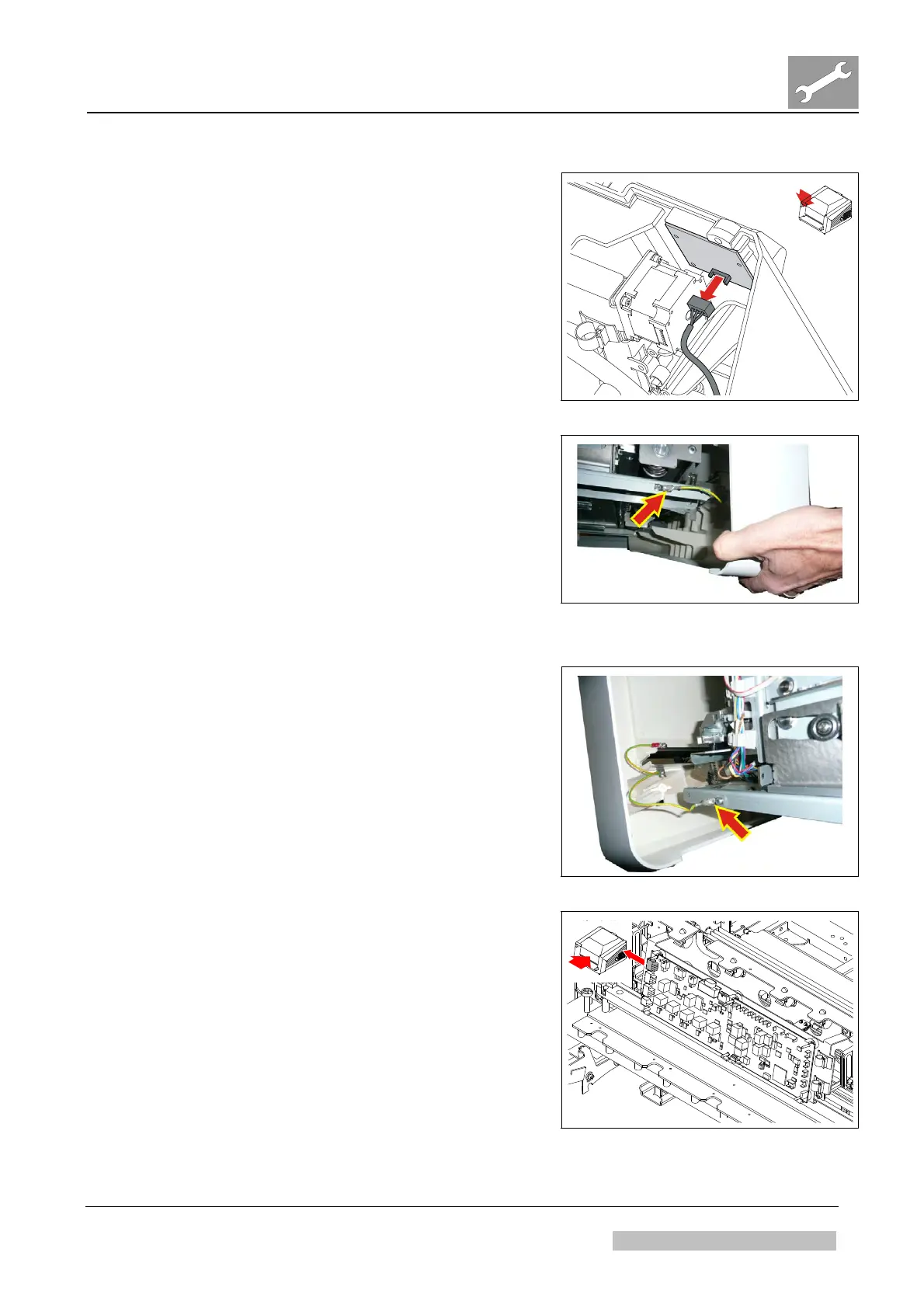
(8) Disconnect cable at user interface board.
See Figure 135.
Figure 135
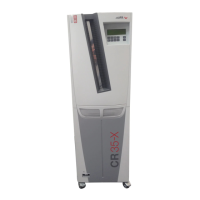
(9) Disconnect ground cable at left hand side.
Figure 136
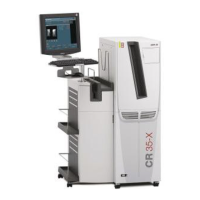
(10) Disconnect ground cable at right hand side.
(11) Remove front cover.
Figure 137
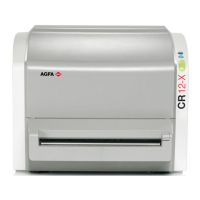
(16) Remove cable at plug P25 of IP handling
board.
(17) Open cable holders.
Figure 138


 To Next Page