104
"JOB MENU" - F7 ZOOM ALL
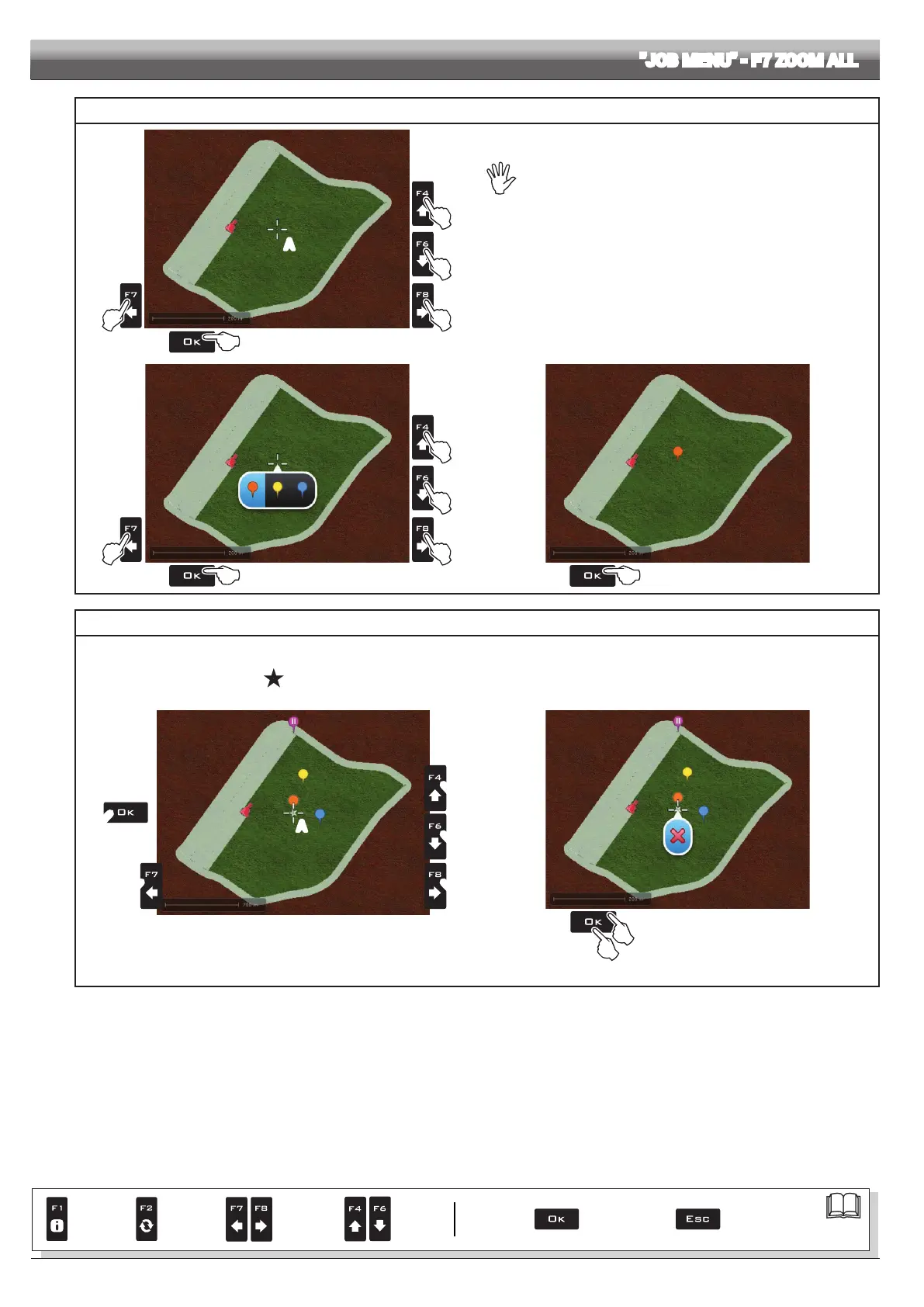
MARKING POINTS OF INTEREST
2
2
2
2
1
A
Fig. 331
The general points of interest can be memorized with this procedure
or with the specic function (par. 16.3.2).
It is possible to mark more points.
In this screen it is possible to memorize one point of the eld even if the tractor is
in another position:
1 In eld overview screen (Fig. 331) press
OK.
Cursor A will appear.
2 Press
F4 / F6 / F7 / F8 to move the cursor in the exact point to be
marked.
3 Press OK (Fig. 332).
4 Press
F7 / F8 to select the type of marker.
5 Press OK to conrm (Fig. 333).
2
2
2
2
1
Fig. 332
5
Fig. 333
REMOVING POINTS OF INTEREST
1 In eld overview screen (Fig. 334) press
OK. Cursor A will appear.
2 Press F4 / F6 / F7 / F8 to move the cursor near or on the marked point;
when the point is selected, the symbol will appear in the middle of the cursor.
3 Press OK twice to delete (Fig. 335) / ESC to cancel.
2
1
2
2
2
A
Fig. 334
3
4
Fig. 335
Par.
7. 4
Conrm access
or data change
Exit the function or
data change
Delete
selected
character
Scroll
(LEFT /
RIGHT)
Data
increase /
decrease
Scroll
(UP /
DOWN)
Enter
selected
character



 To Next Page