28
LOADING A SETUP
Instead of saving, you can activate a previously saved setup.
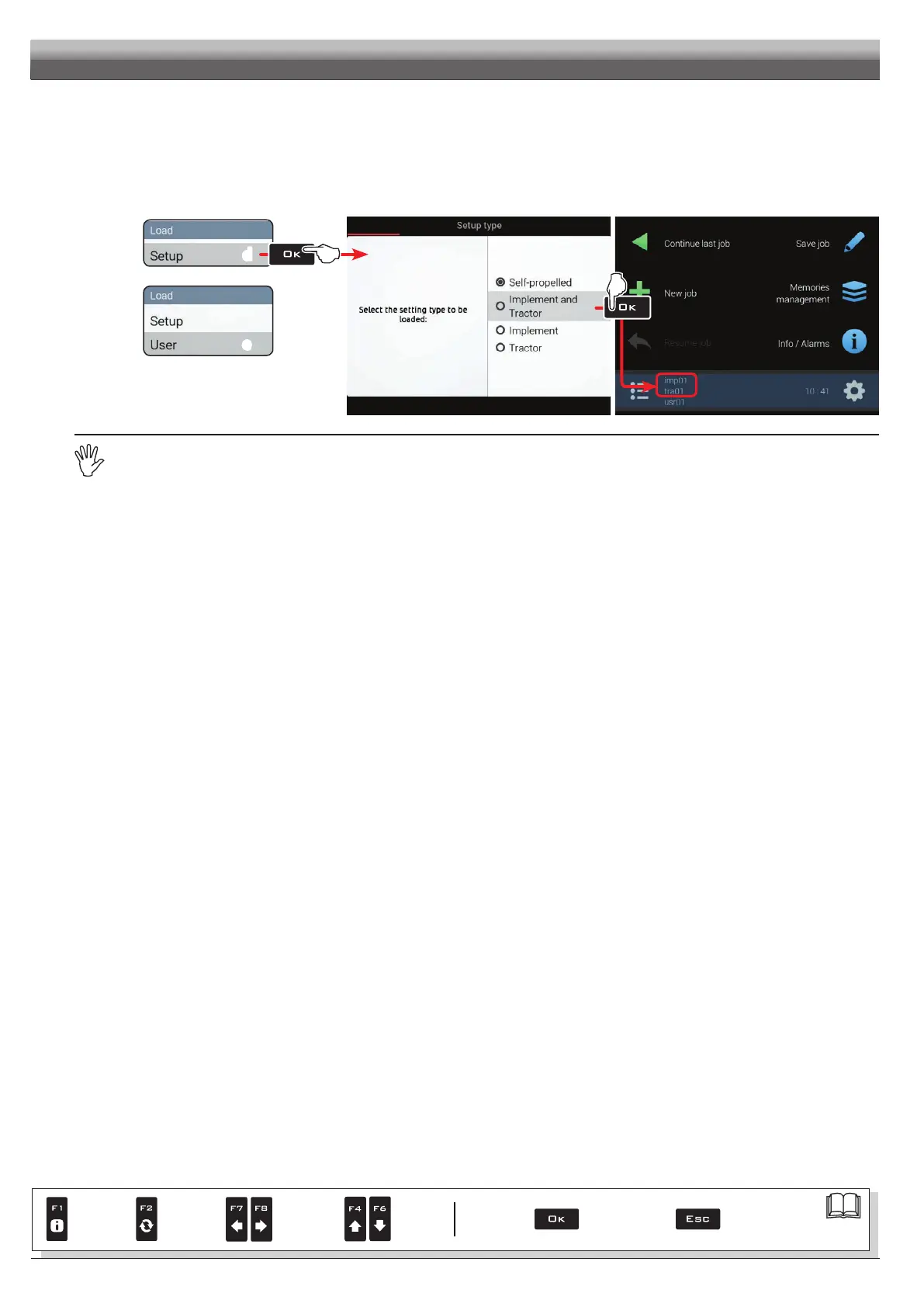
Select
Load > Configuration (d in Fig. 69) and press OK.
From the example of Fig. 70 select type of setup to load and press OK.
Follow all suggested steps and select required options. OK: next step ESC: previous step.
The selected setup is now active on the computer (Fig. 71). Proceed to advanced setup.
You can repeat the same steps for setup
Load > User (e)
d
e
Fig. 69
Fig. 70 Fig. 71
You can now proceed with advanced setup: all changes will be applied to ACTIVE SETTINGS (mac, imp, tra, usr).
ADVANCED SETUP
Par.
7. 4
Conrm access
or data change
Exit the function or
data change
Delete
selected
character
Scroll
(LEFT /
RIGHT)
Data
increase /
decrease
Scroll
(UP /
DOWN)
Enter
selected
character



 To Next Page