Brake System
Argo Service Manual
Ontario Drive & Gear Limited www.odg.com
PH.(519)- 662-2840 FAX (519)- 662-2421
BR-41
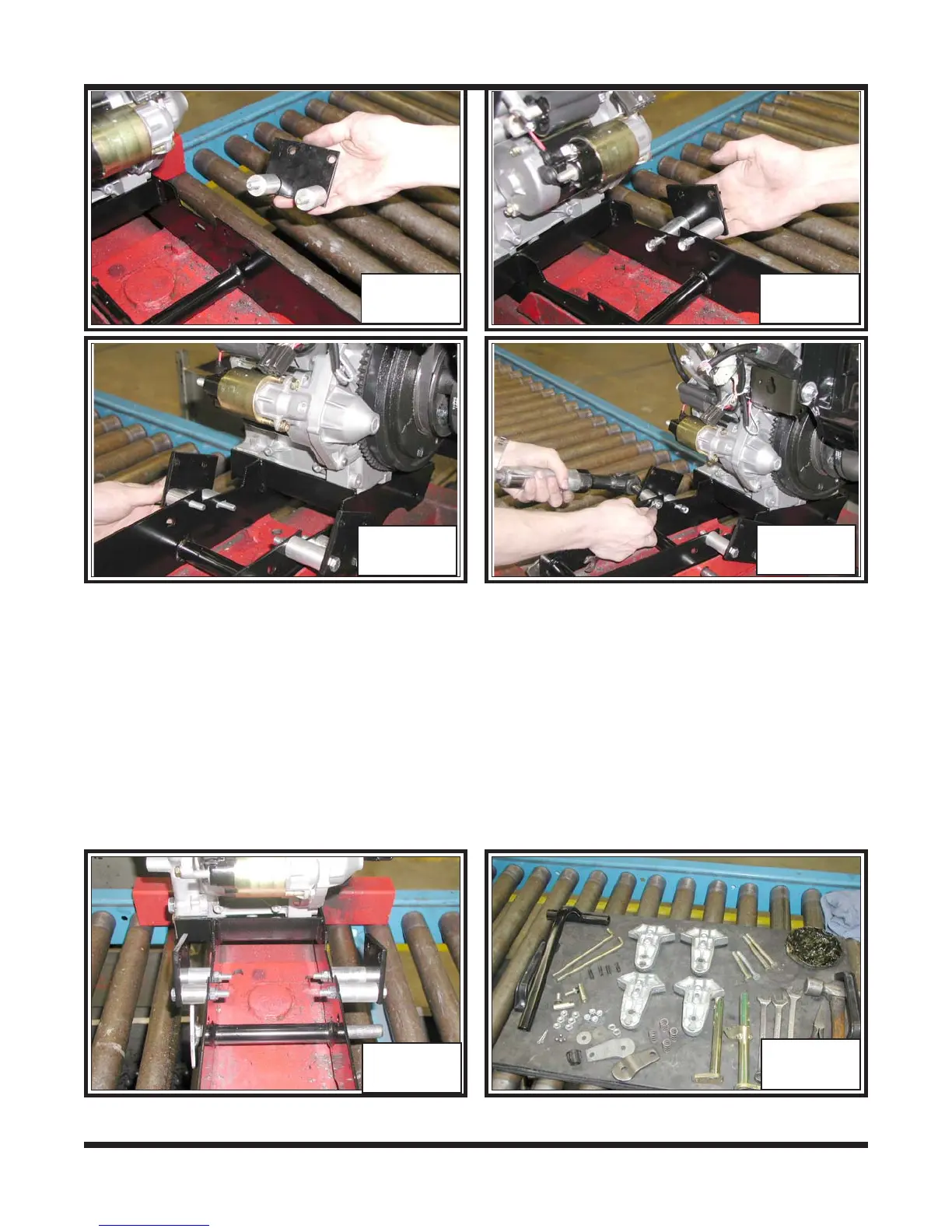
4. Brackets should look as in BR-73 from the assembler’s perspective.
5. Lay out all mechanical brake components for assembly. Photo BR-74
3. Assemble the second caliper bracket to the left side of the power pack frame using 2
of the shorter mounting bolts and 2 short spacers. The bracket should be oriented
as the right side, with the top hole closest to the back edge of the bracket facing the
assembler. Secure with 2 more locknuts. Photo’s 71 & 72
BR-69 BR-70
BR-71
BR-72
BR-73
BR-74



 To Next Page