Brake System
Argo Service Manual
Ontario Drive & Gear Limited www.odg.com
PH.(519)- 662-2840 FAX (519)- 662-2421
BR-43
13. Assemble the ball joint to the brake cam as shown in Photo BR-81. Secure it with a
nylon locknut. Orient the cam as illustrated in the photo.
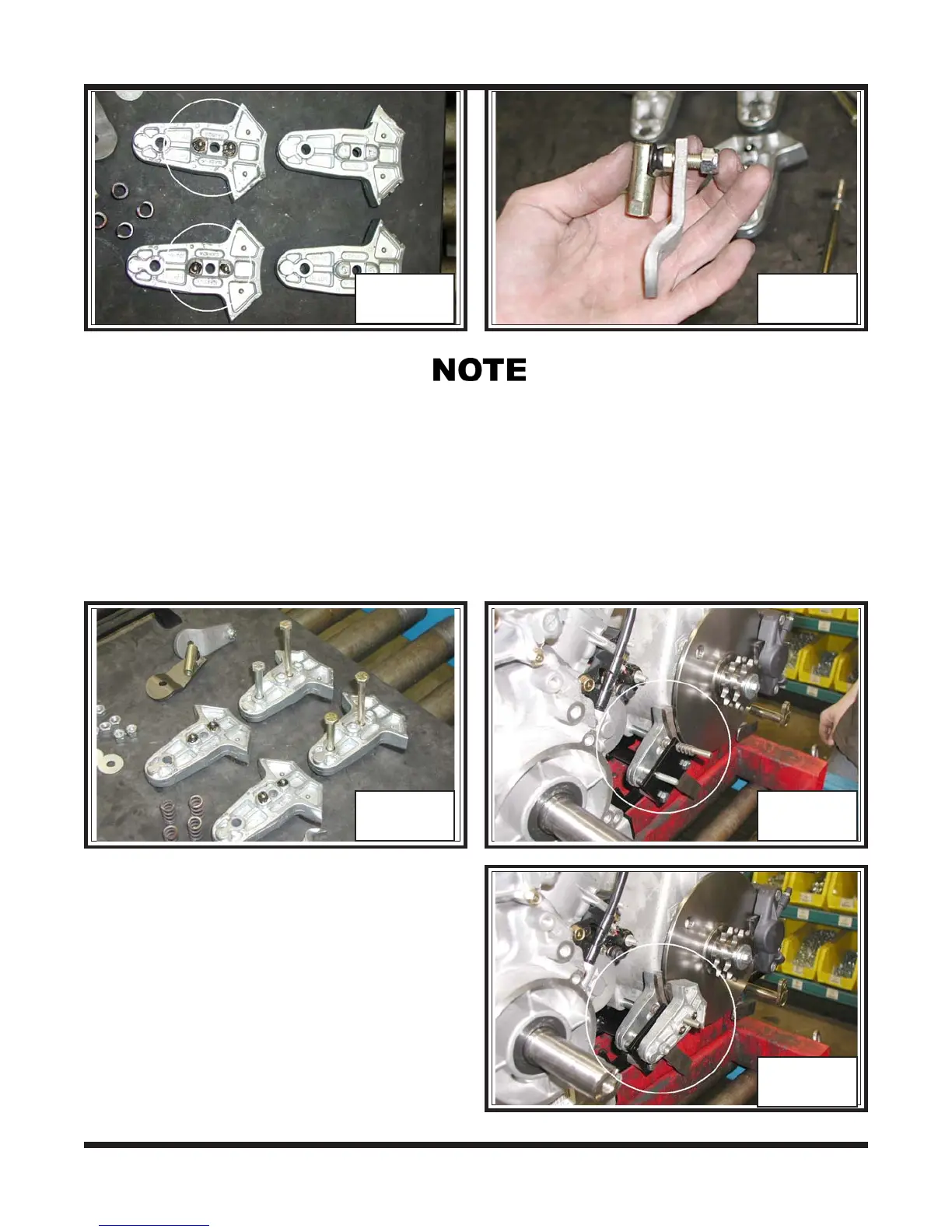
14. Install 2 long and 2 short bolts to the two calipers without the steel balls. The one
caliper is also the one that is notched. Photo BR-82
Do not install the bearing balls to the single caliper with the notched area.
15. Locate the notched caliper and slip the
compression spring to the longer of the
two bolts. Assemble the caliper to the
inside of the left side caliper bracket.
Place a second compression spring to
the bolt. Photo BR-83
16. Place the other half caliper with the steel
balls, to the previously installed inside
caliper. Photo BR-84
BR-80 BR-81
BR-82 BR-83
BR-84



 To Next Page