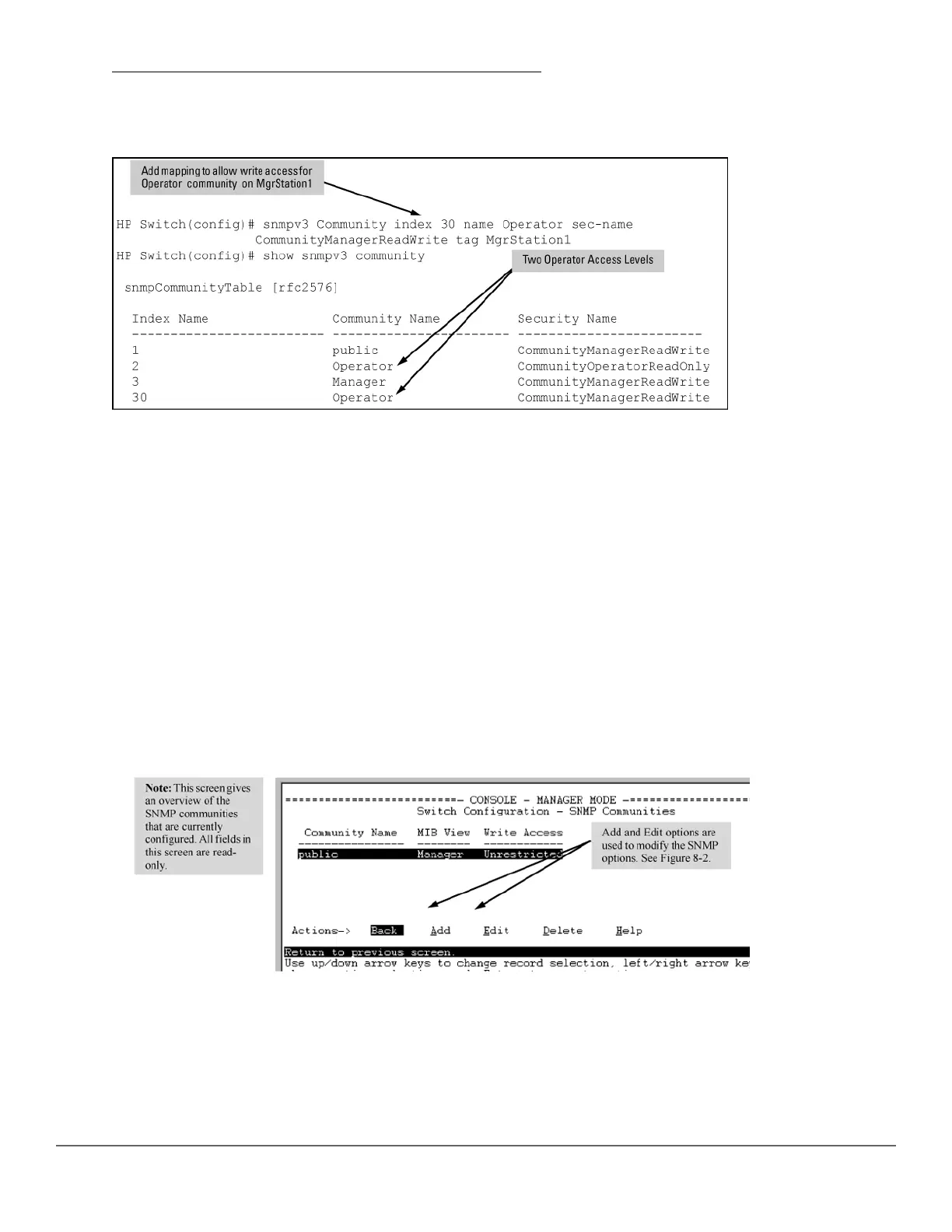
Figure 28: Assigning a community to a group access level on page 152 shows the assigning of the Operator
community on MgrStation1 to the CommunityOperatorReadWrite group. Any other Operator has an access level
of CommunityOperatorReadOnly.
Figure 28: Assigning a community to a group access level
SNMP community features
Use SNMP communities to restrict access to the switch by SNMP management stations by adding, editing, or
deleting SNMP communities. You can configure up to five SNMP communities, each with either an operator-level
or a manager-level view and either restricted or unrestricted write access.
Using SNMP requires that the switch have an IP address and subnet mask compatible with your network.
Viewing and configuring non-version-3 SNMP communities (Menu)
Procedure
1. From the Main Menu, select:
2. Switch Configuration…
6. SNMP Community Names
Figure 29: The SNMP Communities screen (default values)
2. Press [A] (for Add ).
If you need information on the options in each field, press [Enter] to move the cursor to the Actions line, then
select the Help option. When you are finished with Help, press [E] (for Edit) to return the cursor to the
parameter fields.
152 Aruba 2530 Management and Configuration Guide for
ArubaOS-Switch 16.05














 To Next Page