Accessing port and trunk statistics (Menu)
Procedure
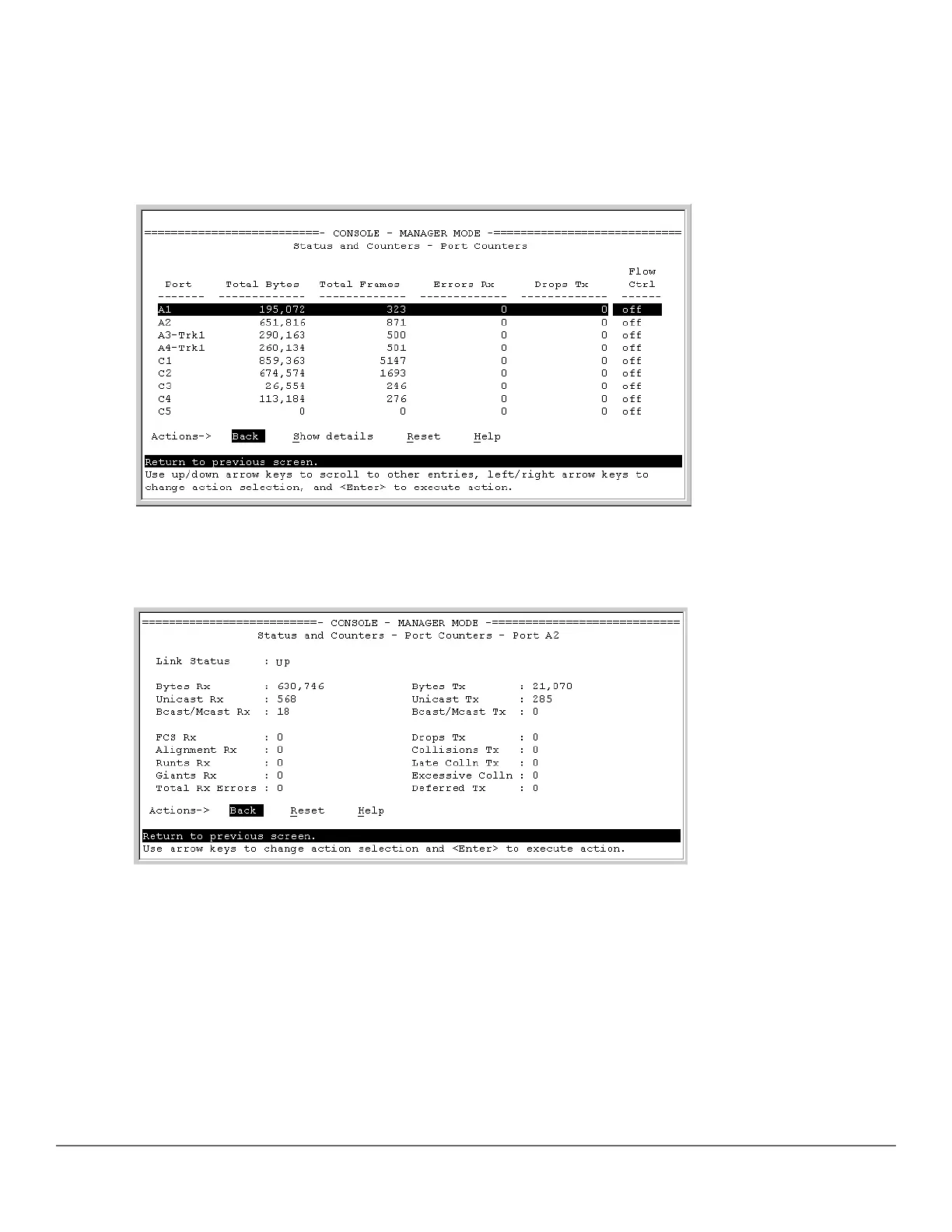
1. From the Main Menu, select 1. Status and Counters ... , and then select 4. Port Counters.
Figure 43: Example of port counters on the menu interface
2. To view details about the traffic on a particular port, use the ↓ key to highlight that port number, and then select
Show Details . For example, selecting port A2 displays a screen similar to the example below.
Figure 44: Example of the display for Show Details on a selected port
This screen also includes the Reset action for the current session.
MAC address tables
MAC address views and searches
You can view and search MAC addresses using the CLI or the menu.
show mac-address
Syntax
284 Aruba 2530 Management and Configuration Guide for
ArubaOS-Switch 16.05














 To Next Page