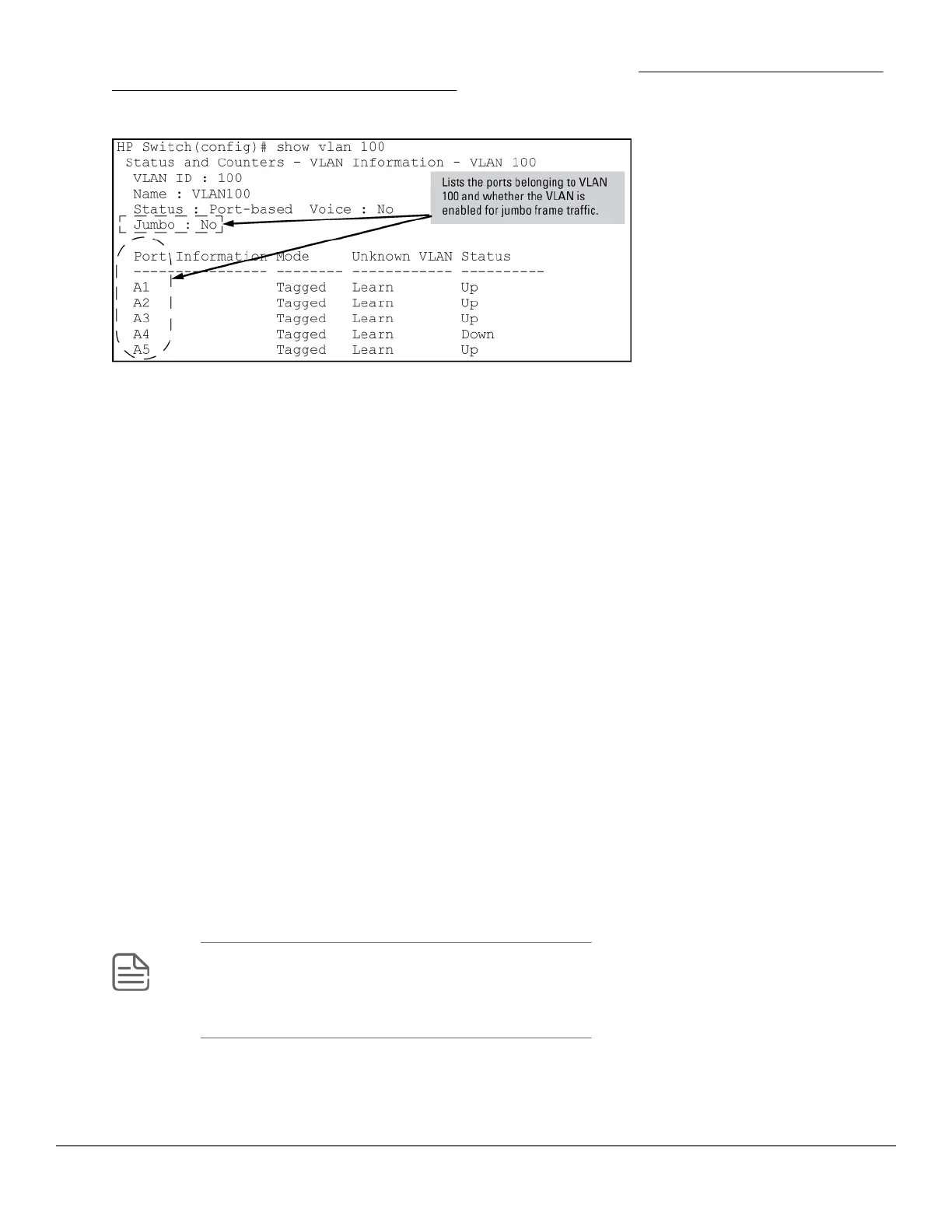
Shows port membership and jumbo configuration for the specified vid . (See Figure 25: Example: of listing the
port membership and jumbo status for a VLAN on page 137.)
Figure 25: Example: of listing the port membership and jumbo status for a VLAN
Enabling or disabling jumbo traffic on a VLAN
Syntax:
vlan <vid> jumbo
[no] vlan <vid> jumbo
Configures the specified VLAN to allow jumbo frames on all ports on the switch that belong to that VLAN. If the
VLAN is not already configured on the switch, vlan <vid> jumbo also creates the VLAN.
A port belonging to one jumbo VLAN can receive jumbo frames through any other VLAN statically configured on
the switch, regardless of whether the other VLAN is enabled for jumbo frames.
The [no] form of the command disables inbound jumbo traffic on all ports in the specified VLAN that do not also
belong to another VLAN that is enabled for jumbo traffic. In a VLAN context, the command forms are jumbo and
no jumbo.
(Default: Jumbos disabled on the specified VLAN.)
Configuring a maximum frame size
You can globally set a maximum frame size for jumbo frames that will support values from 1518 bytes to 9216
bytes for untagged frames.
Syntax:
jumbo max-frame-size <size>
Sets the maximum frame size for jumbo frames. The range is from 1518 bytes to 9216 bytes. (Default: 9216
bytes)
NOTE:
The jumbo max-frame-size is set on a GLOBAL level.
Default: 9216 bytes
Chapter 6 Port Traffic Controls 137














 To Next Page