3. Enter the name you want in the Community Name field, and use the Space bar to select the appropriate value
in each of the other fields. (Use the [Tab] key to move from one field to the next.)
4. Press [Enter] , then [S] (for Save ).
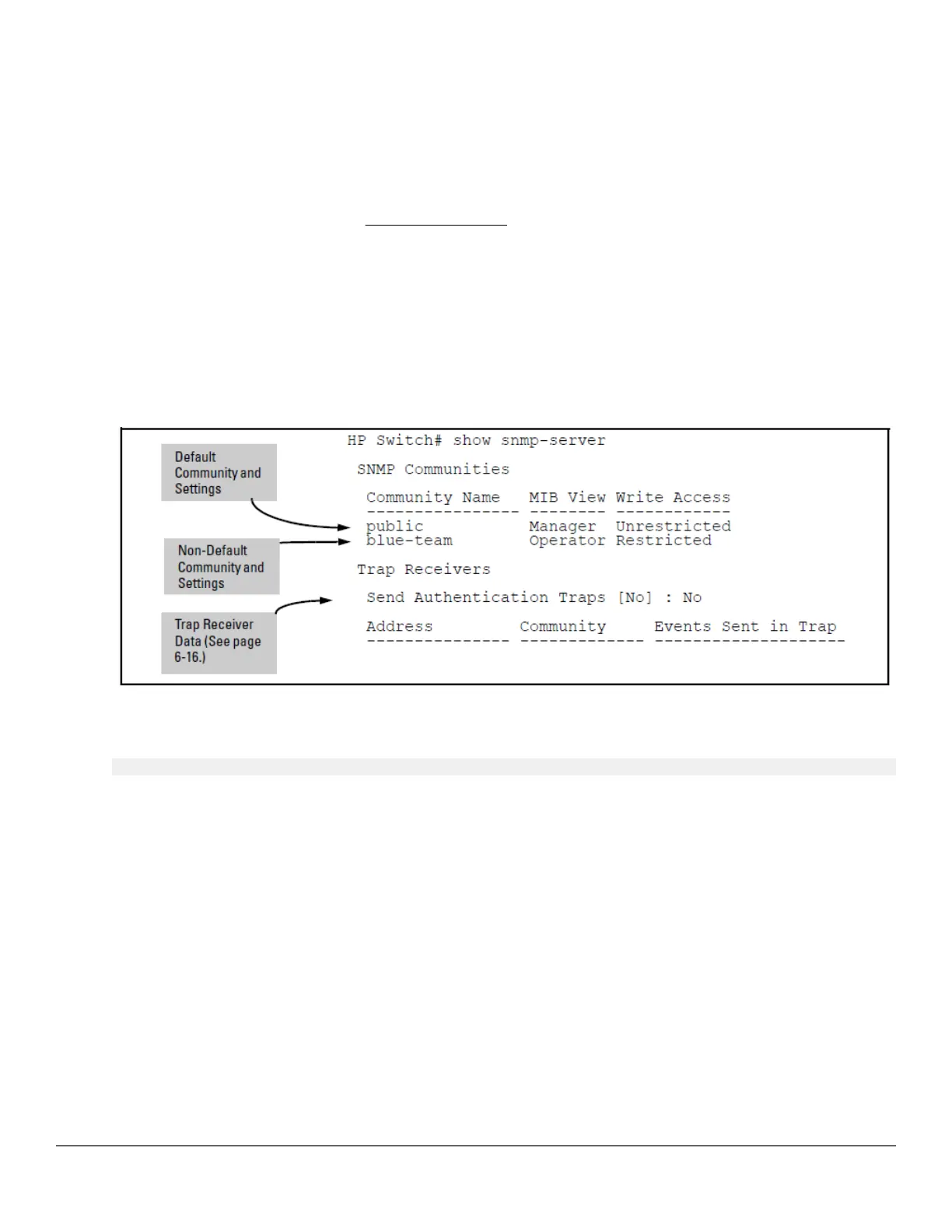
Listing community names and values (CLI)
This command lists the data for currently configured SNMP community names (along with trap receivers and the
setting for authentication traps—see
SNMP notifications on page 154).
Syntax:
show snmp-server [< community-string >]
Example:
Lists the data for all communities in a switch; that is, both the default "public" community name and another
community named "blue-team."
Figure 30: Example: of the SNMP community listing with two communities
To list the data for only one community, such as the "public" community, use the above command with the
community name included. For Example:
switch# show snmp-server public
Configuring community names and values (CLI)
The snmp-server command enables you to add SNMP communities with either default or specific access
attributes, and to delete specific communities.
Syntax:
[no] snmp-server community <community-name>
Configures a new community name.
• If you do not also specify operator or manager, the switch automatically assigns the community to the
operator MIB view.
• If you do not specify restricted or unrestricted, the switch automatically assigns the community to
restricted (read-only) access.
The no form uses only the <community-name> variable and deletes the named community from the switch.
Chapter 8 Configuring for Network Management Applications 153














 To Next Page