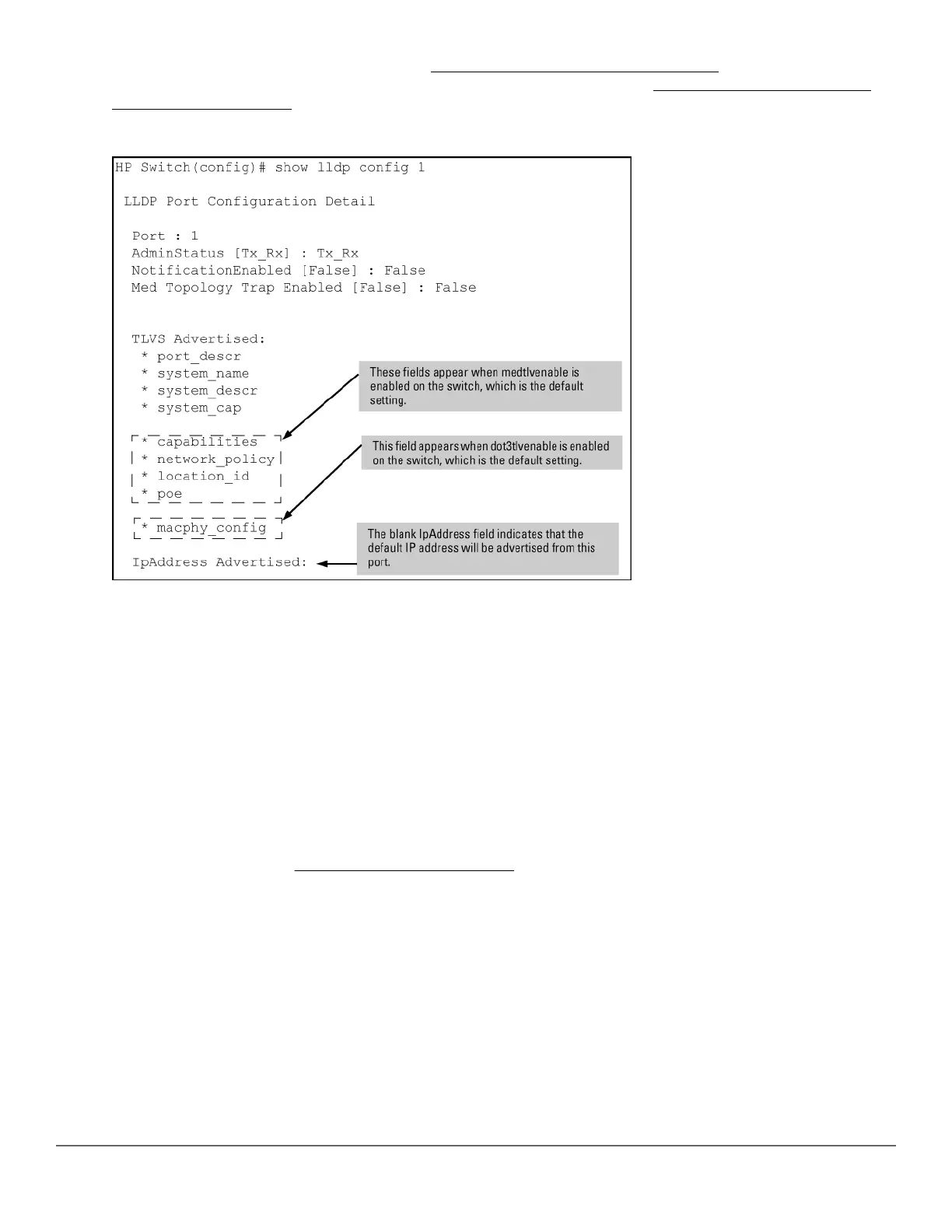
For information on the notification setting, see Configuring SNMP notification support on page 181. For
information on the other configurable settings displayed by this command, see Configuring per-port transmit
and receive modes (CLI) on page 182.
Figure 34: Per-port configuration display
Configuring Global LLDP Packet Controls
The commands in this section configure the aspects of LLDP operation that apply the same to all ports in the
switch.
LLDP operation on the switch
Enabling LLDP operation (the default) causes the switch to:
• Use active, LLDP-enabled ports to transmit LLDP packets describing itself to neighbor devices.
• Add entries to its neighbors table based on data read from incoming LLDP advertisements.
Enabling or disabling LLDP operation on the switch (CLI)
For more information, see LLDP operation on the switch on page 178.
Syntax:
[no] lldp run
Enables or disables LLDP operation on the switch.
The no form of the command, regardless of individual LLDP port configurations, prevents the switch from
transmitting outbound LLDP advertisements and causes the switch to drop all LLDP advertisements received
from other devices.
The switch preserves the current LLDP configuration when LLDP is disabled. After LLDP is disabled, the
information in the LLDP neighbors database remains until it times-out.
(Default: Enabled)
178 Aruba 2530 Management and Configuration Guide for
ArubaOS-Switch 16.05














 To Next Page