3. The address and port number are highlighted if found (Figure 46: Example of menu indicating located MAC
address on page 287.) If the switch does not find the MAC address on the currently selected VLAN, it leaves
the MAC address listing empty.
Figure 46: Example of menu indicating located MAC address
4. Press [P] (for Prev page ) to return to the full address table listing.
Viewing and searching port-level MAC addresses
This feature displays and searches for MAC addresses on the specified port instead of for all ports on the switch.
Procedure
1. From the Main Menu, select:
1. Status and Counters ...
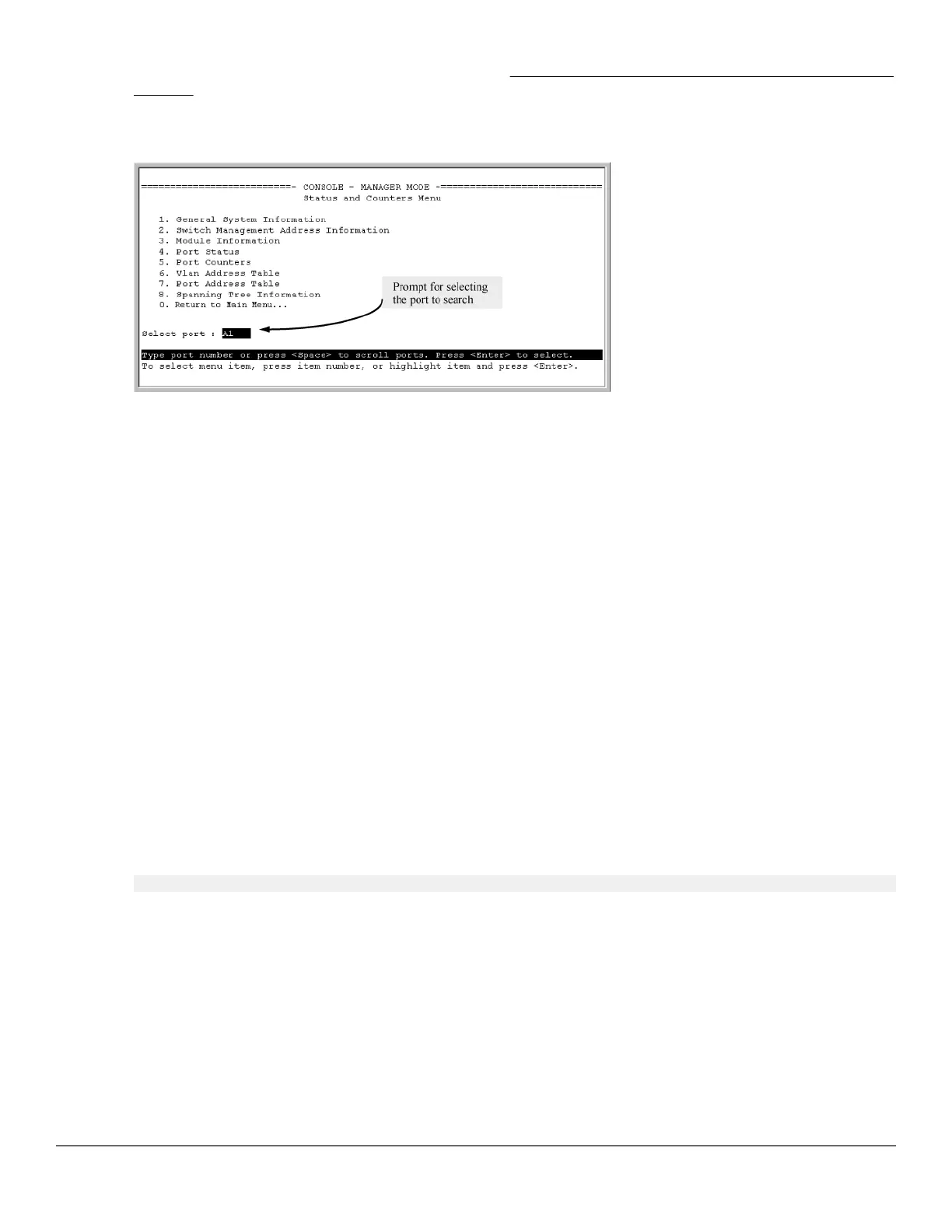
7. Port Address Table
2. Use the Space bar to select the port you want to list or search for MAC addresses, then press [Enter] to list
the MAC addresses detected on that port.
Determining whether a specific device is connected to the selected port
Proceeding from Step 2, above:
Procedure
1. Press [S] (for Search), to display the following prompt:
Enter MAC address: _
2. Enter the MAC address you want to locate and press [Enter].
The address is highlighted if found. If the switch does not find the address, it leaves the MAC address listing
empty.
3. Press [P] (for Prev page) to return to the previous per-port listing.
MSTP data
Chapter 15 Monitoring and Analyzing Switch Operation 287














 To Next Page