Troubleshooting TFTP download failures
Cause
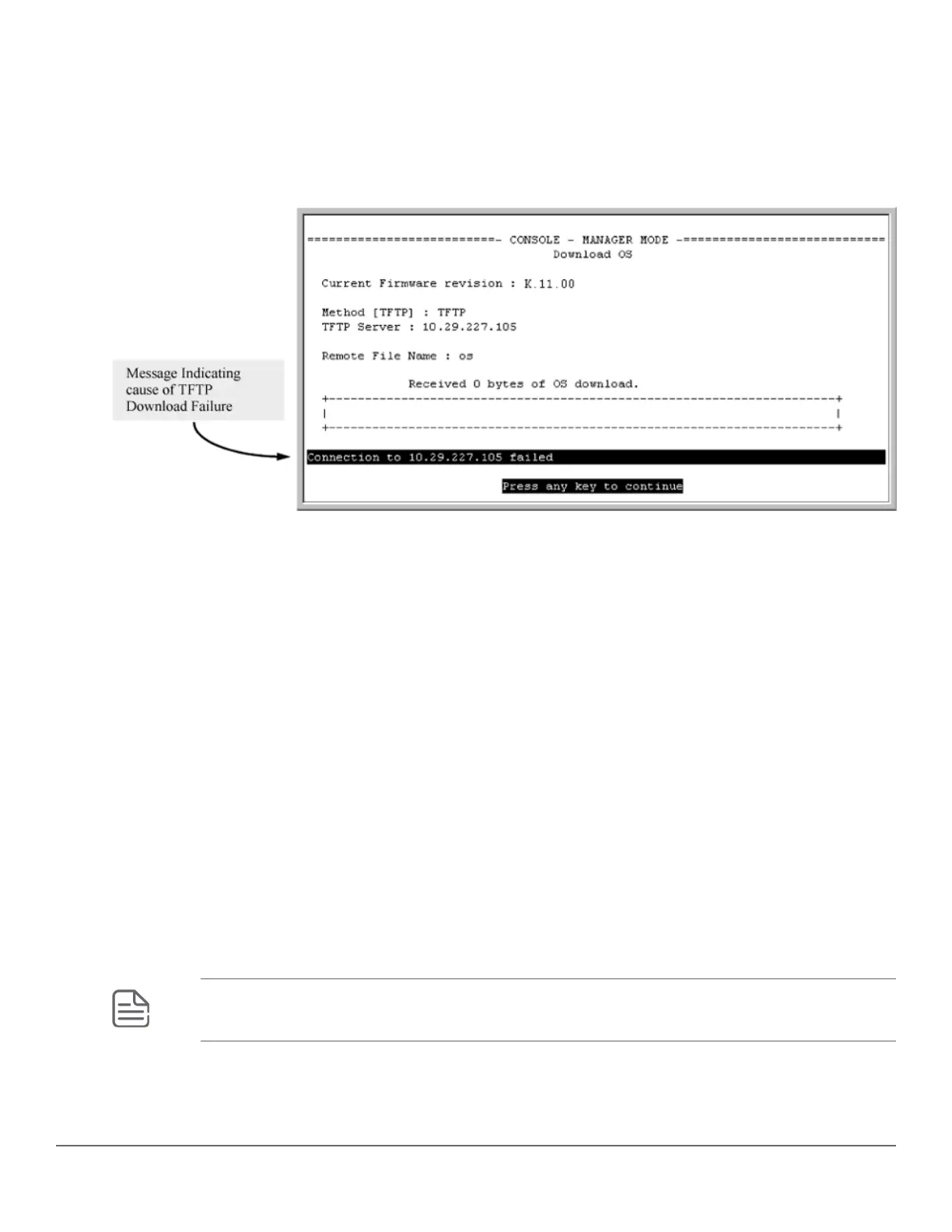
When using the menu interface, if a TFTP download fails, the Download OS (Operating System, or software)
screen indicates the failure as seen in the following figure.
Figure 39: Example: of message for download failure
Some of the causes of download failures include:
• Incorrect or unreachable address specified for the TFTP Server parameter. This may include network
problems.
• Incorrect VLAN.
• Incorrect name specified for the Remote File Name parameter, or the specified file cannot be found on the
TFTP server. This can also occur if the TFTP server is a UNIX machine and the case (upper or lower) for the
filename on the server does not match the case for the filename entered for the Remote File Name parameter
in the Download OS (Operating System, or software) screen.
• One or more of the switch's IP configuration parameters are incorrect.
• For a UNIX TFTP server, the file permissions for the software file do not allow the file to be copied.
• Another console session (through either a direct connection to a terminal device or through Telnet) was
already running when you started the session in which the download was attempted.
To find more information on the cause of a download failure:
• Examine the messages in the switch's Event Log by executing the show log tftp command from the CLI.
• For descriptions of individual Event Log messages, see the latest version of the event log message reference
guide for your switch, available on the HPE Switch website. (See "Getting Documentation From the Web".)
NOTE: If an error occurs in which normal switch operation cannot be restored, the switch
automatically reboots itself, and an appropriate message is displayed after the reboot.
Chapter 14 File Transfers 263














 To Next Page