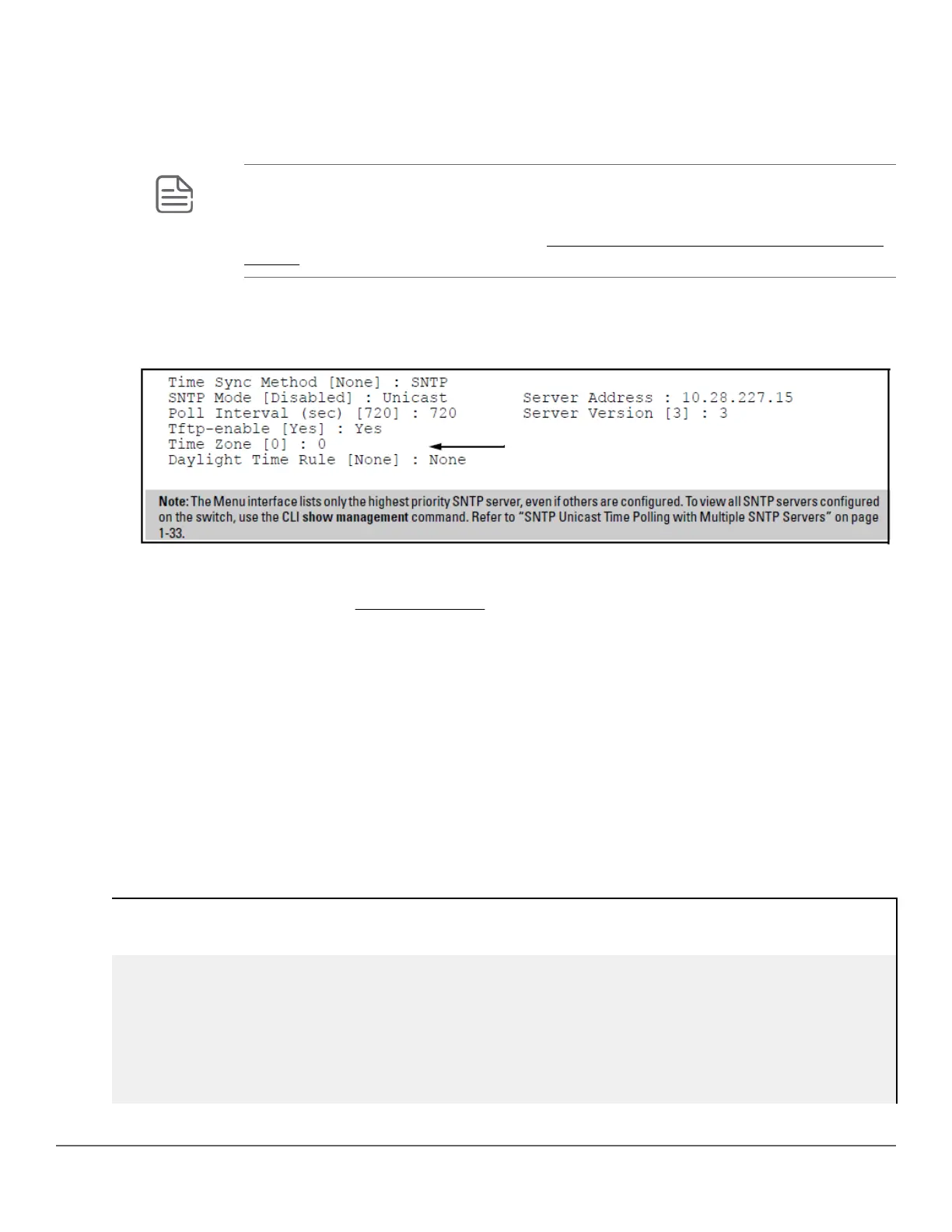
g. Move the cursor to the Server Version field. Enter the value that matches the SNTP server version running
on the device you specified in the preceding step.
If you are unsure which version to use, Hewlett Packard Enterprise recommends leaving this value at the
default setting of 3 and testing SNTP operation to determine whether any change is necessary.
NOTE: Using the menu to enter the IP address for an SNTP server when the switch already
has one or more SNTP servers configured, the switch deletes the primary SNTP server from
the server list. The switch then selects a new primary SNTP server from the IP addresses in
the updated list. For more on this topic, see SNTP unicast time polling with multiple SNTP
servers.
h. Move the cursor to the Poll Interval field, then go to step 6.
Figure 3: SNTP configuration fields for SNTP configured with unicast mode
6. In the Poll Interval field, enter the time in seconds that you want for a Poll Interval.
(For Poll Interval operation, see SNTP parameters)
7. Press Enter to return to the Actions line, then S (for Save) to enter the new time protocol configuration in both
the startup-config and running-config files.
Viewing and configuring SNTP (CLI)
Syntax:
show sntp
Lists both the time synchronization method (TimeP, SNTP, or None) and the SNTP configuration, even if SNTP is
not the selected time protocol.
If you configure the switch with SNTP as the time synchronization method, then enable SNTP in broadcast mode
with the default poll interval, show sntp lists the following:
SNTP configuration when SNTP is the selected time synchronization method
switch(config)# show sntp
SNTP Configuration
Time Sync Mode: Sntp
SNTP Mode : Unicast
Poll Interval (sec) [720] : 719
24 Aruba 2530 Management and Configuration Guide for
ArubaOS-Switch 16.05














 To Next Page