a. 2. Switch Configuration…
b. 1. System Information
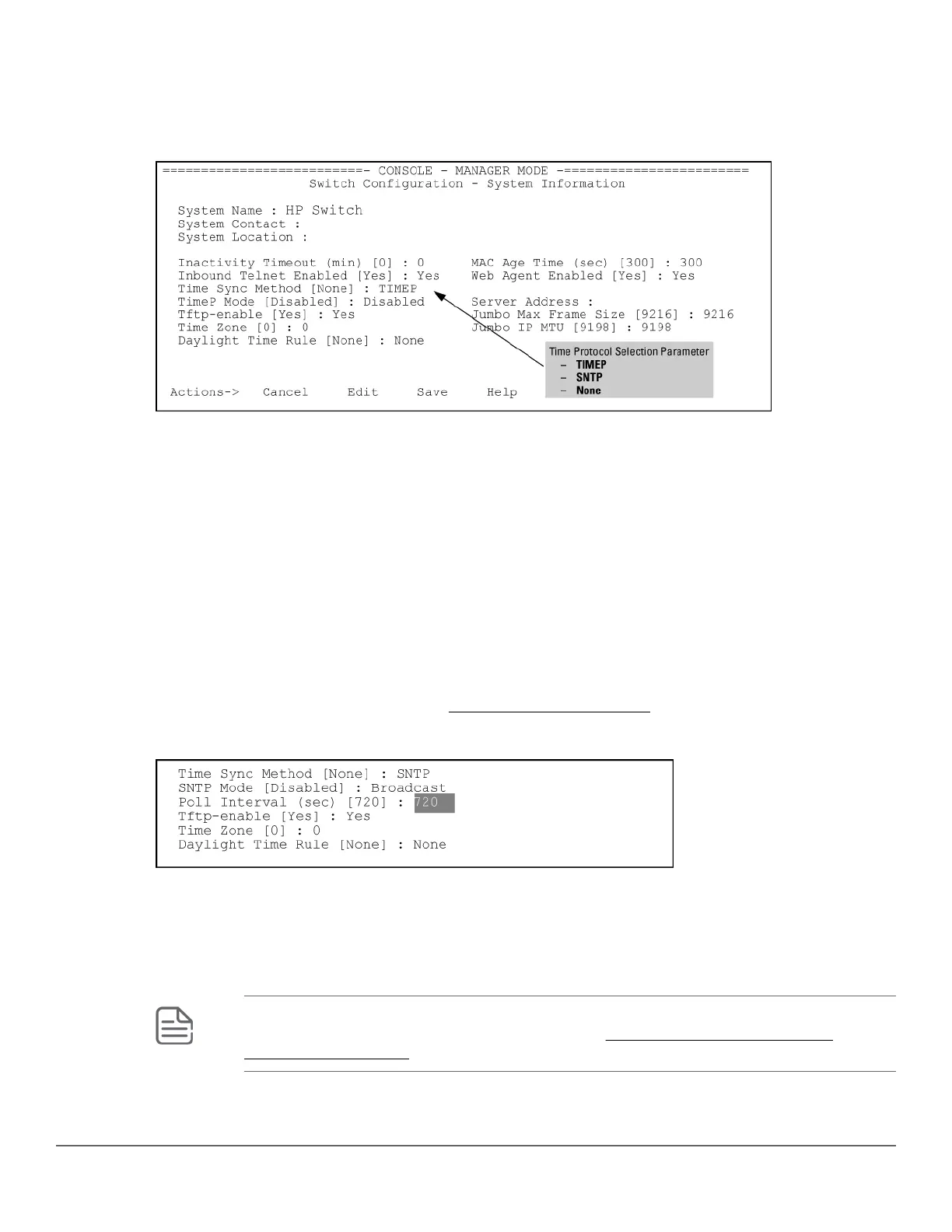
Figure 1: System Information screen (default values)
2. Press [E] (for Edit ).
Move the cursor to the System Name field.
3. Use the Space bar to move the cursor to the Time Sync Method field.
4. Use the Space bar to select SNTP, then move to the SNTP Mode field.
5. Complete one of the following options.
Option 1
a. Use the Space bar to select the Broadcast mode.
b. Move the cursor to the Poll Interval field.
c. Go to 6. (For Broadcast mode details, see SNTP time synchronization)
Figure 2: Time configuration fields for SNTP with broadcast mode
Option 2
d. Use the Space bar to select the Unicast mode.
e. Move the cursor to the Server Address field.
f. Enter the IP address of the SNTP server you want the switch to use for time synchronization.
NOTE: This step replaces any previously configured server IP address. If you will be using
backup SNTP servers (requires use of the CLI), see SNTP unicast time polling with
multiple SNTP servers.
Chapter 2 Time Protocols 23














 To Next Page