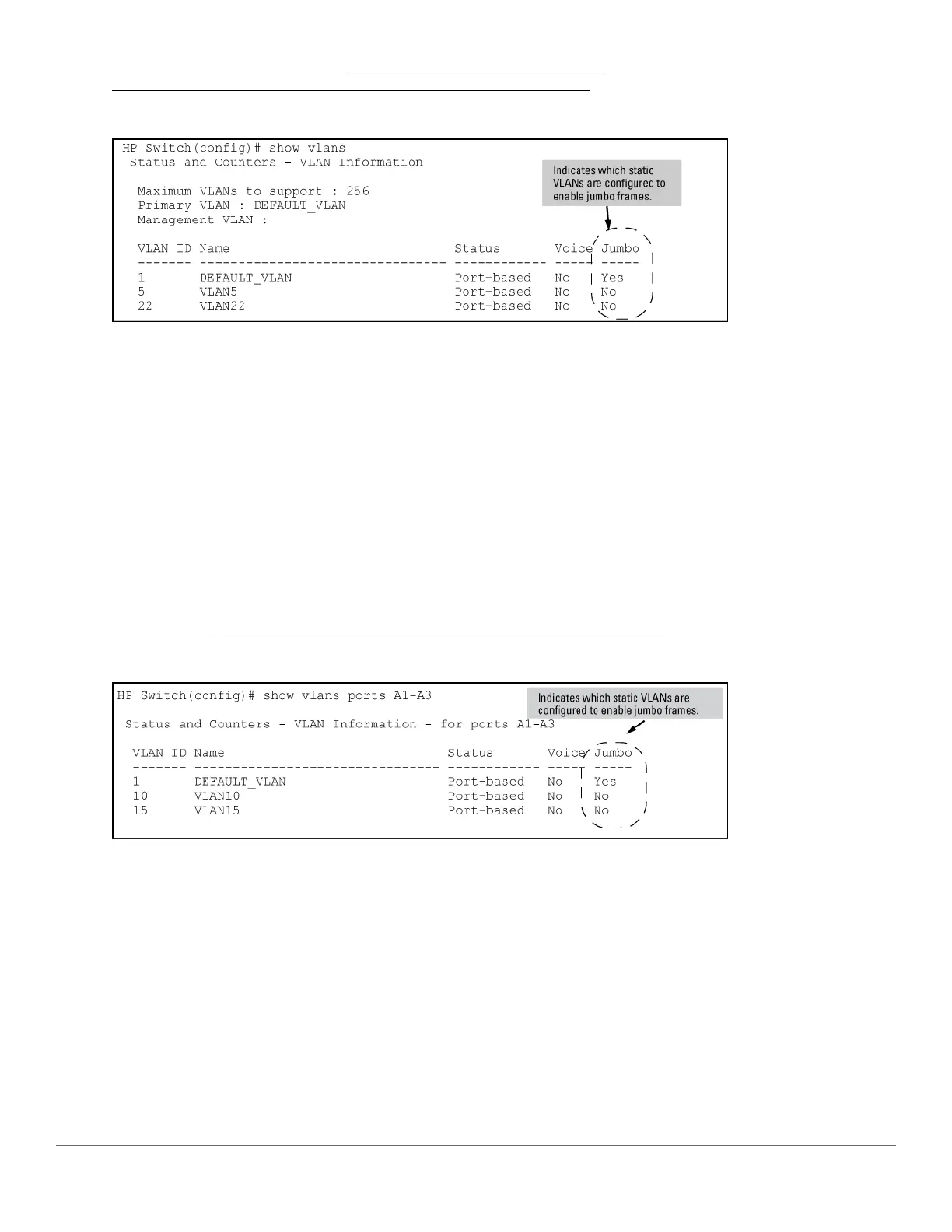
traffic. (For more information, see Configuring a maximum frame size on page 137.) See Figure Figure 23:
Example: listing of static VLANs to show jumbo status per VLAN on page 136.
Figure 23: Example: listing of static VLANs to show jumbo status per VLAN
Syntax:
show vlans ports <port-list>
Lists the static VLANs to which the specified ports belong, including the Jumbo column to indicate which VLANs
are configured to support jumbo traffic.
Entering only one port in <port-list > results in a list of all VLANs to which that port belongs.
Entering multiple ports in <port-list > results in a superset list that includes the VLAN memberships of all
ports in the list, even though the individual ports in the list may belong to different subsets of the complete VLAN
listing.
Example:
If port 1 belongs to VLAN 1, port 2 belongs to VLAN 10, and port 3 belongs to VLAN 15, executing this command
with a port-list of 1 - 3 results in a listing of all three VLANs, even though none of the ports belong to all three
VLANS. (See
Figure 24: Listing the VLAN memberships for a range of ports on page 136.)
Figure 24: Listing the VLAN memberships for a range of ports
Syntax:
show vlans <vid>
136 Aruba 2530 Management and Configuration Guide for
ArubaOS-Switch 16.05














 To Next Page