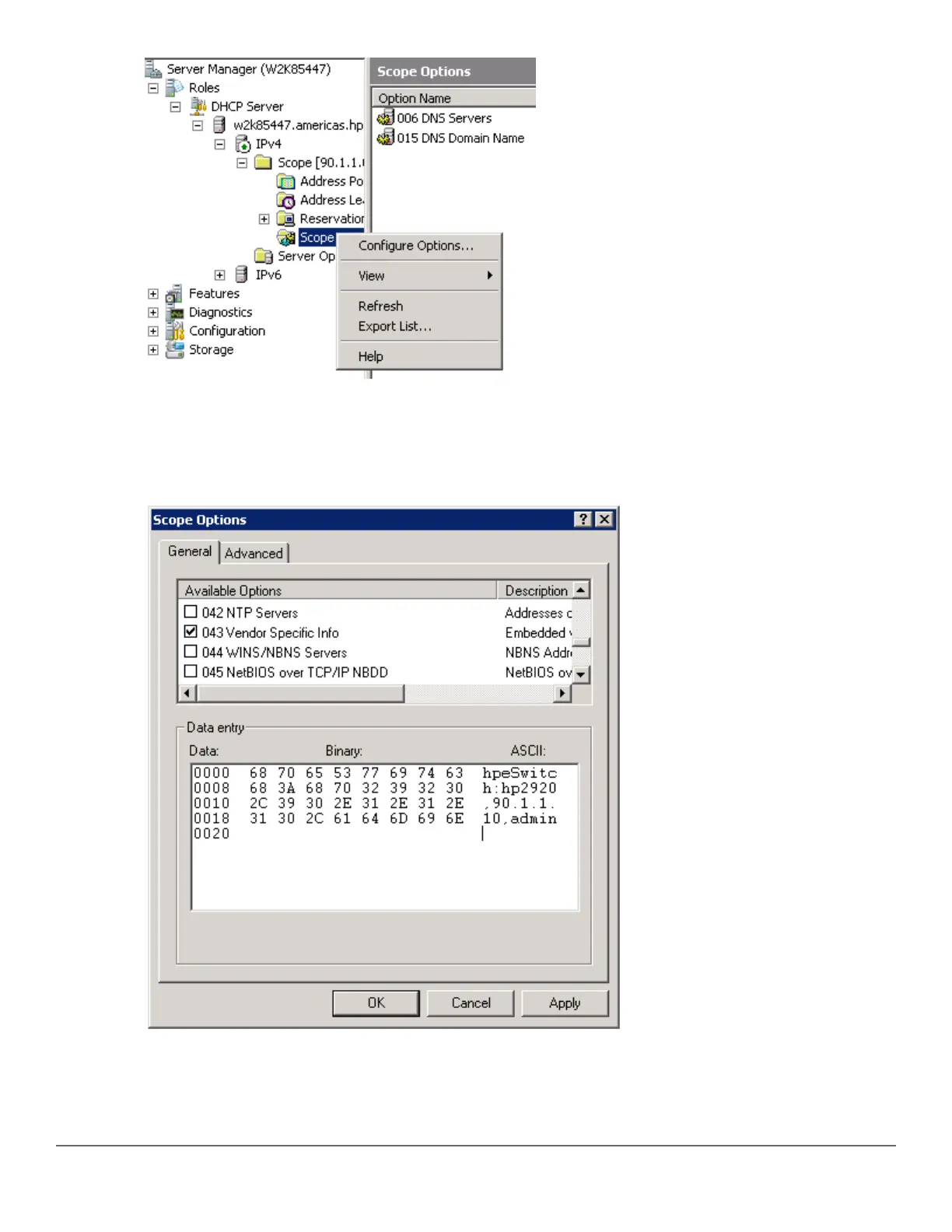
10. Under the General tab, select 043 Vendor Specific Info. The Data entry data appears. Under ASCII, enter
hpeSwitch:hp2920,90.1.1.10, admin. The ASCII value has the following format:
<Group>:<Topfolder>,<AMP IP>,<shared secret>
11. To add sub-folders, use the following format:<Group>:<Topfolder>:<folder1>,<AMP IP>,<shared
secret>
12. Under the General tab, select 060 AirWave. Click OK.
Chapter 10 Zero Touch Provisioning with AirWave and Central 227


 To Next Page
 Loading...










