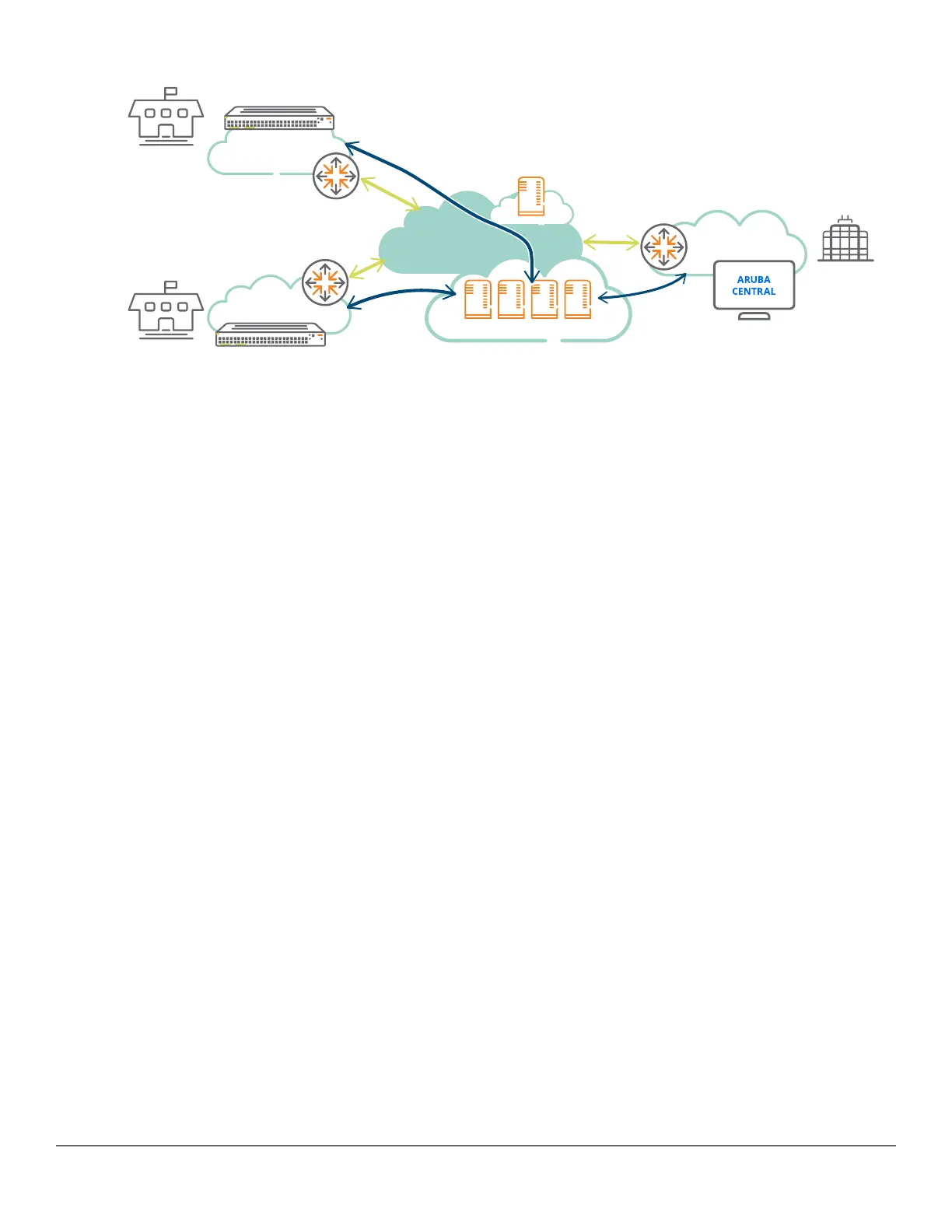
Internet
WAN Router
WAN Router
Switch being
provisioned
Switch being
provisioned
Router/
Firewall
Activate
Corporate
HQ
Branch 2
Branch 1
Secure
connection
Secure
connection
Aruba Central Servers
The workflow is as follows:
1. The switches being provisioned in branches boot and connect to the Activate on the cloud.
2. Based on administrator’s provisioning (such as folder, rule), the device is placed in the appropriate folder
before being redirected to the Aruba Central.
3. The switches check-in with Central and the server pushes the configuration to the switches based on the
group, switch model, and branch location.
For more information on Central configuration, refer to the Aruba Central Configuration Guide.
After the switch successfully checks-in with Central, the following management interfaces on the switch are
disabled:
• WebUI
• REST
• SNMP
• TR-69
• Menu
There is a restriction on executing the following commands over CLI:
• boot
• recopy
• erase
• reload
• startup-default
• upgrade-software
• setup
• delete
240 Aruba 2530 Management and Configuration Guide for
ArubaOS-Switch 16.05














 To Next Page