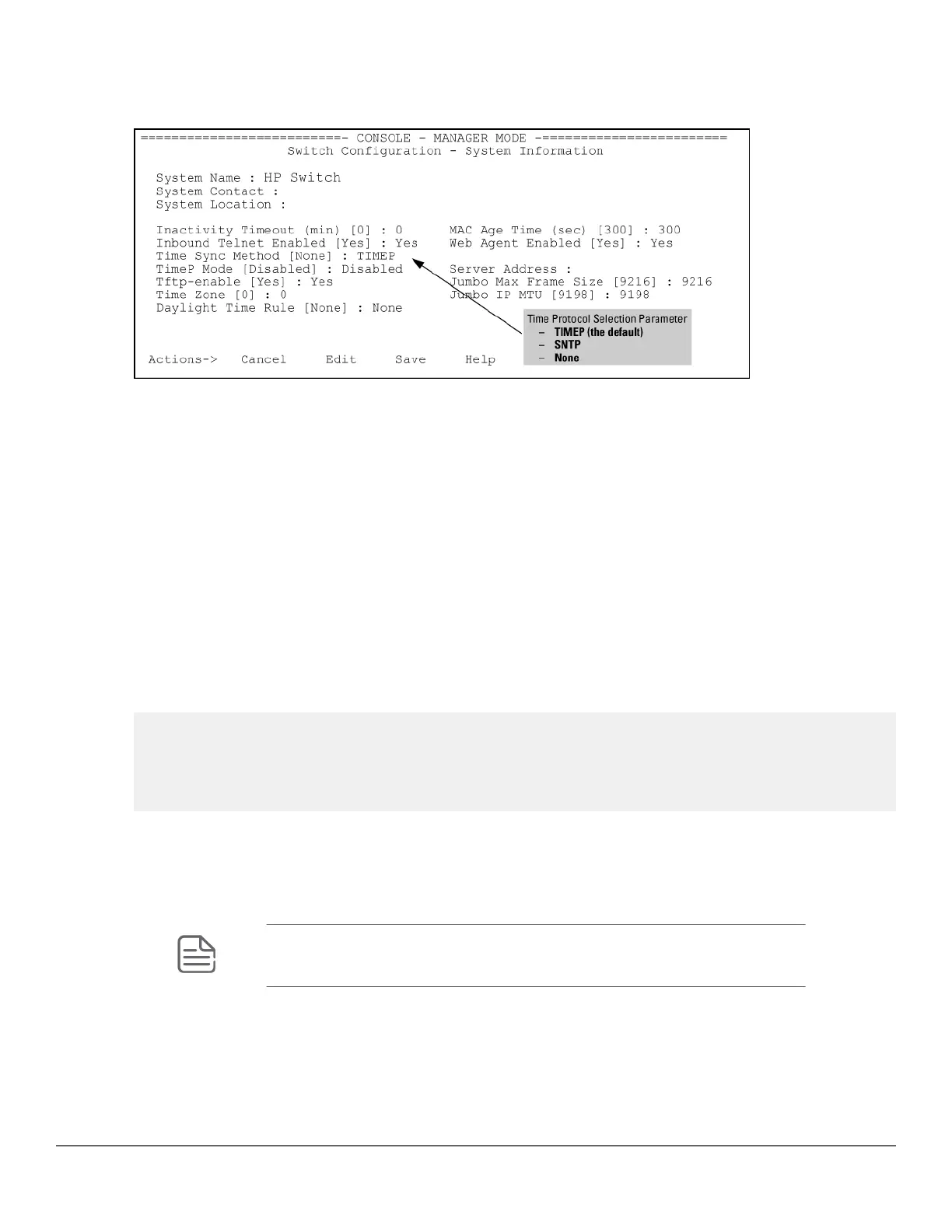
1. System Information
Figure 5: System Information screen (default values)
2. Press [E] (for Edit).
The cursor moves to the System Name field.
3. Move the cursor to the Time Sync Method field.
4. If TIMEP is not already selected, use the Space bar to select TIMEP, then move to the TIMEP Mode field.
5. Do one of the following:
• Use the Space bar to select the DHCP mode.
◦ Move the cursor to the Poll Interval field.
◦ Go to step 6.
Enabling TIMEP or DHCP
Time Sync Method [None] : TIMEP
TimeP Mode [Disabled] : DHCP
Poll Interval (min) [720] : 720
Time Zone [0] : 0
Daylight Time Rule [None] : None
• Use the Spacebar to select the Manual mode.
◦ Move the cursor to the Server Address field.
◦ Enter the IP address of the TimeP server you want the switch to use for time synchronization.
NOTE: This step replaces any previously configured TimeP server IP address.
◦ Move the cursor to the Poll Interval field, then go to step 6.
32 Aruba 2530 Management and Configuration Guide for
ArubaOS-Switch 16.05














 To Next Page