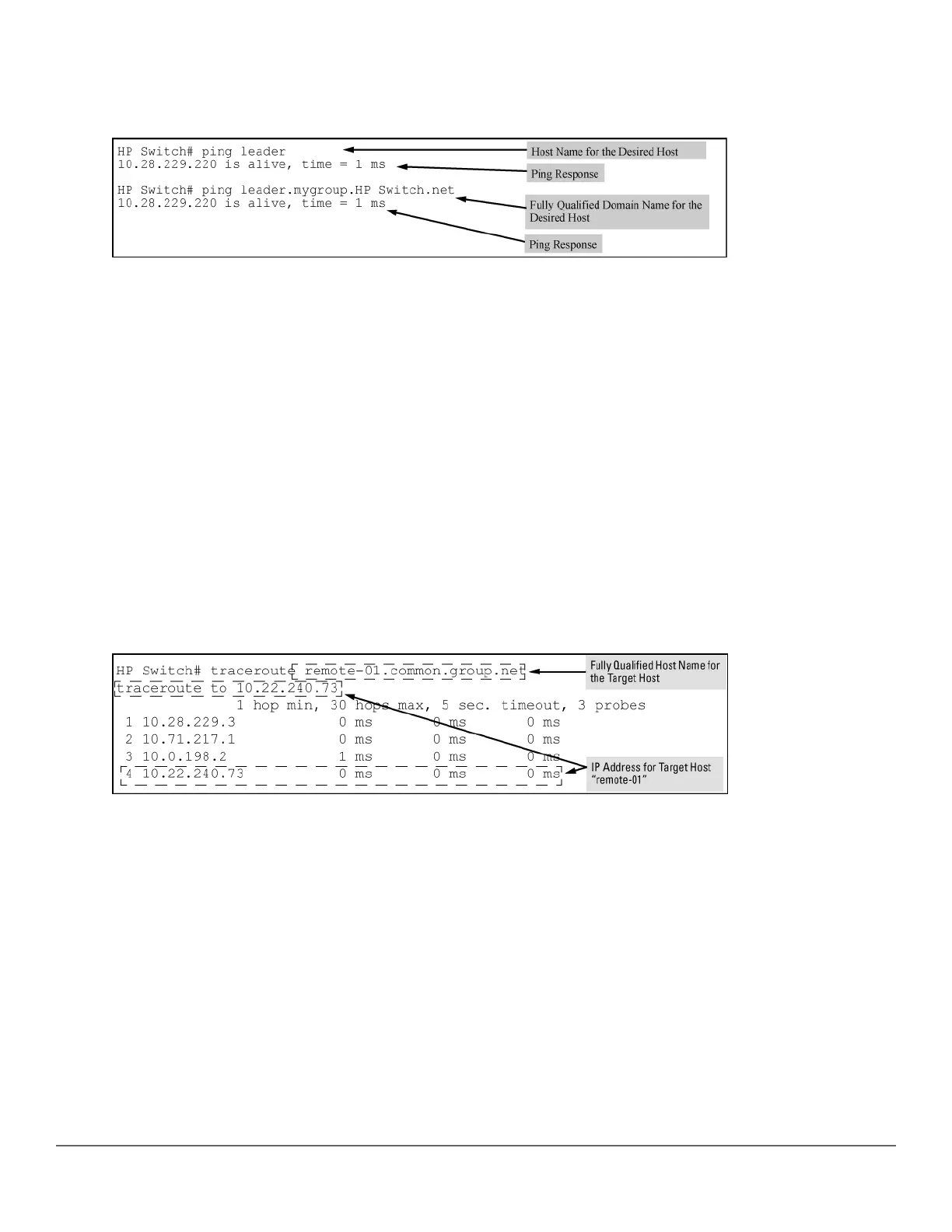
DNS name "leader" (assigned by a DNS server to an IP address used in that domain), the operator can use either
of the following commands:
Figure 73: Example: of using either a host name or a fully qualified domain name
In the proceeding Example:, if the DNS server's IP address is configured on the switch, but a domain suffix is
either not configured or is configured for a different domain than the target host, the fully qualified domain name
must be used.
Note that if the target host is in a domain other than the domain configured on the switch:
• The host's domain must be reachable from the switch. This requires that the DNS server for the switch must
be able to communicate with the DNS servers in the path to the domain in which the target host operates.
• The fully qualified domain name must be used, and the domain suffix must correspond to the domain in which
the target host operates, regardless of the domain suffix configured in the switch.
Example:
Suppose the switch is configured with the domain suffix mygroup.HP Switch.net and the IP address for an
accessible DNS server in this same domain. This time, the operator wants to use the switch to trace the route to a
host named "remote-01" in a different domain named common.group.net. Assuming this second domain is
accessible to the DNS server already configured on the switch, a traceroute command using the target's fully
qualified DNS name should succeed.
Figure 74: Example: using the fully qualified domain name for an accessible target in another domain
Configuring and using DNS resolution with DNS-compatible commands
The DNS-compatible commands include ping and traceroute.)
Procedure
1. Determine the following:
a. The IP address for a DNS server operating in a domain in your network.
b. The priority (1 to 3) of the selected server, relative to other DNS servers in the domain.
c. The domain name for an accessible domain in which there are hosts you want to reach with a DNS-
compatible command. (This is the domain suffix in the fully qualified domain name for a given host
384 Aruba 2530 Management and Configuration Guide for
ArubaOS-Switch 16.05














 To Next Page