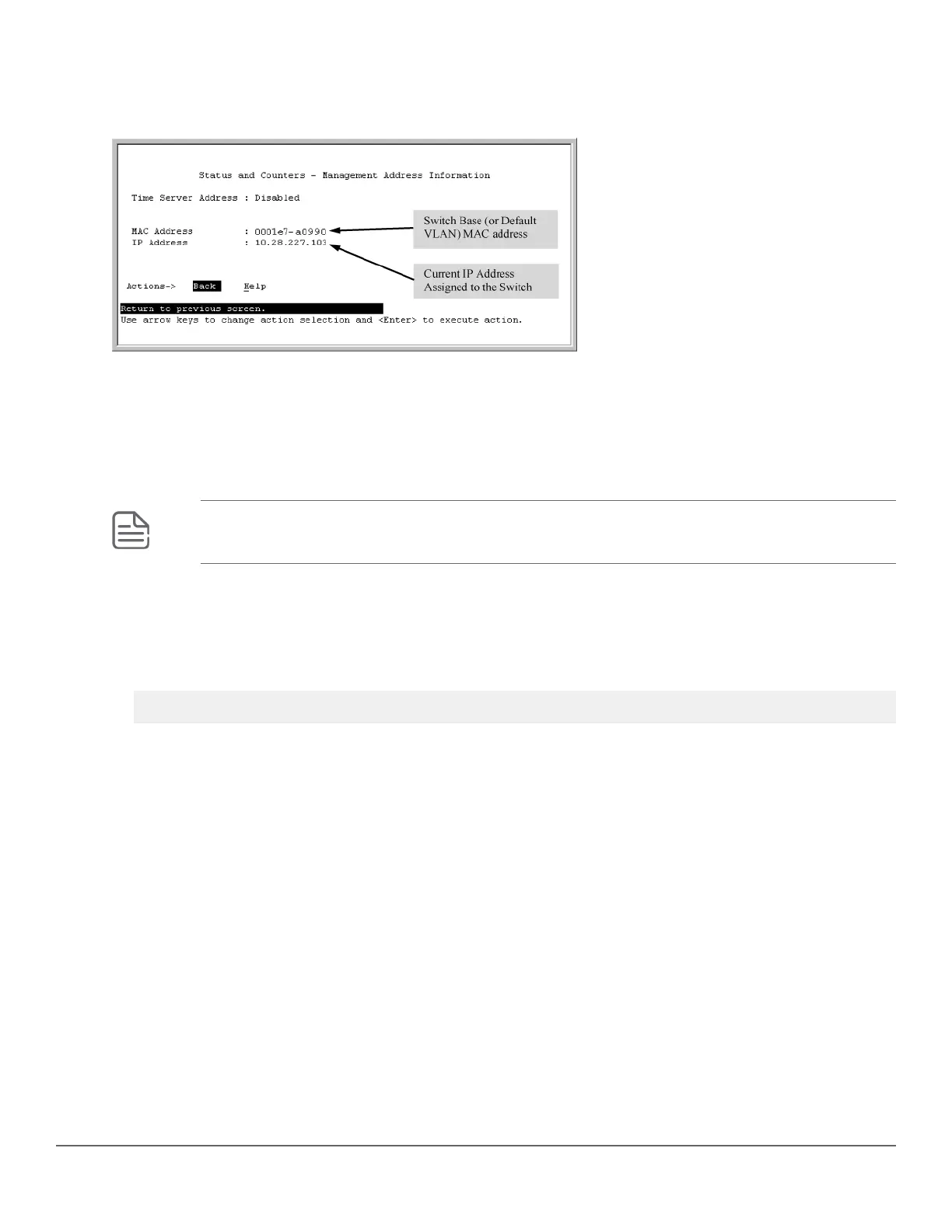
If the switch has only the default VLAN, the following screen appears. If the switch has multiple static VLANs,
each is listed with its address data.
Figure 78: Example: of the Management Address Information screen
Viewing the port and VLAN MAC addresses
The MAC address assigned to each switch port is used internally by such features as Flow Control and the
spanning-tree protocol. Using the walkmib command to determine the MAC address assignments for individual
ports can sometimes be useful when diagnosing switch operation.
NOTE: This procedure displays the MAC addresses for all ports and existing VLANs in the switch,
regardless of which VLAN you select.
Procedure
1. If the switch is at the CLI Operator level, use the enable command to enter the Manager level of the CLI.
2. Enter the following command to display the MAC address for each port on the switch:
switch# walkmib ifPhysAddress
(The above command is not case-sensitive.)
Example:
A switch with the following module configuration shows MAC address assignments similar to those shown in the
example below:
Chapter 17 MAC Address Management 391














 To Next Page