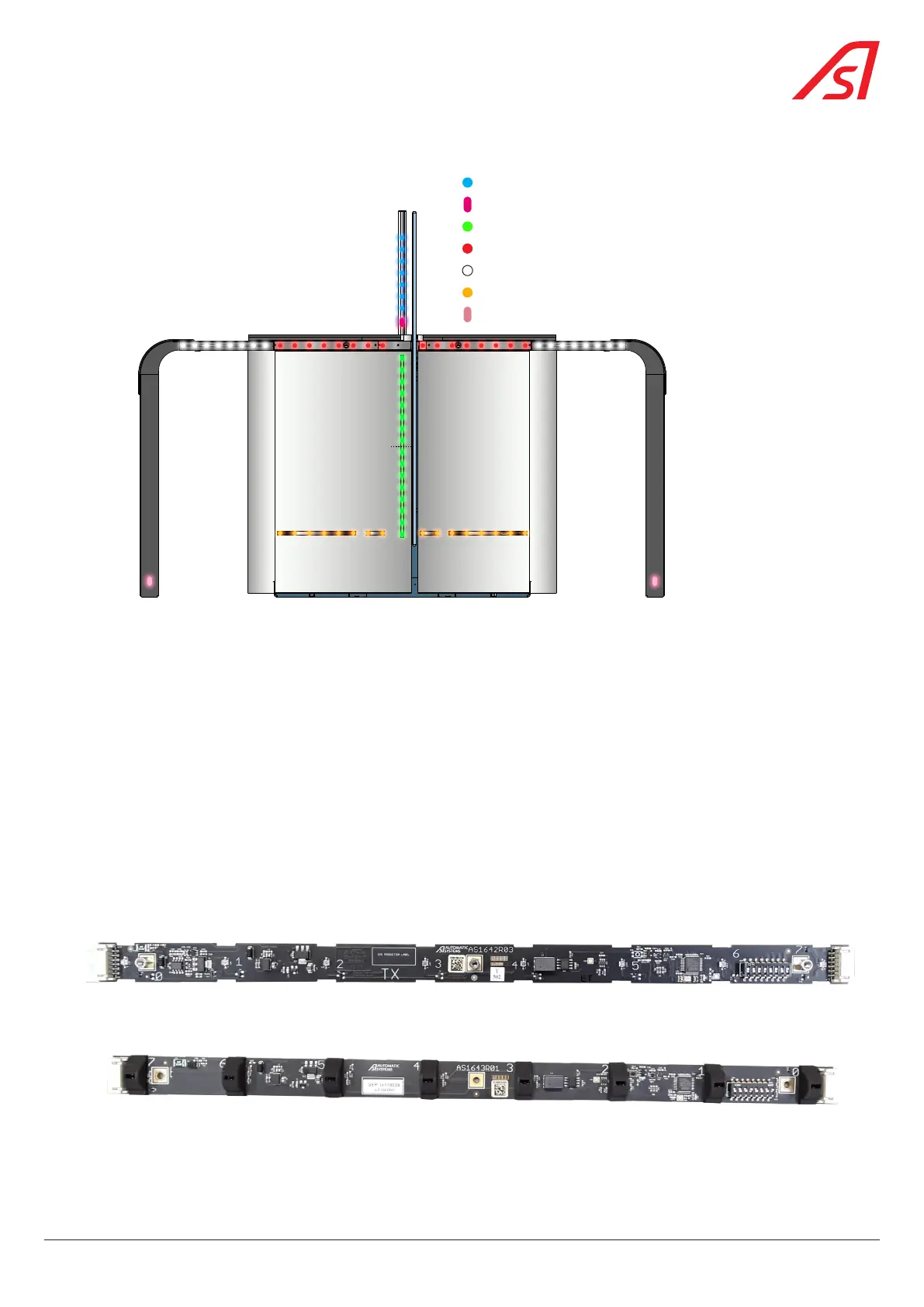
6.2.1. LAYOUT OF THE CELLS
E5H or R5HE6H or R6H
E2H or R2H E1H or R1H
E3V or R3V
E2V or R2V
E1V or R1V
E3H or R3HE4H or R4H
DIRAS Fixed Obstacle (Safety)
DIRAS vertical plane (Safety)
DIRAS high plane (Security)
DIRAS high plane (Security) (Extension option)
DiRAS low plane (Safety Trolley) (Option)
Photocell E/R Fixed obstacle (Safety)
Photocell E/R Early opening
Fig. 41 - Layout of the detection cells
6.2.2. DETECTION MANAGEMENT
The program manages the passages and determines breaches in relation to the cell masking sequence.
Each lane is divided into different detection zones:
The cells located on either side of the obstacles define a security zone with a configurable length. This zone ensures the safety
of passengers by prohibiting the opening or closing of the obstacles when a passenger comes too close to them (regardless
of whether the user is authorized or not). By extending the security zone, the passenger safety takes priority over anti-fraud
protection. By reducing the security zone, anti-fraud protection takes priority over passenger safety.
In PRM mode, detection is inhibited: anti-fraud detection is deactivated to reduce the number of false alarms due to atypical
images seen by the cells of passengers with wheelchairs, bikes, pushchairs, etc. A simple detection mechanism is used to
prevent the obstacles from closing on the passengers or their luggage.
6.2.3. DIRAS CELLS
AS1642 transmitter
Fig. 42 - AS1642 transmitter
AS1643 receiver
Fig. 43 - AS1643 receiver
43
SmartLane



 To Next Page