1. Remove the right side panel on side A ( Chap. 8.3.1, page 54);
2. Turn off the power supply to the device ( Chap. 8.3, page 54);
3. Remove the side panel on the side of the motor to be removed ( Chap. 8.3.1);
4. Position the obstacle at its bottom dead point to dissipate any potential energy in the connecting rod-crank system;
5. Disconnect the motor at the power terminal block;
6. Remove the clip (1) and the polyamide washer (2) in order to disengage the lower connecting rod (3) from the motor crank
(4) ( step A);
7. Release the lower connecting rod (3) by levering the motor crank (4);
8. Rotate the motor crank to align it with the frame cut-out ( step B);
9. In the presence of a low plane detection, release the DIRAS by undoing its fixing brackets and, if necessary, the various
shielding connections made on the cover and the CAN connections;
10. Remove the four (4) nuts (5) fixing the motor ( step C);
The motor remains suspended from the studs crimped into the frame.
11. Lift and pull the motor while making sure that the crank handle passes through the frame cut-out ( step D);
12. Place the motor in a safe place, out of the way, so that it cannot be damaged.
13. To reinstall the motor, follow the same process in the reverse order.
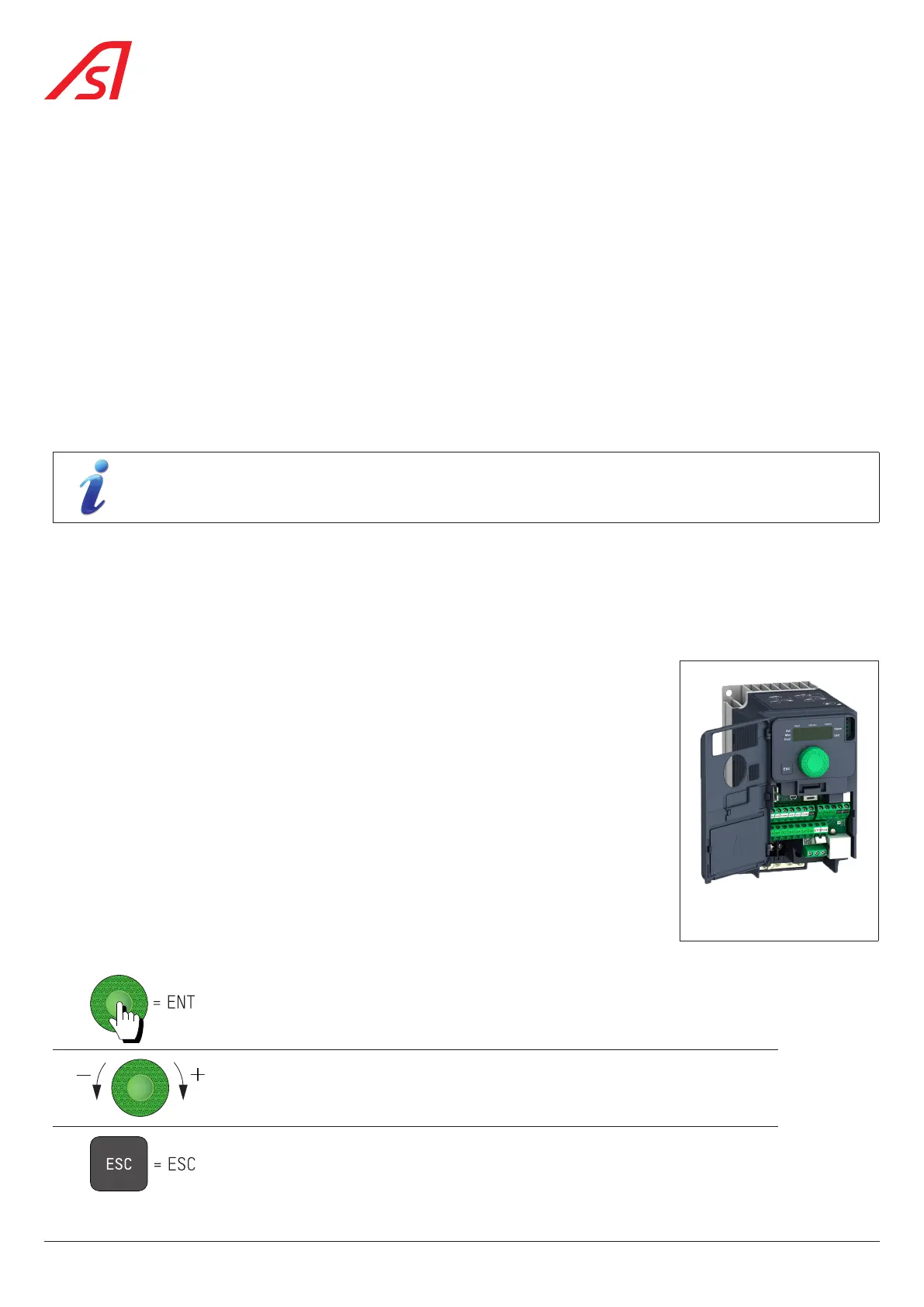
8.26. CONFIGURING THE VARIABLE FREQUENCY INVERTER ATV320
8.26.1. CHANGING THE FREQUENCY CONVERTER SETTINGS
- Disconnect the Ethernet cable from the variable frequency inverter;
- Open the variable frequency inverter cover;
- Enter the configuration settings ( Chap. 8.26.2);
- Switch off the variable frequency inverter via the variable frequency inverter's dedicated
circuit breaker;
- Reconnect the variable frequency inverter's Ethernet cable;
- Power up the variable frequency inverter again via the variable frequency inverter's
dedicated circuit breaker.
8.26.2. ENTERING THE CONFIGURATION SETTINGS INTO THE VARIABLE FREQUENCY
INVERTER
Press the green knob to enter the variable frequency inverter’s menus and/or to confirm
Turn the green knob to scroll through the menus/parameters
Press ESC to exit the menu
Fig. 97 - Variable frequency
inverter ATV320
84
SmartLane



 To Next Page