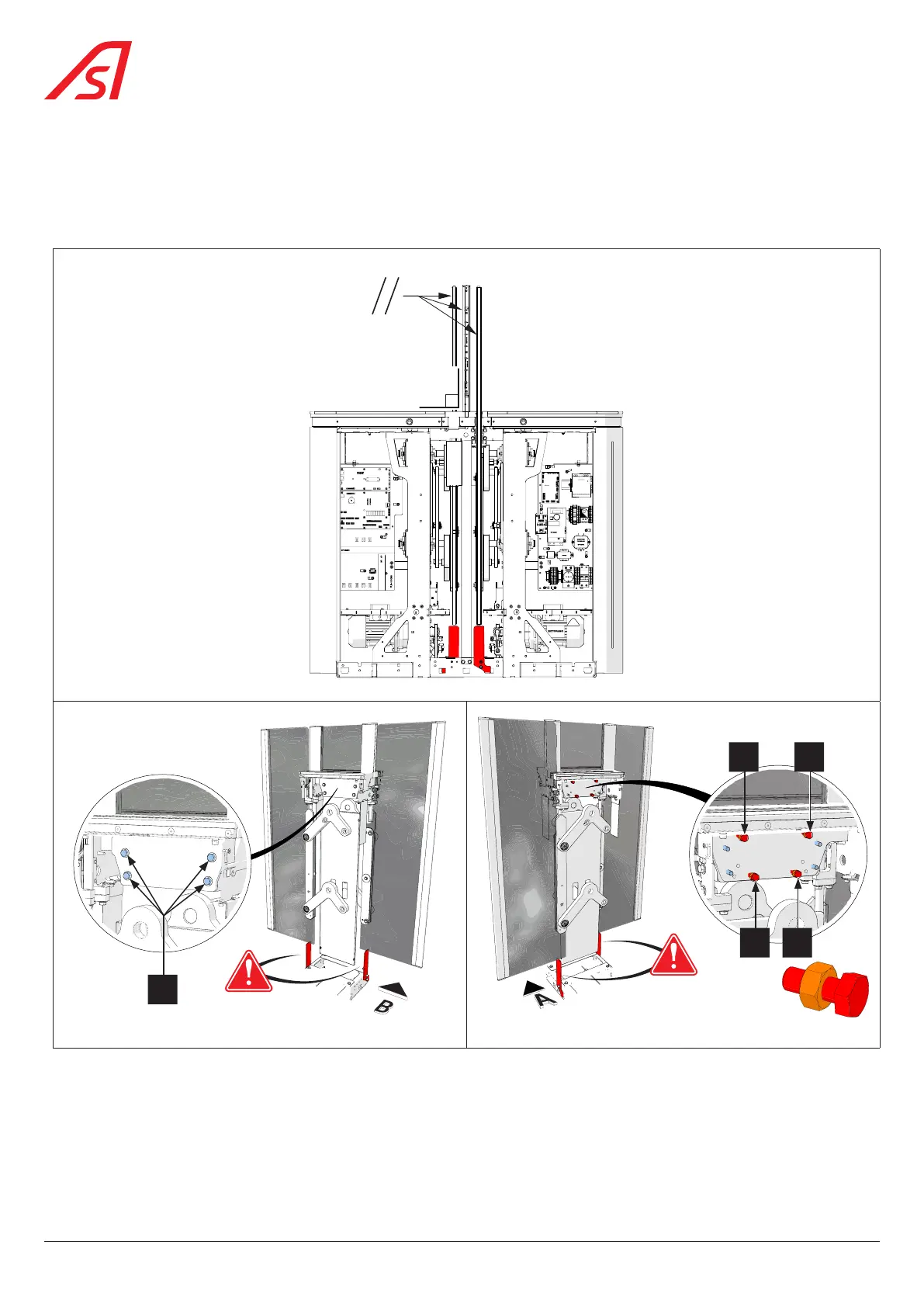
8.9. ADJUSTING THE FIXED OBSTACLE
The integrated adjustment system makes it possible to adjust:
• The perpendicularity of the fixed obstacle in relation to the unit shelves.
• And/or the parallelism of the fixed obstacle in relation to the mobile obstacles.
90°
2
B
A
B'
A'
Fixing screws Adjustment screws + lock nuts
Fig. 64 - Adjusting the fixed obstacle
1. Switch off the unit ( Chap. 8.3, page 54) and remove all side panels;
2. Lock the mobile obstacle(s) in the open position ( Chap. 8.5, page 56)
60
SmartLane



 To Next Page