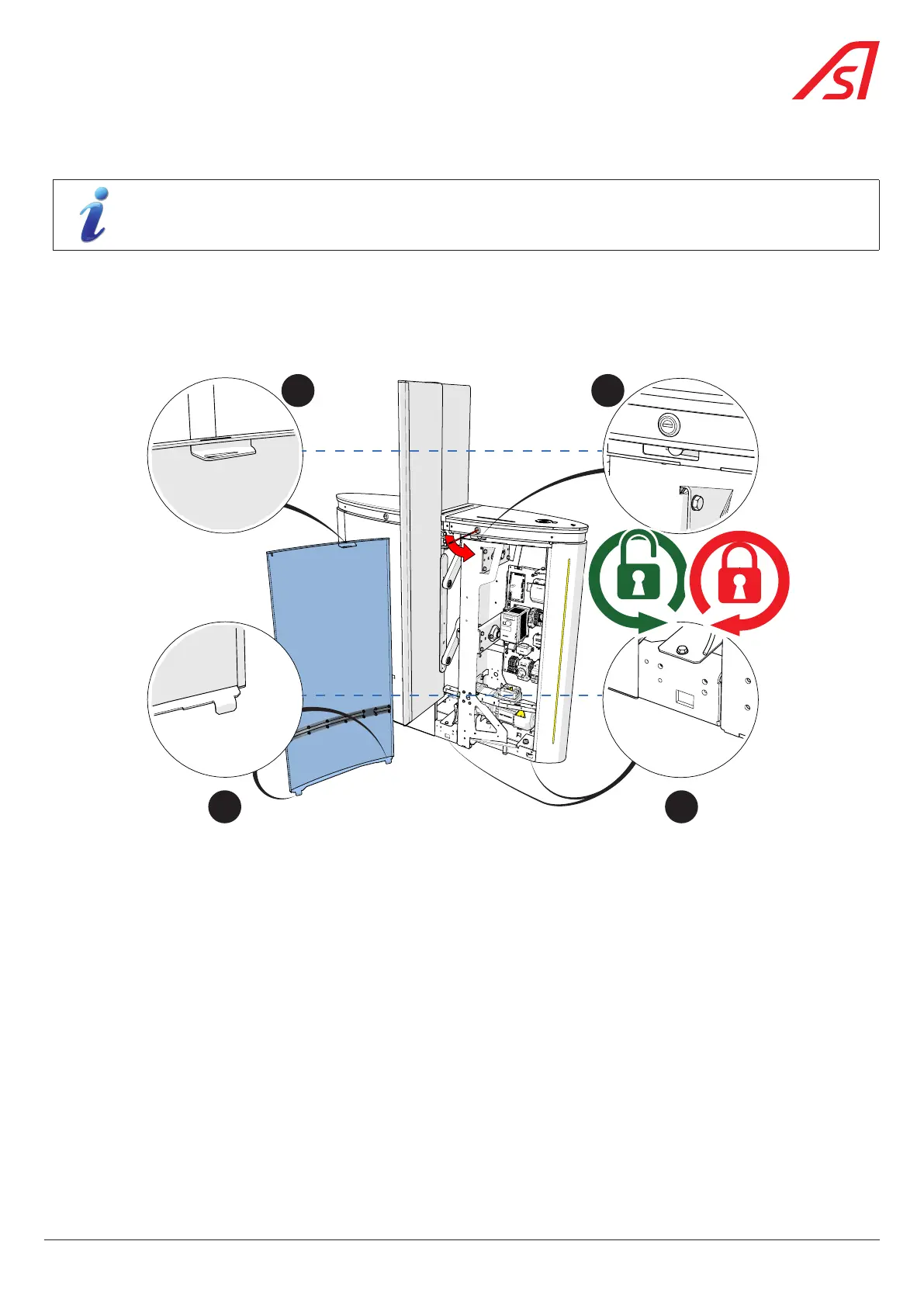
8.6. FITTING A PANEL (SIDE OR END)
The procedure is identical for all panels.
For an end panel, it is necessary to operate both locks to unlock the panel.
1. Tilt the panel slightly and align the lower panel fixing tabs (A) with the corresponding slots in the frame (A’);
2. Once the tabs are inserted in the slots, press the panel against the frame, making sure that the upper locking tab (B) is
correctly positioned in the corresponding slot in the frame (B’).
3. Lock the panel by turning the lock(s) clockwise (90°).
A
B
A’
B’
Fig. 62 - Installing a panel
57
SmartLane



 To Next Page