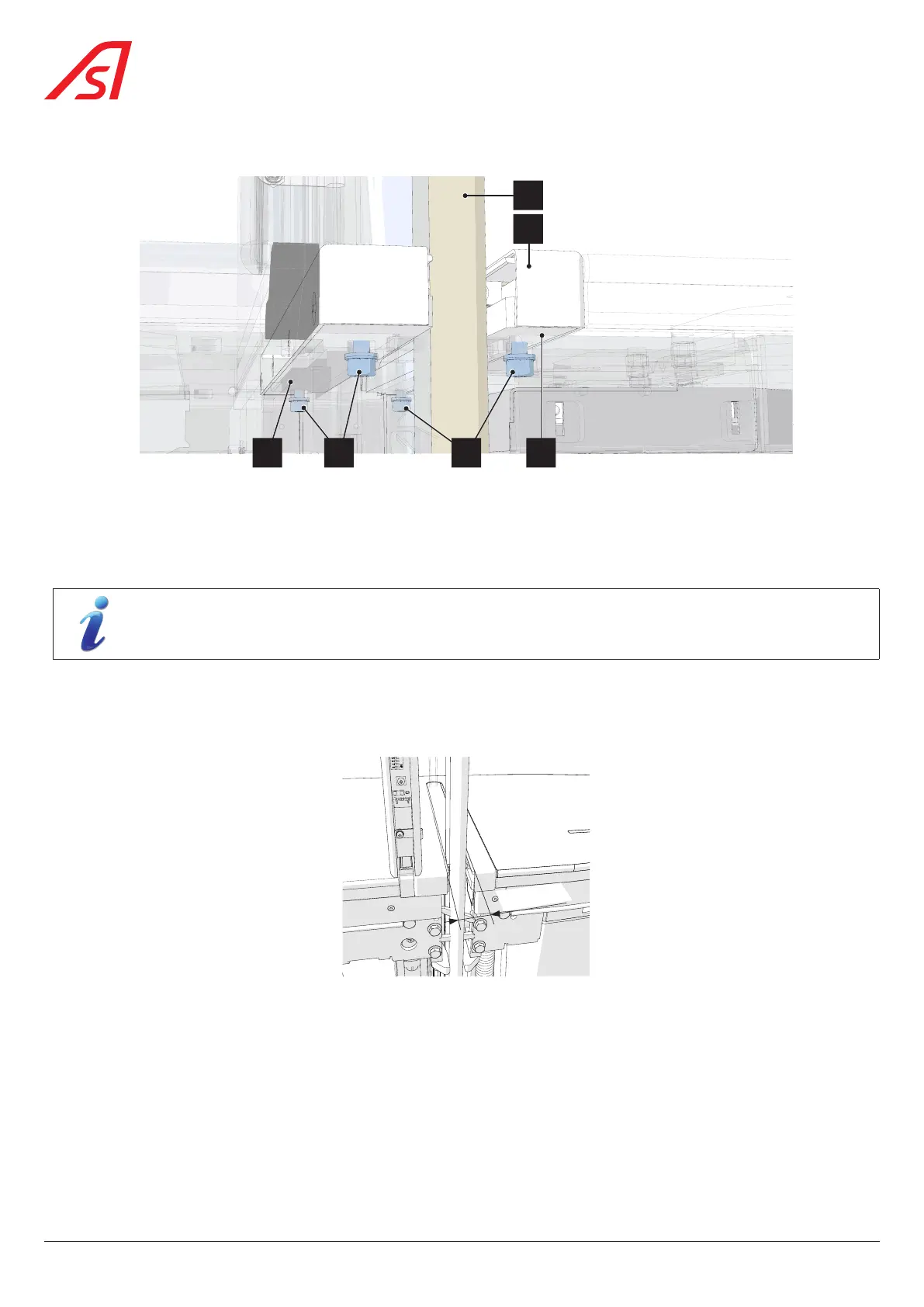
8.19. ADJUSTING THE CLEARANCE FOR THE PASSAGE OF THE MOBILE OBSTACLES
5 6 43
1
2
Fig. 84 - Adjusting the passage of the high mobile obstacle in the flap guide
1. Turn off the power supply to the device ( Chap. 8.3, page 54);
2. Remove the side panels ( Chap. 8.3, page 54);
3. Loosen, without unscrewing, the four (4) fixing screws (5) and (6) of the flap guide assembly (2).
The number of fixing screws depends on the width of the obstacle.
4. Position the flap guide on the fixed glass panel side against the glass panel (Ref. 3 in the figure above) and tighten the
fixing screws (5).
5. Adjust the second part of the flap guide (2) so that the opening between the two guides is 21 mm and then tighten the
fixing screws (6).
21 mm
Fig. 85 - Adjusting the flap guides
6. Manually make a few movements with the mobile obstacle to check that the flap slides correctly and without excessive
friction in the flap guides. If necessary, readjust the flap guide (2) to obtain a smooth movement of the flap in the guides.
74
SmartLane



 To Next Page