17
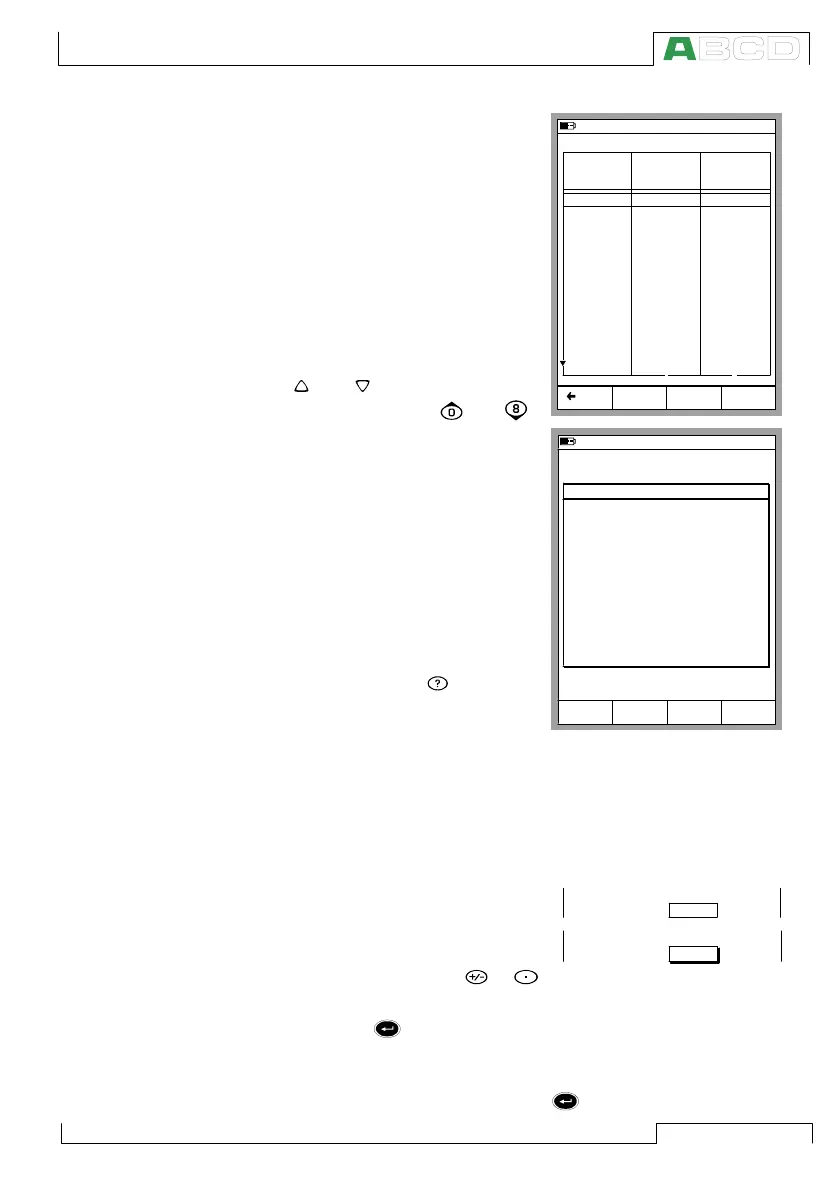
Tables:
Tables are used, e.g. when view-
ing calibration results in numeric
format. Tables reserve the whole
display area.
The tables are often larger than the
display. In that case there are small
arrows added to the table borders.
They indicate that more information
may be seen by using the arrow
keys.
The and keys scroll the list
one line at a time. The and
keys scroll the list one page at a
time (if applicable).
Hint.
If the table has more columns than
can be seen, use the numeric keys
to quickly jump to corresponding
column.
Help window:
The help window is a special win-
dow. It displays help text that the
user called using the key..
Display Area Elements that are Used for Editing Data
There are four different fields/elements that are used for editing
data in the display area. Use the B/Field Function Key to move
between editable fields in Basic Mode. In configuration windows,
use the cursor keys.
Numeric Fields
There are two ways to start editing a
numeric field:
1. Press a numeric key, or
key. Then the entered value replaces the old value.
2. Press the key or the C/Edit Function Key available in some
configuration windows. Then you can edit the old value. New
digits appear at the end of the old value.
Accept the new value by pressing the key. To discard the edited
10.11.2003 15:05
Back
Page
Next
MENU
12.02.2000 10:29 - As Found - Passed
Input
[V]
-0.00002
0.99996
1.99998
3.0000
4.0000
5.0000
6.0000
7.0000
8.0000
9.0000
9.9999
9.0000
8.0000
Output
[V]
-0.00005
0.99996
2.0000
3.0001
4.0001
5.0002
6.0001
7.0001
8.0001
9.0002
10.0001
9.0002
8.0002
Error
[%]
0.003
0.000
0.002
0.001
0.001
0.002
0.001
0.001
0.001
0.002
0.002
0.002
0.002
1 2
10.11.2003 15:02
1
Voltage
ET: Low V Low V. Sensor Meas.
Basic Mode is the focal point of
the calibrator's menu structure.
Advanced functions are in D/Menu
and C/Others.
To measure, generate or simulate,
select Quantity and Port from
Window 1 Setup or
Window 2 Setup menu.
User Guide:
Part B Measuring
Part B Generating/Simulating
HELP
Close
Keys
Lock
Mode
Basic
Range 0 %
100 %
4.0000
16.0000
mA
Range 0 %
100 %
4.0000
20_
mA
MC5P Firmware



 To Next Page