18
General
value, use the A/Cancel Function Key. See also Part B for special
features concerning numeric fields when generating a signal.
Notes.
You cannot add more digits if the length of the number is at its
maximum limit. Use the C/çDelete Function Key to remove un-
wanted digits first and then enter the new digits.
The dual function of the keys: , and is not available in a
numeric field. The keys only represent numbers.
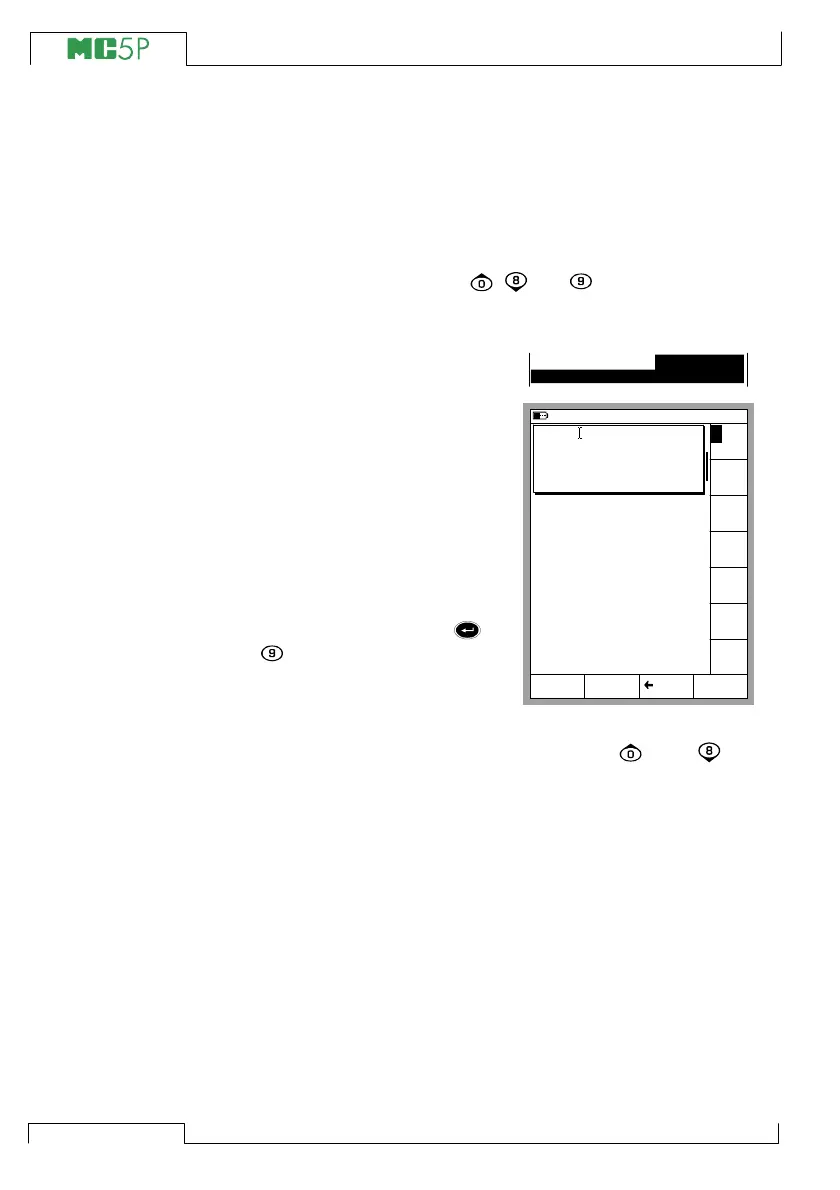
Text fields
Press any of the numeric keys or
the C/Edit Function Key available
in some configuration windows to
start editing a text field. Then the
menu with the available characters
opens for selecting.
Use the numeric keys (1 to 7) to
select the character. Use the cur-
sor keys to move the cursor in the
text field.
Select the character with the or
the key. Use the C/çDelete
Function Key to remove unwanted
characters.
If the character you want to use is
not seen in the list of available characters, try the or the key
to see more alternatives.
Accept the new text with the D/Accept Function Key. To discard
(cancel) the edited text, use the A/Cancel Function Key.
Position ID PT106.1
10.11.2003 15:17
% of span
0.50
0.30
0.10
0.10
Cancel Delete Accept
D E F
G H I
J K L
M N O
P Q R
S T U
V W X
Y Z Å
Ä Ö O
Æ Ë Ï
Ü Â Ê
Î Ô
Û Ç ß
A B C
Device ID
Device Name
Error Calc. Method
Reject if
Adjust if
Do not Adjust if
Adjust to
<
<
>
>
PT106.1



 To Next Page